Live Data via Android Auto
Written By Katya S.
Last updated Over 1 year ago
For some vehicle models, we can now, as of A Better Routeplanner 6.0, read data such as SoC via the Android Auto connection.
How to enable or disable live data via Android Auto
If the permissions aren’t already enabled by default, here’s how you can manage Android Auto live data:
On your home screen, press and hold the ABRP app icon.
Select the option ‘App info’.
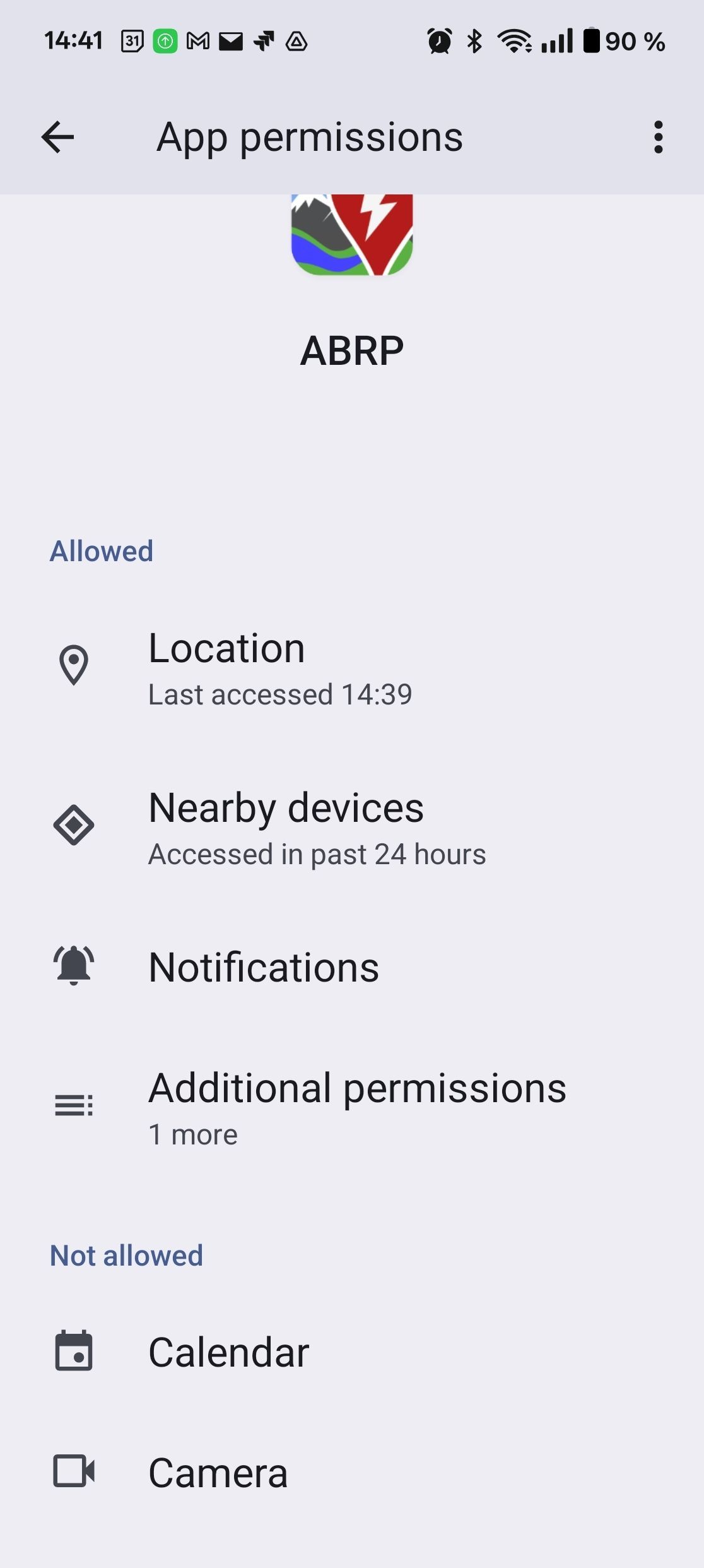
In this settings section you can manage app permissions. If you’re not able to directly see ‘Car information’ permissions click ‘Additional permissions’ to reveal the menu item.
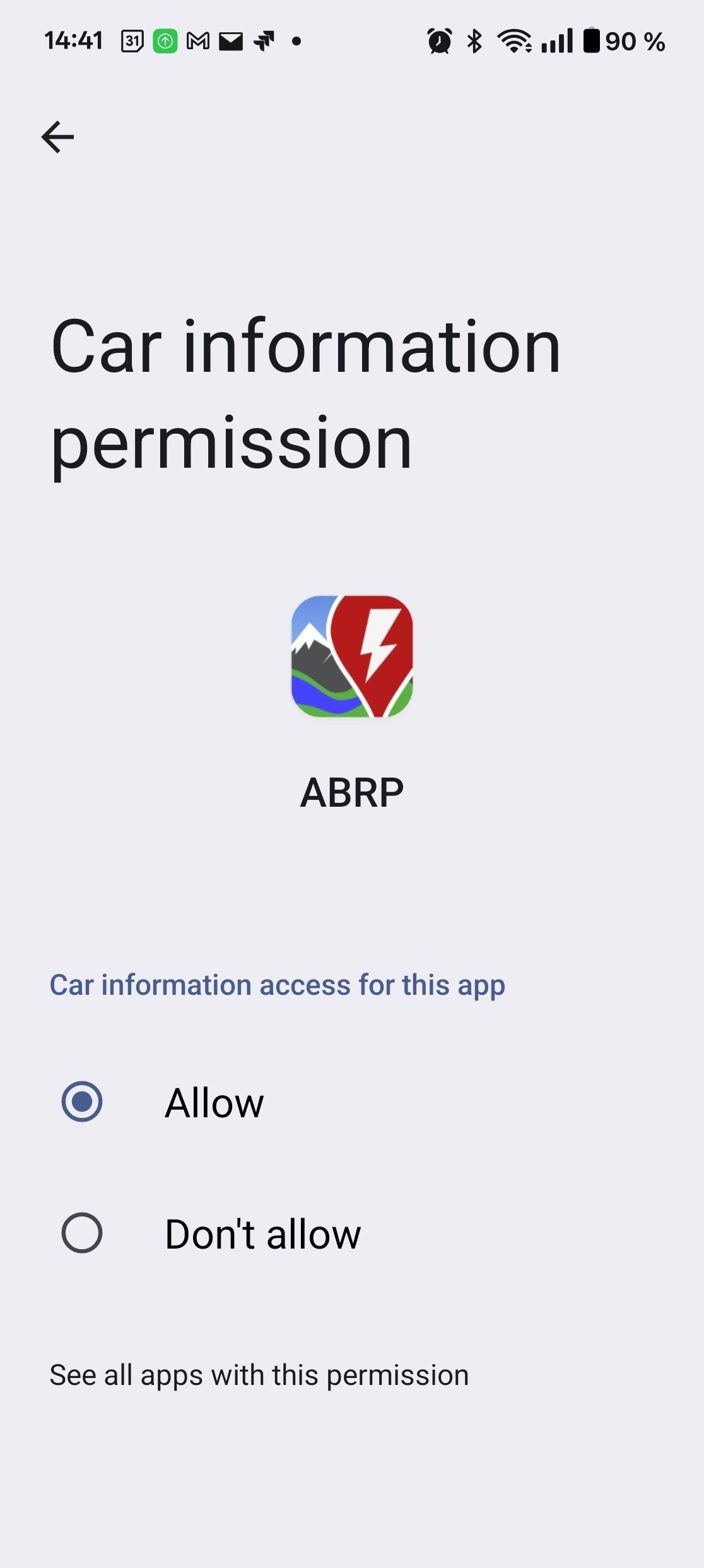
In ‘Car information’ permissions, you can set permissions to ‘Don’t allow’ to disable ABRP from accessing vehicle data via Android Auto.
Data reported by Android Auto
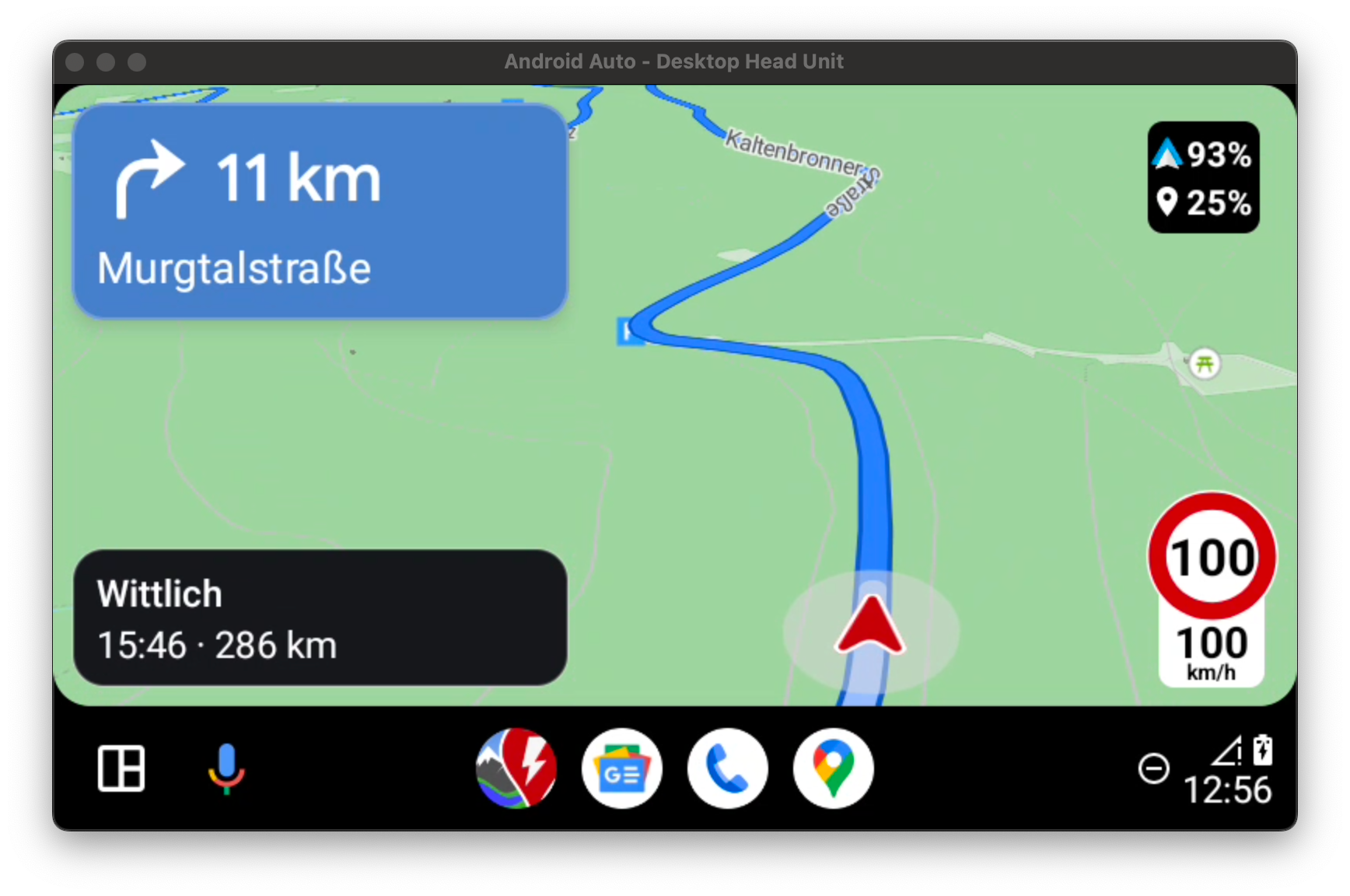
Once the vehicle feeds data via Android Auto, it’ll be indicated in ABRP by the Android Auto logo/icon being displayed next to the SoC value:
I’m not getting any data via Android Auto
It is possible that your vehicle does not support providing live data via Android Auto.
At the moment, we're not able to provide a definitive list of vehicle models that support live data via Android Auto since the vehicle manufacturers are not clear about this. Once they are, we'd be more than happy to list which vehicle models (and infotainment versions, etc.) support it.