Edit the details of a charging stop in your plan
Written By Katya S.
Last updated About 1 year ago
By using the ‘waypoint options’ button, you can edit the default charging stop details for a specific stop in your plan.
Click/tap the ‘waypoint options’ button next to the charger in your itinerary
Adjust items such as; Arrival SoC*, Charging power, Charging duration or, Departure SoC, and Departure date and time
Click/tap ‘Save’
Click/tap ‘Plan’ to have a new version of the plan with your edits to the stop produced
*Arrival SoC for this specific stop, if you want to adjust the global setting see; Charger arrival SoC or Destination arrival SoC
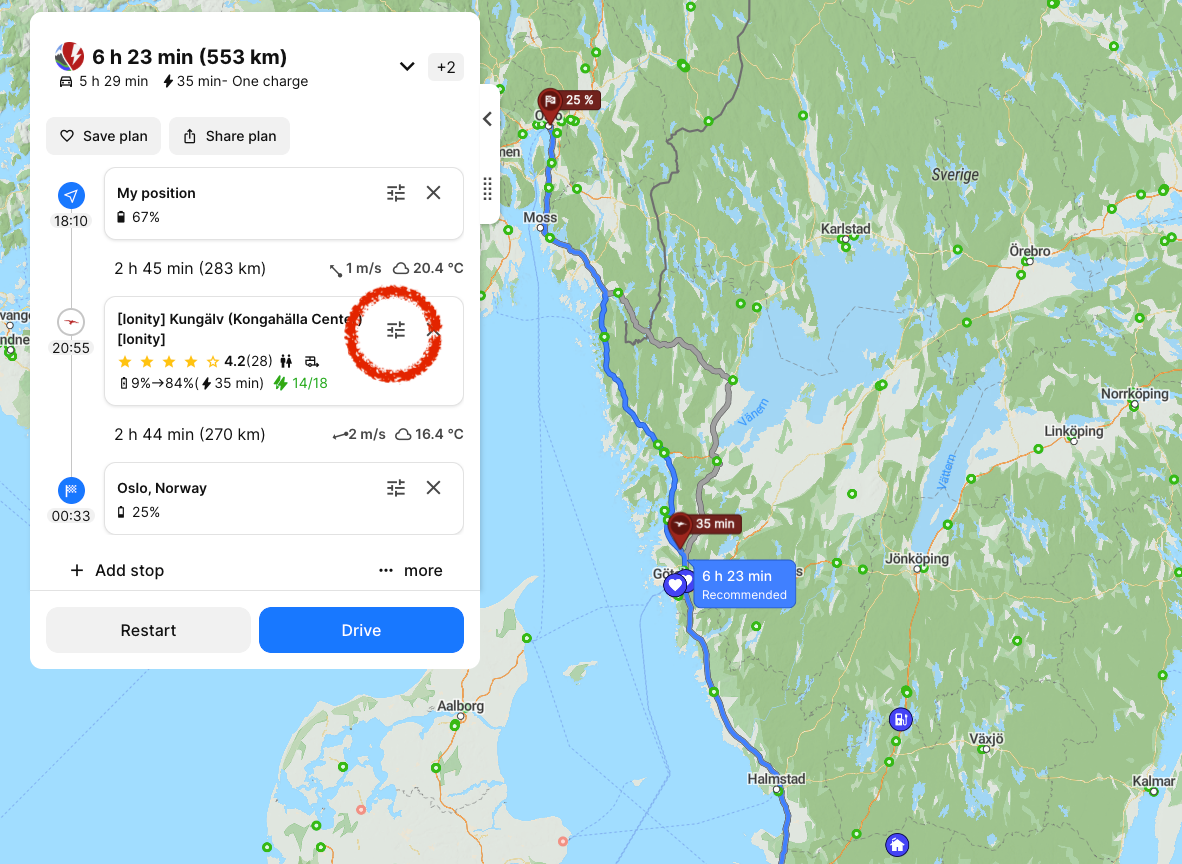
The charging stop in this plan ‘Ionity - Kungälv’ can be adjusted by clicking the waypoint options icon between the name and ‘X’ (circled red in the image).
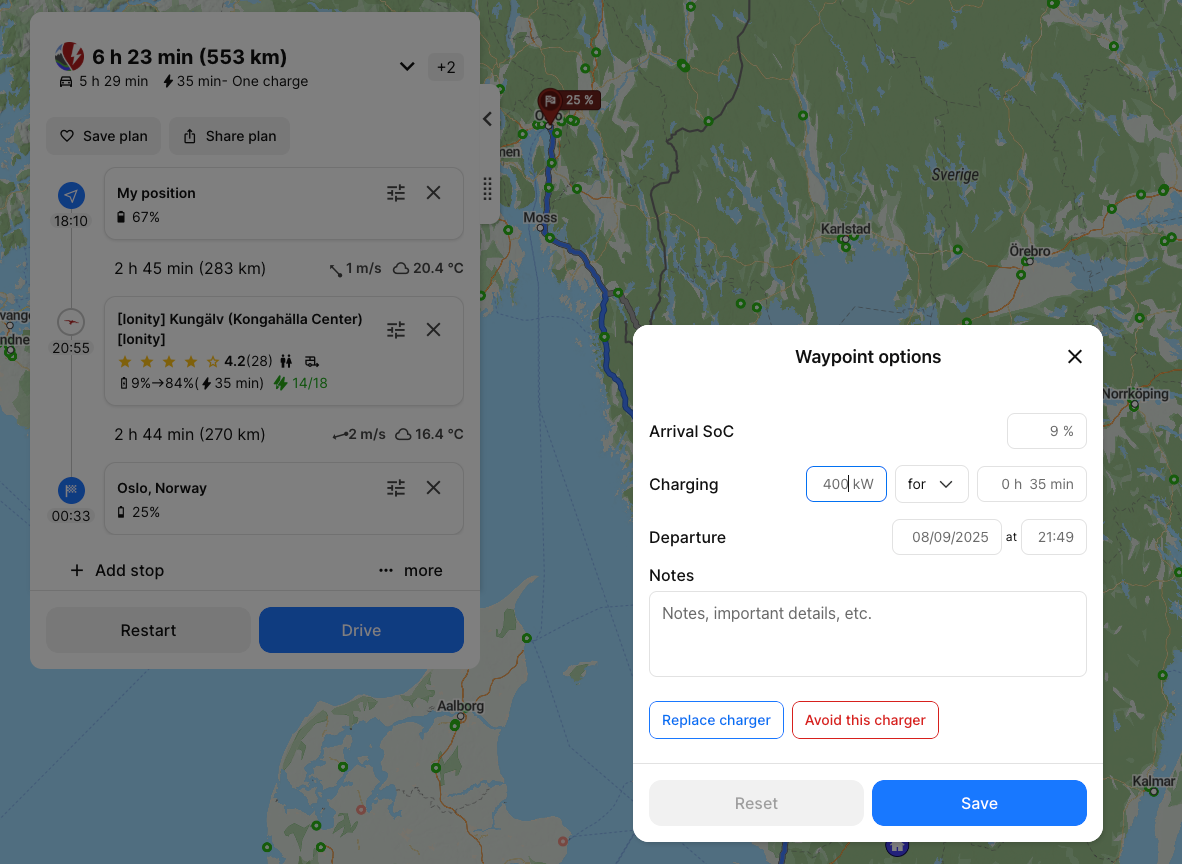
In the waypoint options, you can edit the details for the charging stop.