My Drives
Save all your vehicle activity and browse it later. You can share your activities with others or export them to Excel.
Written By Katya S.
Last updated Over 1 year ago
Enable (or disable) My Drives
My Drives is a feature that requires an active ABRP Premium trial or subscription. If you'd like to enable it, please first ensure your account has an active ABRP Premium status.
Go into Settings.
Click the vehicle button.
Select the vehicle you'd like to delete.
Once selected, click the vehicle button once again.
Click the 'Edit settings' button.
At the bottom of the vehicle settings menu, you'll find a toggle for 'Save My Activity'. Toggle it off or on as you'd like.
Important! If you are experiencing connection issues, please consider resetting the connection or contacting support.
Export charging and driving activity
Firstly, the 'My Drives' feature does require the following in order for ABRP to record any activities; - An active ABRP Premium subscription or trial period - An active live data connection supporting the 'My Drives' feature - That 'My Drives' is enabled for the vehicle, by toggling on the 'Save My Activity' switch in the settings for the vehicle Given all the above are fulfilled and the vehicle has been active while connected to ABRP you should now be able to export the recorded data.
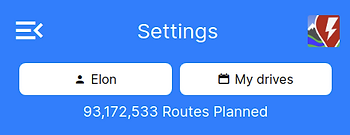
Click the 'My Drives' button.
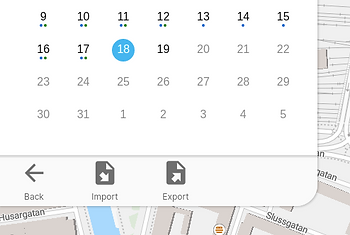
Then click the 'Export' button and select the interval of days you'd like to export data for. Should you wish to export an individual driving or charging session,
Select the day the activity occurred in the calendar
Find the activity in the selected days listed activities
Click the 'export' button to the right of the activity