Unnamed car configuration in CarPlay display
🚧 THIS IS A TICKET MIGRATED FROM UPVOTY. The original ticket and comments will be available for a limited time over at:
https://abrp.upvoty.com/b/report-a-bug/unnamed-car-configuration-in-carplay-display/
———————————————————————————
iOS ABRP V4.3.3 (1995)
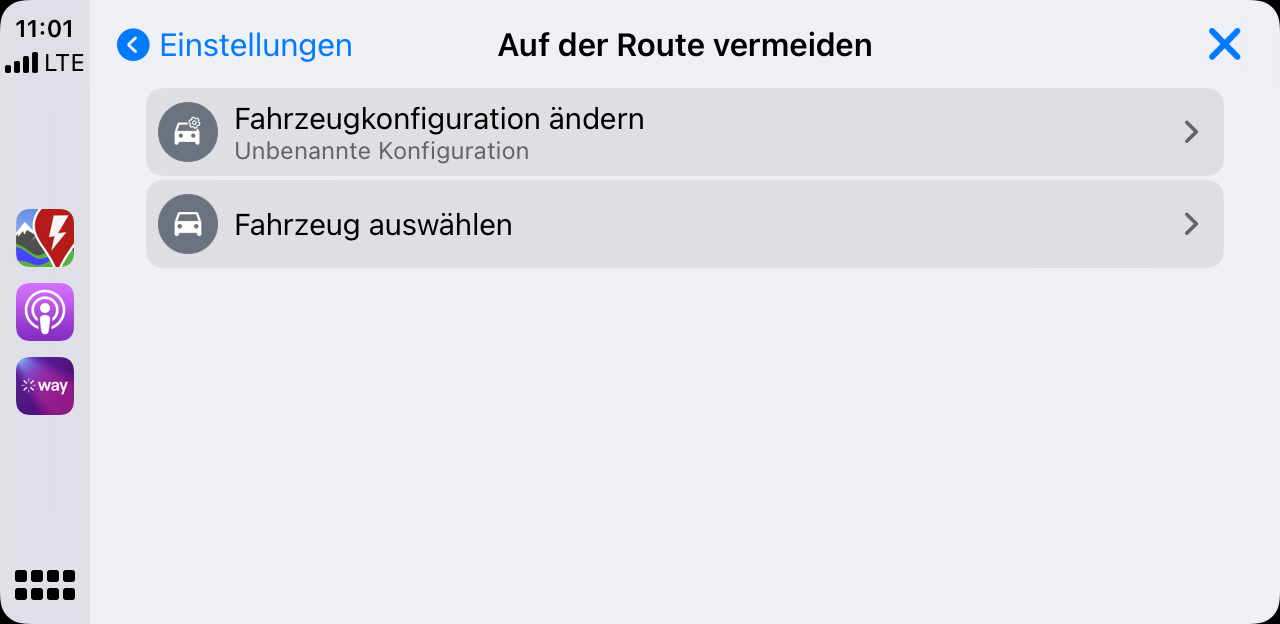
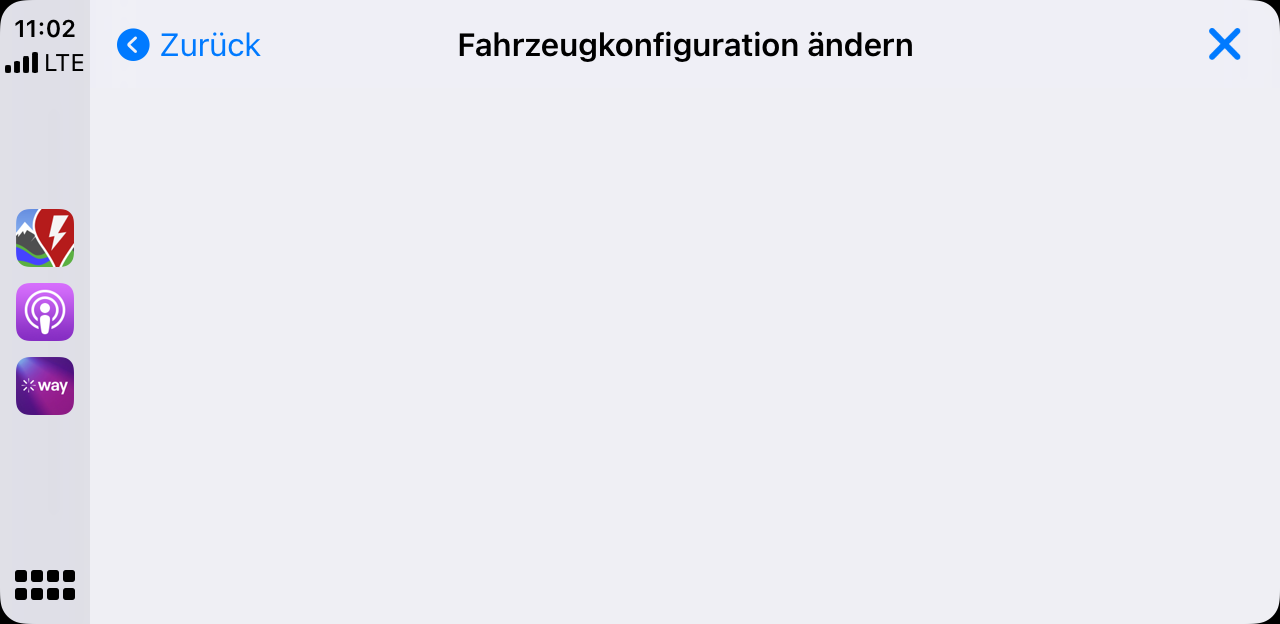
There is an unnamed car configuration in CarPlay display (first screenshot). If you tap on this configuration on the CarPlay display ("Fahrzeugkonfiguration ändern / Change vehicle configuration") you get an empty screen (second screenshot) and can't do anything there.
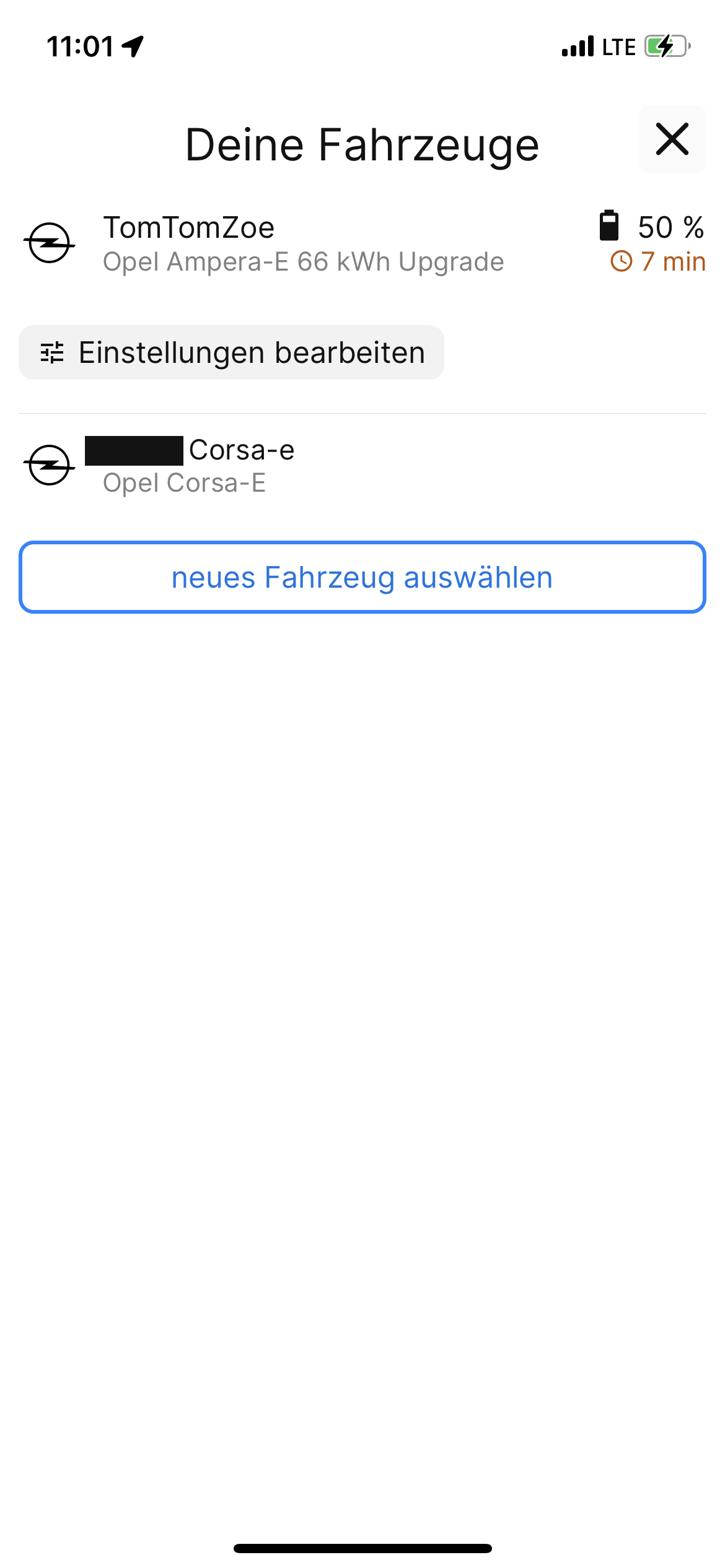
At the same time in my iOS App there's no unnamed car configuration (third) screenshot.
Another issue to verified:
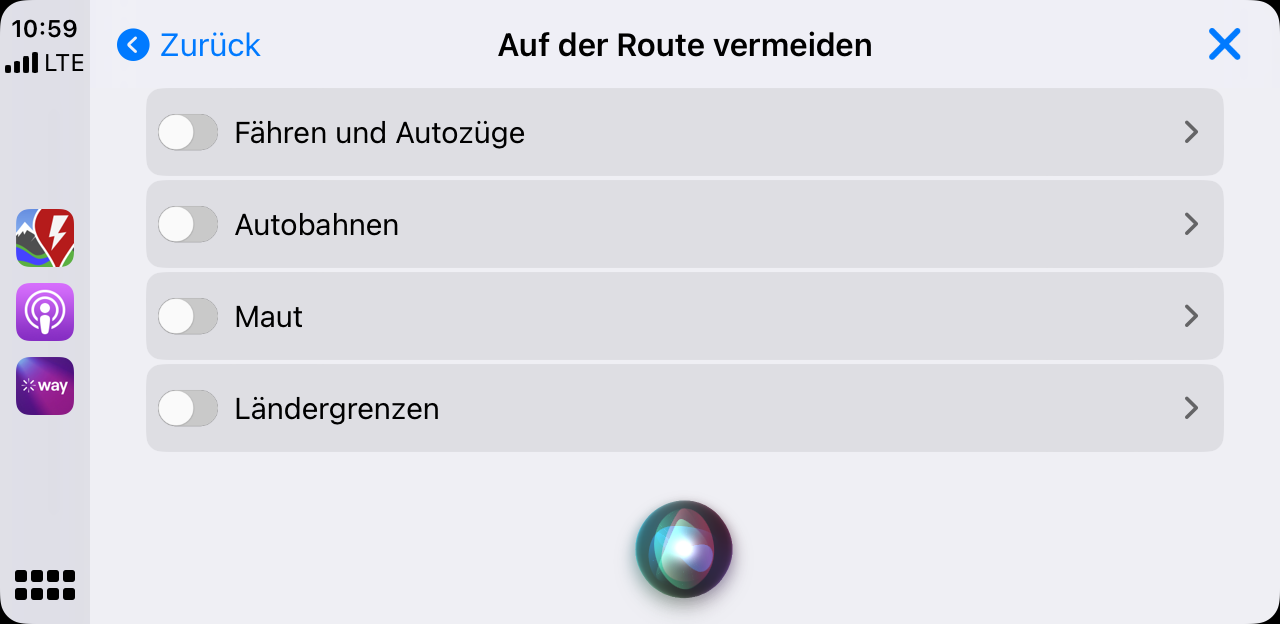
Interestingly, the title of the vehicle settings in the first screenshot is no longer "Change vehicle configuration / Fahrzeugkonfiguration ändern" but "avoid on route / auf der Route vermeiden". I'm pretty sure it was correctly called "Change vehicle configuration / Fahrzeugkonfiguration ändern" a few moments earlier. Screenshot four shows "avoid on route / auf der Route vermeiden", correct.
I've doublechecked the german translation at Github, it's correct.
https://github.com/Iternio-Planning-AB/abrp-translations/blob/master/de.json
ABRP V4.3.5
Issue seems to be fixed
Status: Completed
Log in to comment and vote
No comments yet
Be the first to share your thoughts.