Layout issues in portrait mode on 11" iPad in 7.0
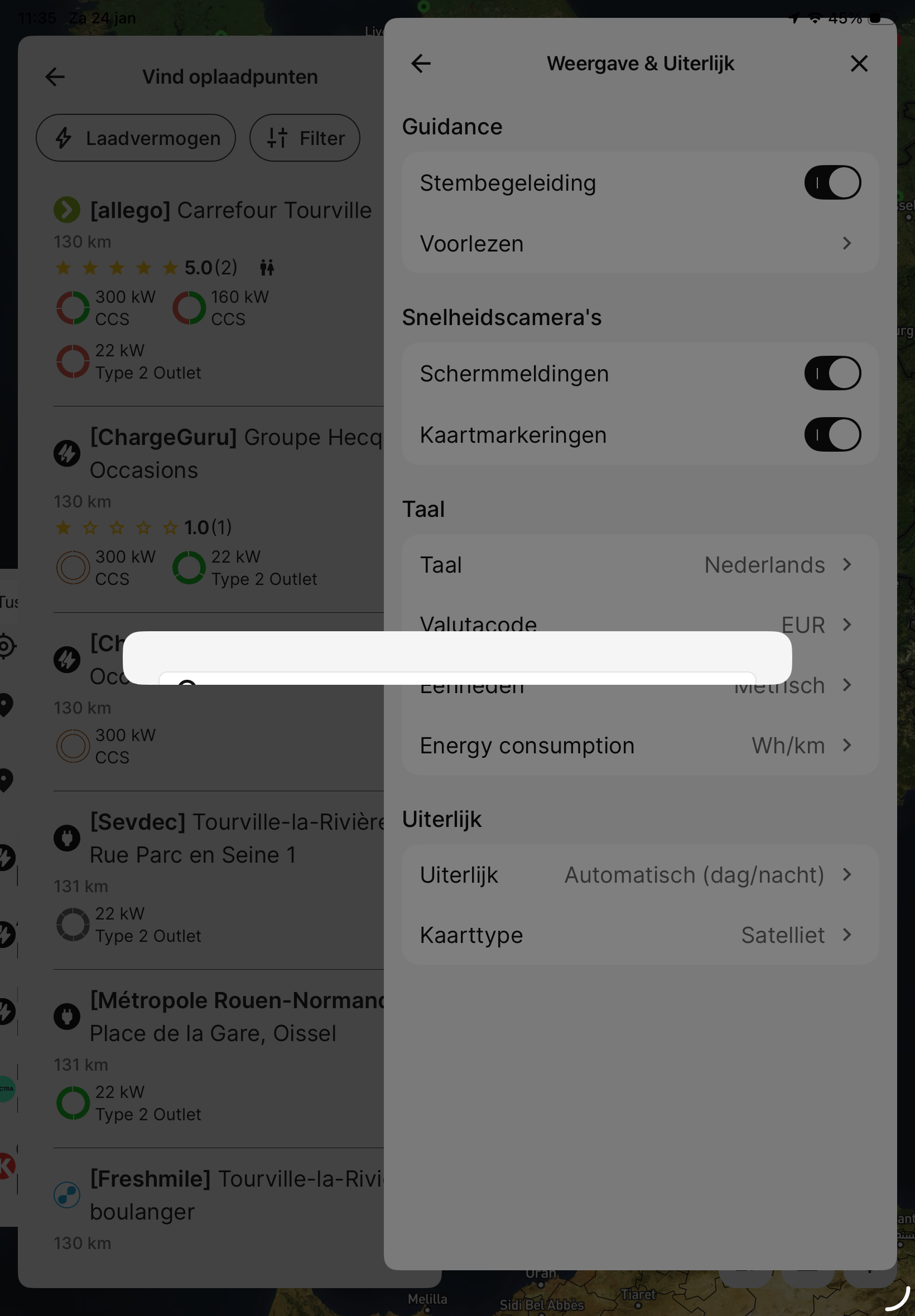
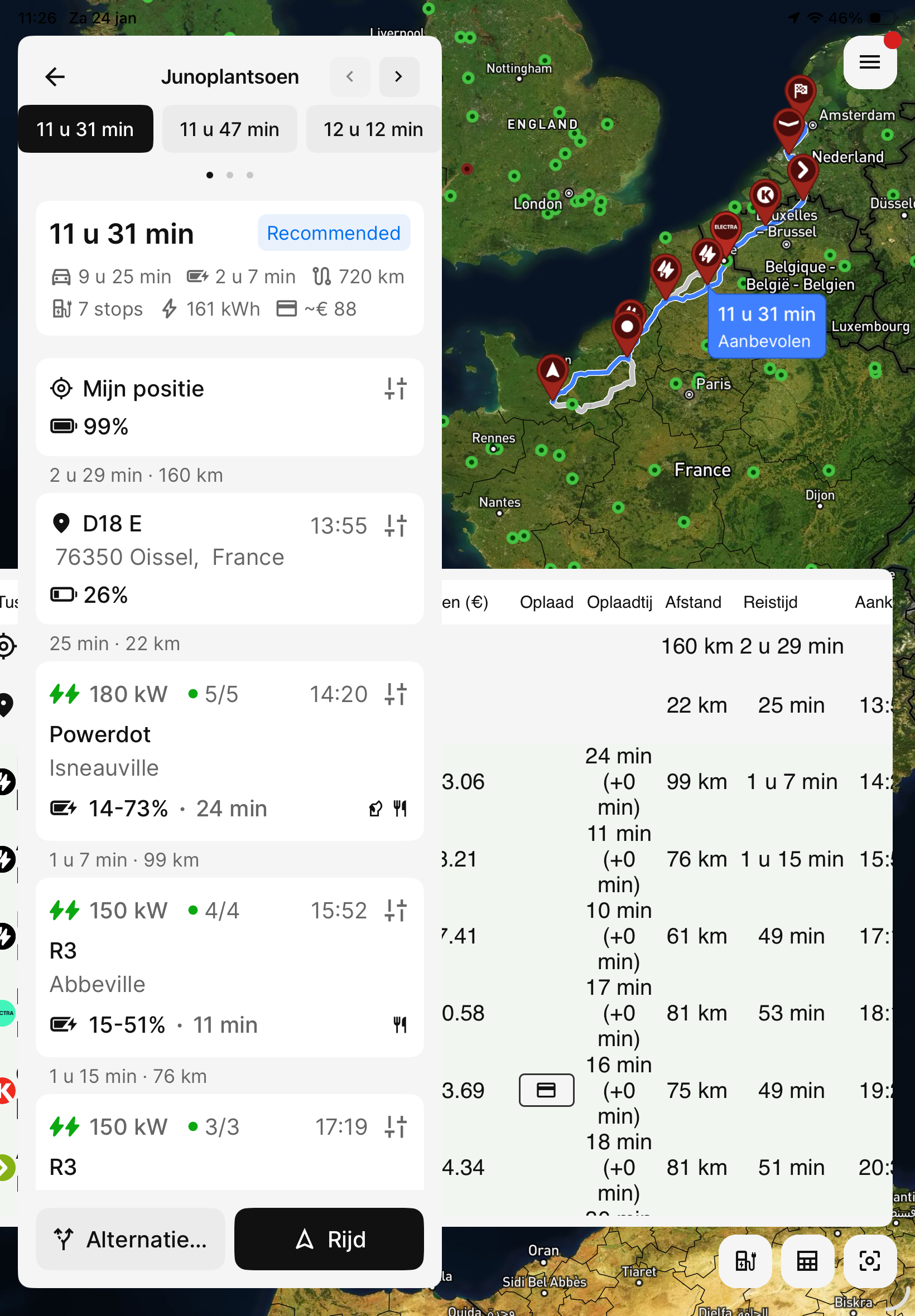
Unfortunatly On a iPad useless mess:-(
I use an iPad a16 in portraitmode, for several reasons. Inusable, Even with fonts in very small. Its a big mess completely impossible to plan any route as i wish.
Also remove a waypoint is not working/available. Unless you start all over again.
Windows are not sizeable.
Log in to comment and vote
Comments5
Jan 24
PinnedHi @LaLie van de Lagemaat,
Thank you for taking the time to report this. I agree this looks terrible, and we’ll review the layout implementation on iPad.
I’m aware it is not the same thing, but in the meantime, please consider using the web version in a browser on your iPad instead.
Could you clarify which setting you opened in the first screenshot?
LaLie van de Lagemaat
Jan 24
Thank you very much for the reply 🙏👍
What I like; In the. New 7.0 It has evolved enormous sinds last year! Very good work.!
• I love ENODE. ( good reason to take a permanent abonnement.)
• Multiple routes sugestions and easier to add waypoints directing the planner to follow the route I want.
• Not longer the planner directs you to follow its often strange in my case unwanted directions.
• The possibility to more accurate calculations of the distance, energy etc .
What I hope for, requests:
•	MUCAR OBD2 support
•	No Clutter and unreadable intiairy on IPAD
•	Decent window flexible IPAD-OS 26 sizing, landscape and Portrait
•	½,⅓ and half screen support on OS26
•	there is no total remaining distance and TOA!!!!! in time, soc and km.(first stop is secondary! i think)You need to scroll and have to push buttons
Support for the MUCAR BT200Max OBDII ELM327 adapter bluetooth LE 4.0 This works excellent with the Stellantis settings for my car with the “Car Scanner Pro” app:
Keep up the good work………..
https://www.mucarco.com/product/BT200Max
https://www.carscanner.info/
Katya S.
Jan 25
Thank you for the feedback. Could you clarify which setting you opened in the first screenshot?
If the OBD device supports a BLE connection (Bluetooth Low Energy) it should already be possible to use it with ABRP. We recommend confirming with the manufacturer that the device supports BLE and can be used with other apps (some manufacturers restrict usage to their own apps).
For any other requests or feedback not concering the layout of the app on iPad, please submit a separate ticket, thank you!
LaLie van de Lagemaat
Jan 26
instellingen - Weergave & uiterlijk - Taal.
OBD device supports BLE i use a different app with its settings “Car Scanner Pro” for reading the Citroen E-c3 SOC etc. Th Mucar does not appear in the supported bluetooth devices list of ABRP or ios
Linda ABRP
Mar 5
This will be fixed in 7.0.4.