Unable to connected to my 2022 MG ZS EV
Hello.
I have an India model MG ZS EV 2024 manufactured. I’m using a Vlinker MC+ OBD.
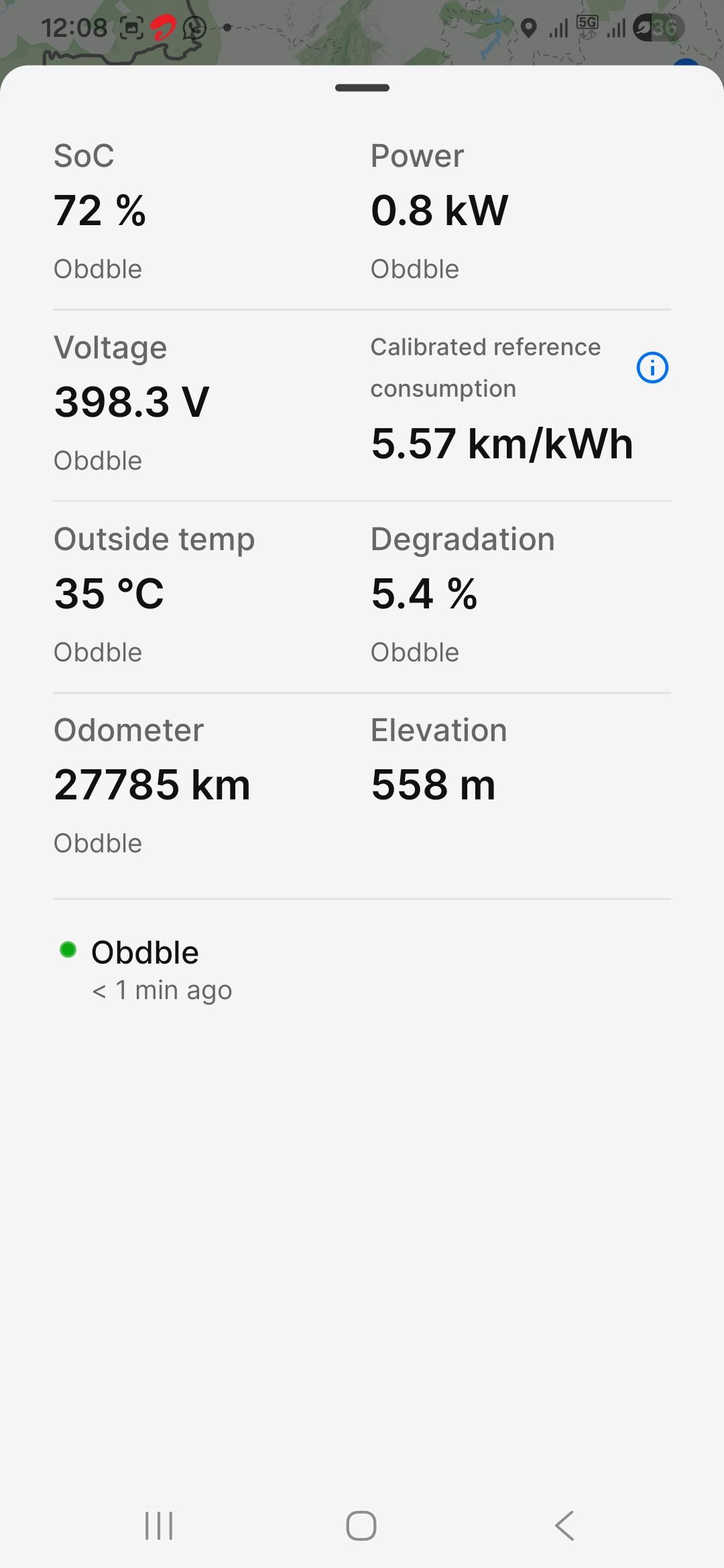
I read the documentation on the ABRP website and after trying all the instructions, still unable to get it connected successfully to show live data. The app fails to “Link”, shows “Connected” to obdble and if I then click on “Live Data”, I am able to see the correct SoC, SoH, Odometer, Power data. However, the data does not refresh after the initial instance and a few minutes later, the green dot next to “Connected” changes to red and I am “Disconnected”. I am attaching a screenshot showing the same. I would really appreciate some help with why the link won’t stay up. The OBD is new and from the ABRP recommended list of devices. I would happy to provide any more details you feel are helpful to troubleshoot this. I am using a Samsung Galaxy A34 device.
- Where does this happen?
- ABRP version number (found at bottom of settings menu)
Log in to comment and vote
Comments6
Bo (ABRP)
Apr 29
Thanks for reporting! Does it update once every time you start the app? Or does the whole linking procedure fail, but you still get some data once?
ABRP User #2340485
Apr 30
Thanks for replying. I have been going crazy with this!
The whole linking procedure fails. I discovered while tinkering within the app that the Advanced Settings | OBD PID Editor | Test PIDs shows “successful” and shows parsed data for many PIDs, which are correct and match with the data the car is showing - like SOC, Voltage, current, temp etc. If I try to initiate “Link” after clicking Test PIDs, it still fails. However, if I now go to the main screen, it shows “Live Data” enabled in blue and the SoC shown there is correct. If I click on the live data, the data displayed is also correct but it never gets refreshed. The obdble label starts showing “2 mins ago”, “3 mins ago” but the data never refreshes. I am attaching a few screenshots i have captured to show this.
Please let me know if any logs can be captured and shared with you or anything else can be tried to get this to work. Your help is much appreciated!
Manuel (ABRP)
May 6
Could you please do the linking procedure again and file a bug report then when it fails? I see you did one back in February and on that one we could not find a SoC value, that’s why it showed the error and linking failed.
Now your screenshots show a SoC so I’m not exactly sure what is going wrong. If possible I would be happy about a screen recording of the whole linking procedure you do. :)
ABRP User #2340485
Jun 2
Hello. I did as you asked about 10 days ago. Could you please take a look at that? Your help is much appreciated!
Linda ABRP
Jul 1
Hi
Can you please make a new bug report if this is still an issue?
ABRP User #2340485
Aug 14
I did that, can you please look at this now?