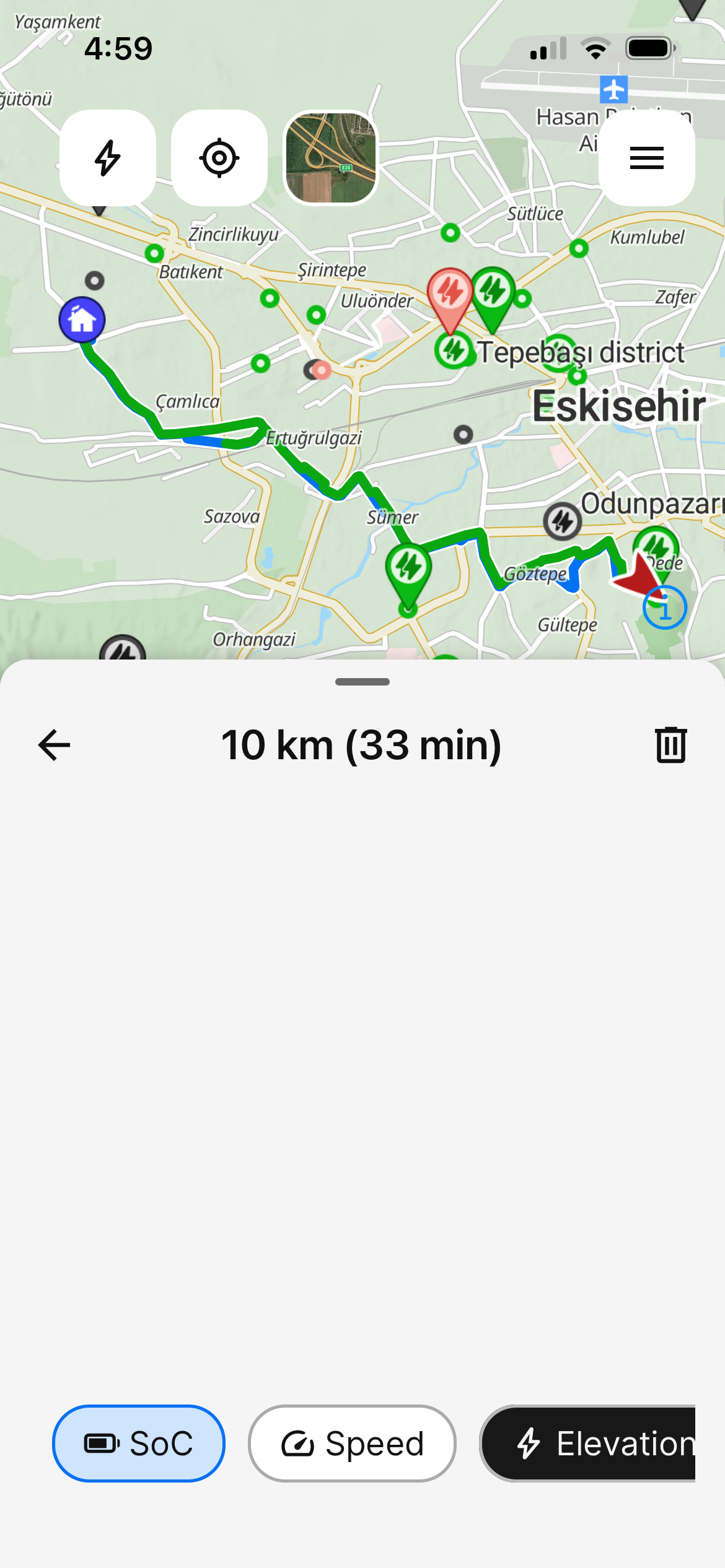
Trip details page graphs disappeared.
After the last update, the graphs on drive history page do not load. I have checked old drives, the drives after the last update. None loads. The previous page is fine. But when I select a segment it does not show the graph.
- Where does this happen?
- ABRP version number (found at bottom of settings menu)
Log in to comment and vote
Comments11
Linda ABRP
Aug 17
Hi
Which version of 7.1.5 do you have?
ABRP User #1310143
Aug 17
5966
ABRP User #1310143
Aug 17
5966
Linda ABRP
Aug 17
I have the same version and can’t reproduce this. Can you try to kill the app (swipe up) and see if that helps?
ABRP User #1310143
Aug 17
I have done everything I can. I even uninstalled and reinstalled the app. Nothing seems to resolve the issue.
Linda ABRP
Aug 17
Ok. I have sent it to my colleagues so they can look at it.
ABRP User #1310143
Aug 17
When I open the app, the floating screen where you can enter your destination and see your car etc trembles frantically and when you do something it goes away. I wrote this since both are rendering issues and they might be related.
ABRP User #1310143
Aug 18
I have discovered the culprit. On iOS, in settings/accessibility/motion, if you turn reduce motion on, the graphs disappear. I turned it back on and now they render correctly. However, my other bug report about search is not resolved by turning them on. Still nothing is searchable.
Linda ABRP
Aug 18
My colleagues are working on the search issue. You can follow the status here https://abrp.featurebase.app/p/the-town-search-is-not-working
ABRP User #1310143
Aug 17
5966
ABRP User #1310143
Aug 17