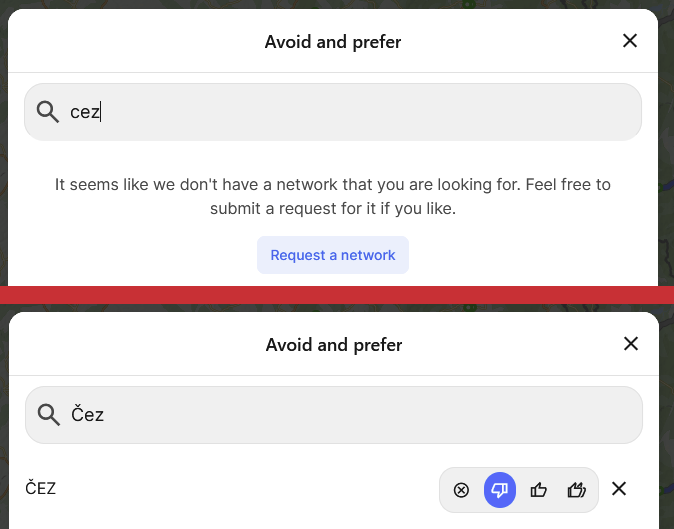
The network (and charge card) search does not include diacritic marks
Example: When I want to avoid using the Czech network “ČEZ“ I type “CEZ” into the search bar in “Avoid and prefer”. However, I am not able to find this network then. The only way to exlude this network then is to copy the Č from some other place, or install a Czech keyboard.
- Where does this happen?
Log in to comment and vote
Comments1
Katya S.
Dec 5, 2024
Hi @Joachim,
I can see that this is also an issue for the search in the charge cards menu. We’ll investigate.