Tablet - Missing battery widget
I’m using ABRP on a tablet as a second screen in my car.
It’s a Lenovo Idea Tab 11” with resolution 2560x1600.
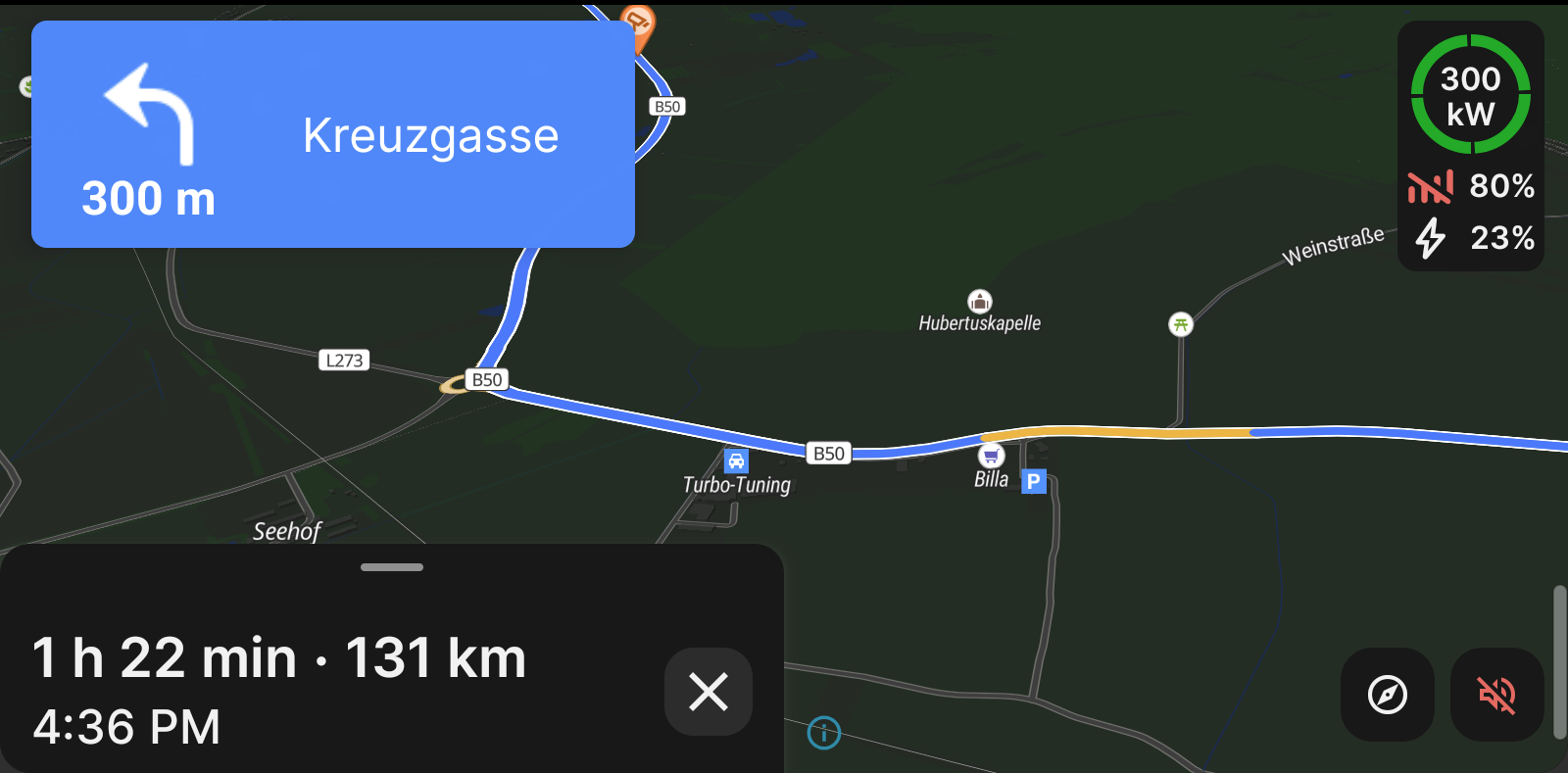
The display is missing the wigdet on the top right corner with battery percentage and charger status.
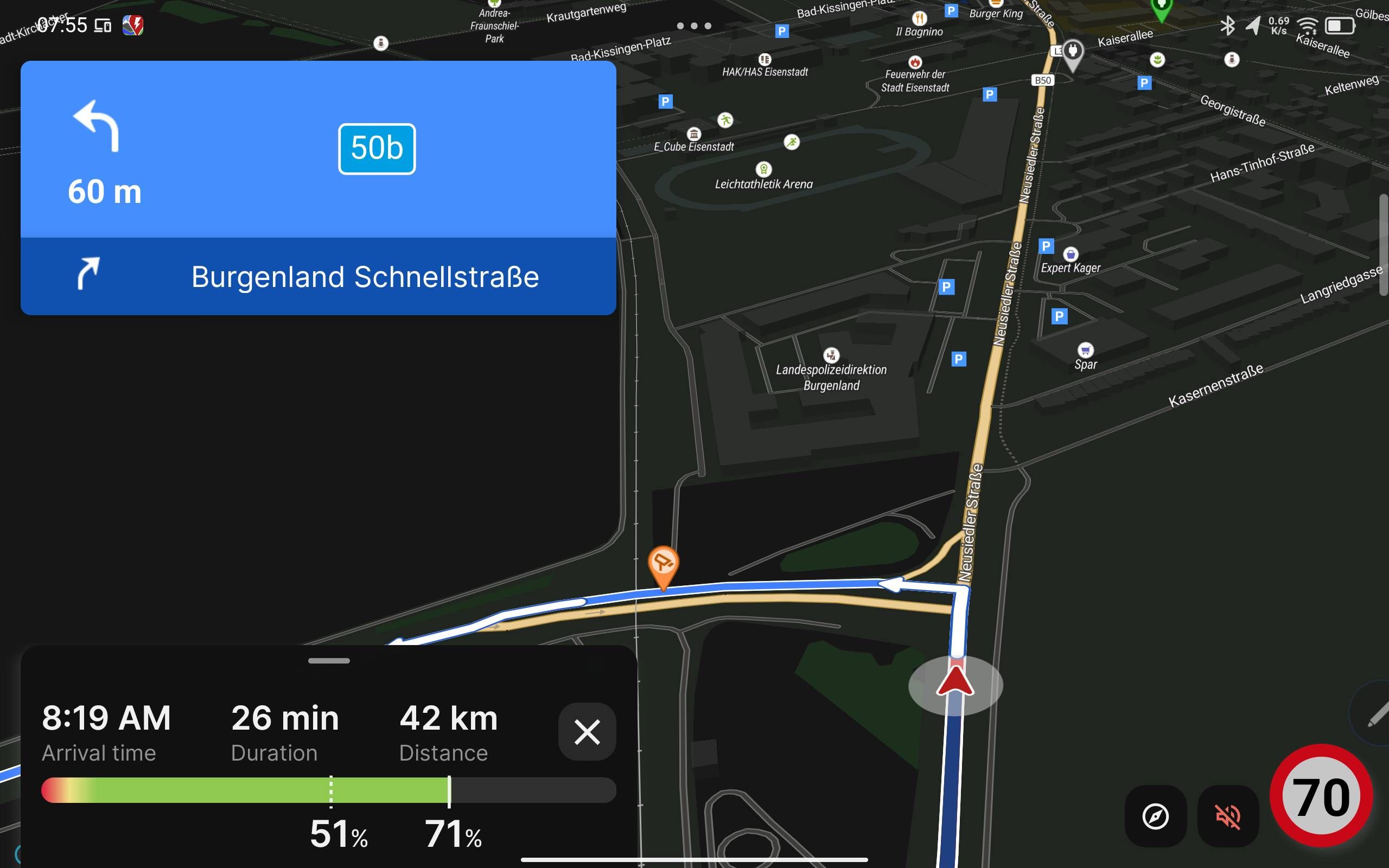
If I move the App to a floating window and resize it small enough, it will appear again.
Thank you!
- Where does this happen?
- ABRP version number (found at bottom of settings menu)
Log in to comment and vote
Comments2
Bo (ABRP)
Feb 9
Thanks for reporting! The current SoC and estimated arrival SoC is shown on the “SoC bar” in the lower right pane as can be seen on your screenshot. The “battery widget” is only supposed to be shown on small screens. We will investigate how to make this more consistent.
Marco Zani
Feb 9
Thanks for your feedback. You’re right, the SoC and charger informations are also shown in the drop up menu so if this is open the widget is not really necessary. With the big screen, would it be possible to have an option to pin the menu open like in this photoshop example? It would also make it possible to see the live data all the time 😍