Subaru Trailseeker SOC consistently off by a few percent when using OBD
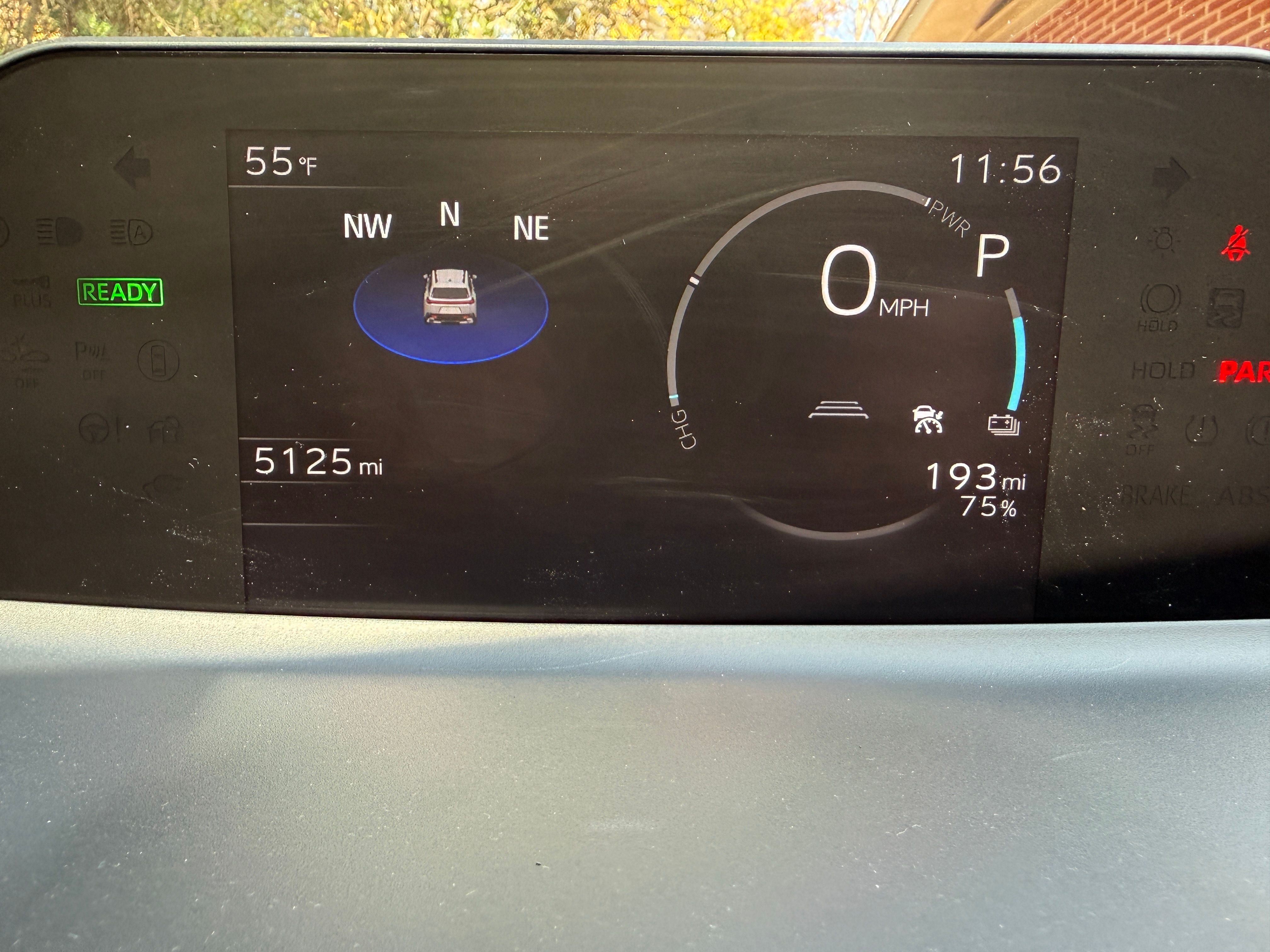
I’ve been using ABRP for several years now (previously in a Honda Prologue and now with a Subaru Trailseeker) and found it really useful, especially on long road trips. I had been using it with an Enode connection, and recently acquired a vLinker MC+ OBD device with the hopes of having more frequent and more accurate SOC readings in ABRP on CarPlay, to help with planning stops on long trips.
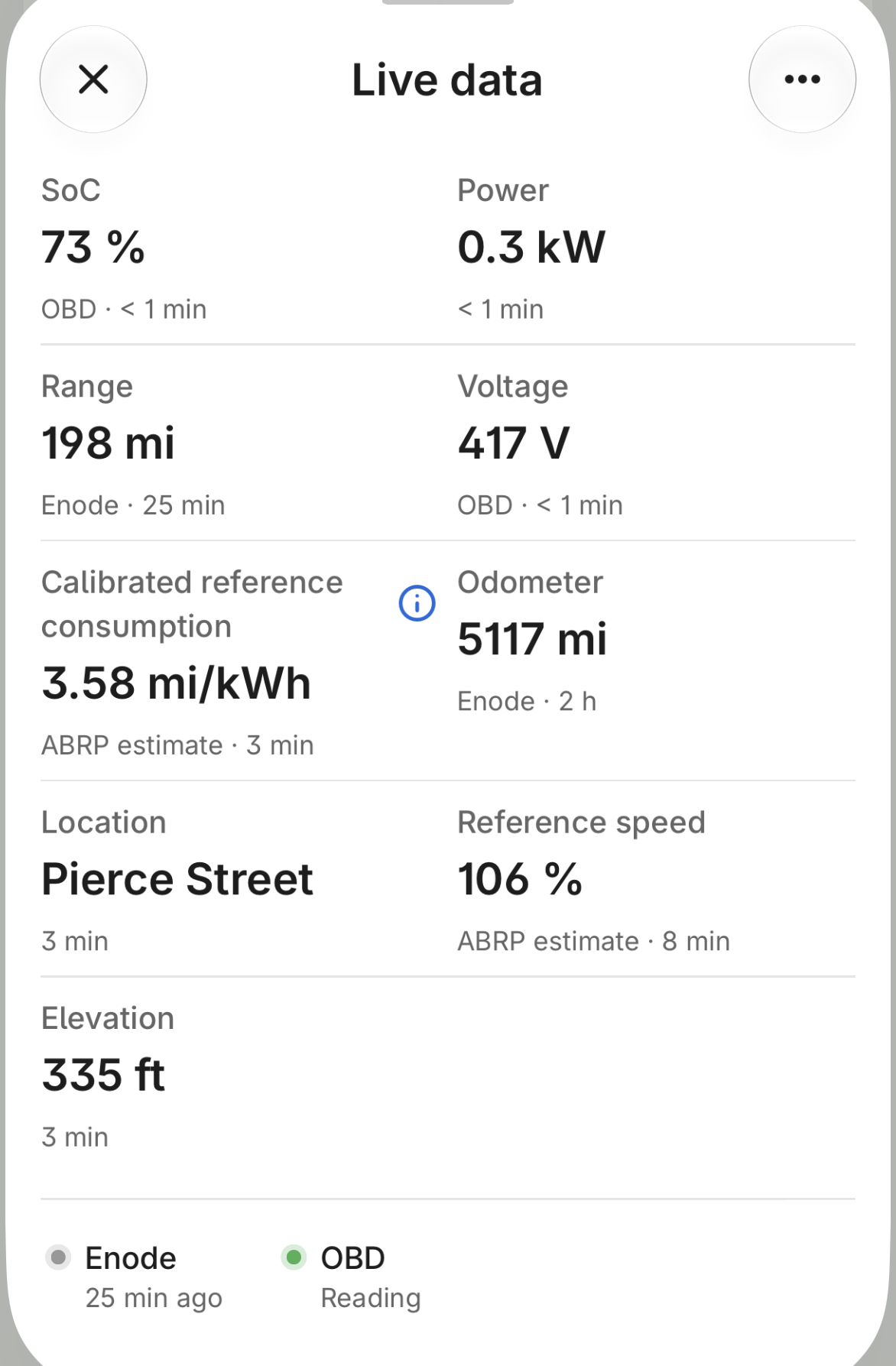
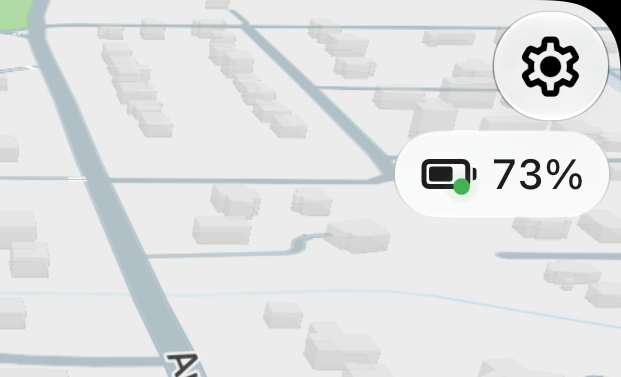
However, the SOC shown in ABRP is always 2% to 5% (usually 3%) lower than what is shown in the Subaru Trailseeker’s display, which makes trip planning unreliable.
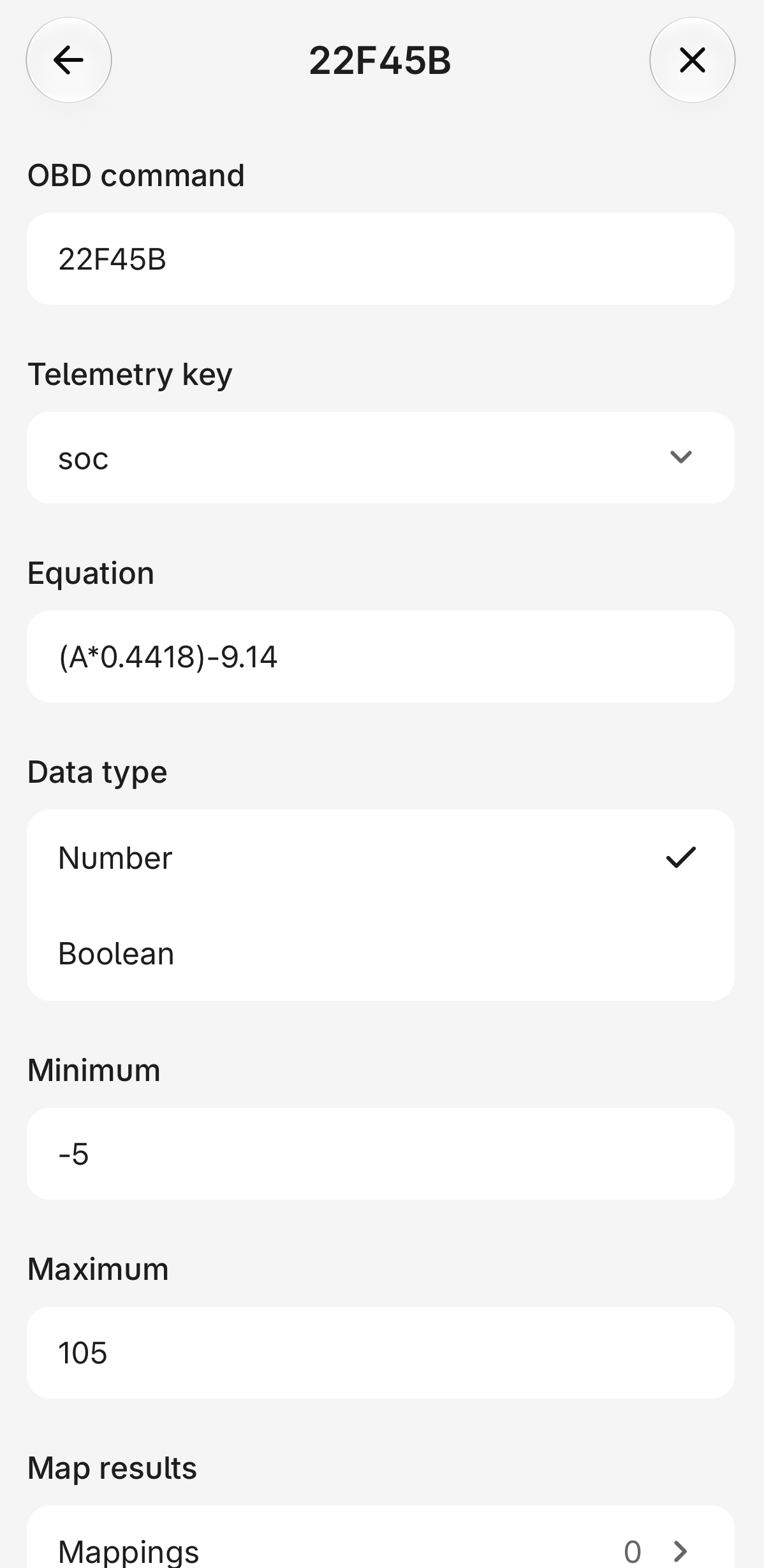
Are there updated PIDs that you could provide to make the SOC values in ABRP match what the Trailseeker is reporting in its display? Are there other settings you would recommend changing to make the ABRP values more accurate?
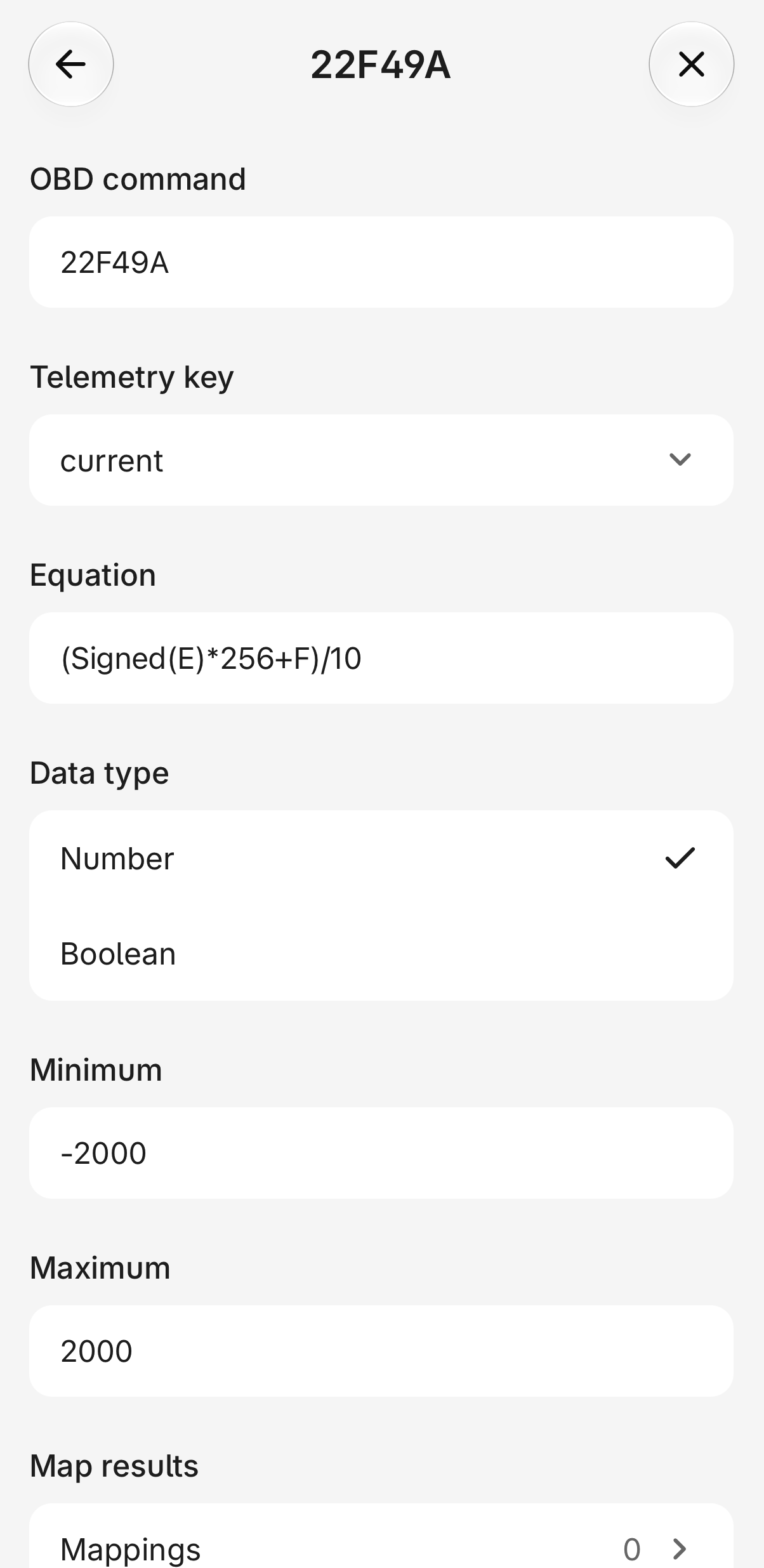
I’ve attached some screen shots showing what I’m seeing in the vehicle, ABRP, and PID editor. This is for a 2026 Subaru Trailseeker, ABRP 8.0.0 on iOS 27.2.1 on an iPhone 16 Pro.
Thanks for any assistance you can provide!
- Where does this happen?
- ABRP version number (found at bottom of settings menu)
Log in to comment and vote
Comments4
ABRP User #1275498
Nov 16
I have the same problem with my Toyota BX4X Touring (Woodland). Before that, I had a BZ4X from 2022. The display on the car and on ABRP were always exactly the same. Not anymore in the new car. Why? Also, I don’t like the new update 8.0. I miss the waypoint display near the SOC. The search field can no longer be closed and it disrupts the image.
Linda ABRP
Nov 16
Hi
Around 3% difference with OBD is normal so there is nothing you need to change.
ABRP User #1874702
Nov 16
Thanks for the quick reply, but this is a very unsatisfying answer. As the other commenter notes, and as I’ve understood from other users with other models of vehicle, the display in the car and in ABRP can be identical, and usually is. So a difference of 3% is not normal - it’s inaccurate, and apparently an outlier, mainly for this particular model of vehicle.
From what I’ve read in this forum and elsewhere, some edits to the PID editor can bring the ABRP value into line with the vehicle’s displayed SOC - it’s just not clear what the correct edits to the PIDs are. I was hoping ABRP staff would be able to help provide the appropriate formula to make the ABRP app display and plan with the correct live data.
Given that a request related to the Subaru Trailseeker is currently the most highly voted request in this forum (https://abrp.featurebase.app/p/subaru-trailseeker) it appears that many of your users would like this improved and resolved. Instead of just declaring incorrect figures to be “normal”, could you tell us what could be done to make it more accurate? If you need more data from Trailseeker drivers in order to refine the formula used for this vehicle, we can provide it. In a post from October 16 on the request linked above @Samuel_ABRP asked for more data about the difference in values, which I have provided above. If there is other info that would be helpful for your team to help resolve this issue, please be specific here and in the other thread, and I and others will be glad to help you help us.
Thank you,
Samuel_ABRP
Nov 16
Hey,
the issue is, that many vehicles report their BMS SoC only, often an internal calculation makes a display SoC out of it. We have no insights on what goes in to the calculation. So we unfortunately can’t help here. If anyone finds a proper SoC equation, that works from 0-100% with no offset, feel free to share it with us. Then we will immediately apply it. We however do not have capacity to reverse engineer OBD ourself, neither do we have the vehicle to do so. So what Linda means with it is normal is, that we usually do not get more accurate numbers if the SoC is calculated from the BMS value.
We have a custom OBD editor in the app, where you can modify the equation. Feel free to play around with the numbers at a low, medium and high value and make sure the equation aligns everywhere. If you find anything let us know and we’ll adjust it.