Opening saved plan, Route Planning Inserting Random POIs
When loading a saved route created on a Windows PC and instructing it to load All Plan Settings, it loads random POIs it calls “My Position”. I believe these are charging stops where ABRP fails to load the information for the charging stop.
I get a screen that looks like this:
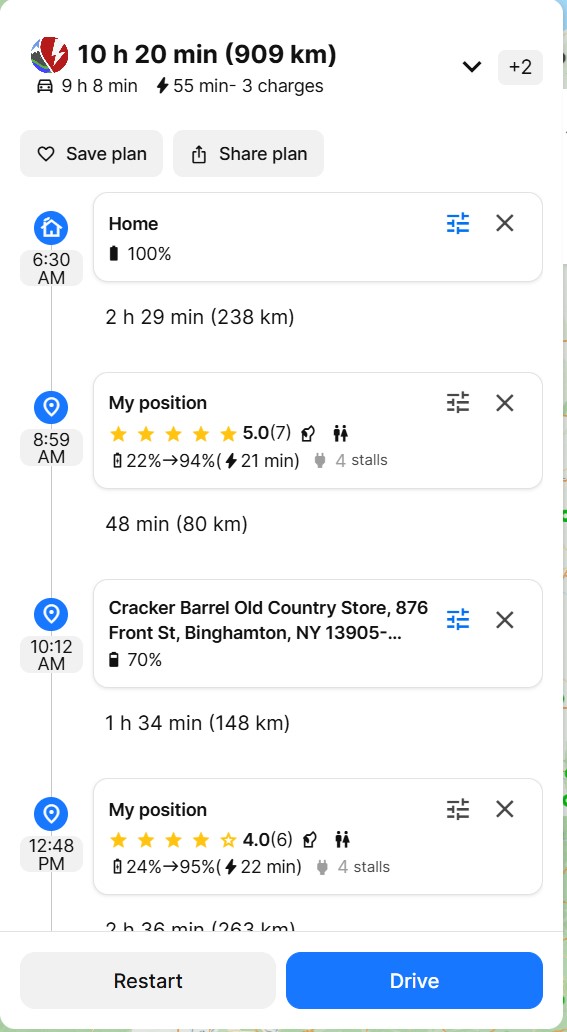
When I click the X on the first “My Position” waypoint, it deletes it, collapses down and just shows waypoints called “Somewhere along the way”.
If I delete all of those and hit the plan button, it then updates the route with the proper waypoints as per below:
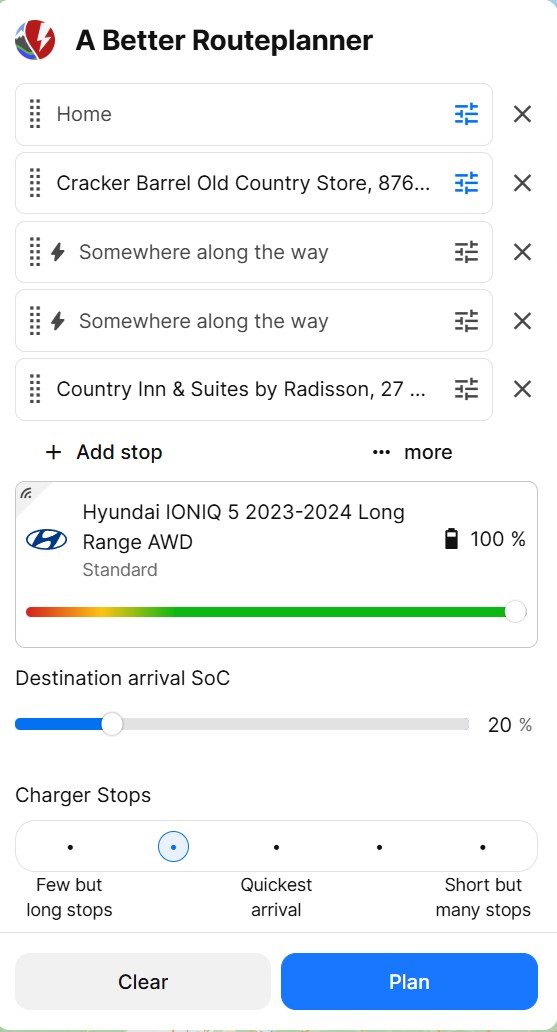
Any idea what is going on?
Thanks
Log in to comment and vote
Comments5
Katya S.
Jan 31, 2025
Hi @Mark Bornais,
Is this an old plan or a very recently saved plan you’ve opened?
Mark Bornais
Jan 31, 2025
It’s the latter. A recently created plan which I’ve re-opened several times to make adjustments.
JPex
Jan 31, 2025
Si cela peut aider voici un plan sauvegardé le 23/12/2024 après rappel avec tous les paramètres cela donne ceci :
Cela affiche “Ma position” mais cela peut-être “Domicile” pour d’autres plans.
Mais les 3 points ne sont pas à la bonne position GPS
Le point de départ devrait être le point bleu :
Le point intermédiaire devrait là où il y a la main en icône (33 rue république) :
Le point d’arrivée devrait être là où il y a la main en icône :
Ce qui fait que les points n’ont pas du tout les adresses qui étaient initialement enregistrées
Tous mes plans enregistrés avant le 23/12/2024 sont tous inexploitables !
Katya S.
Jan 30, 2025
Hi @JPex,
Did you just create and save this plan or is it an old saved plan you’ve opened?
JPex
Jan 30, 2025
it is an old saved plan of more one year