Road Conditions Are Not Timely
The attached route attempts to go down a road that is closed today (74th Street in Tacoma, WA between S. Oakes Street and South Tacoma Way). The same route in Apple Maps avoids the closure, and the screen shot below (of a route that should run down the closed street) shows that Apple Maps was aware of the closure.
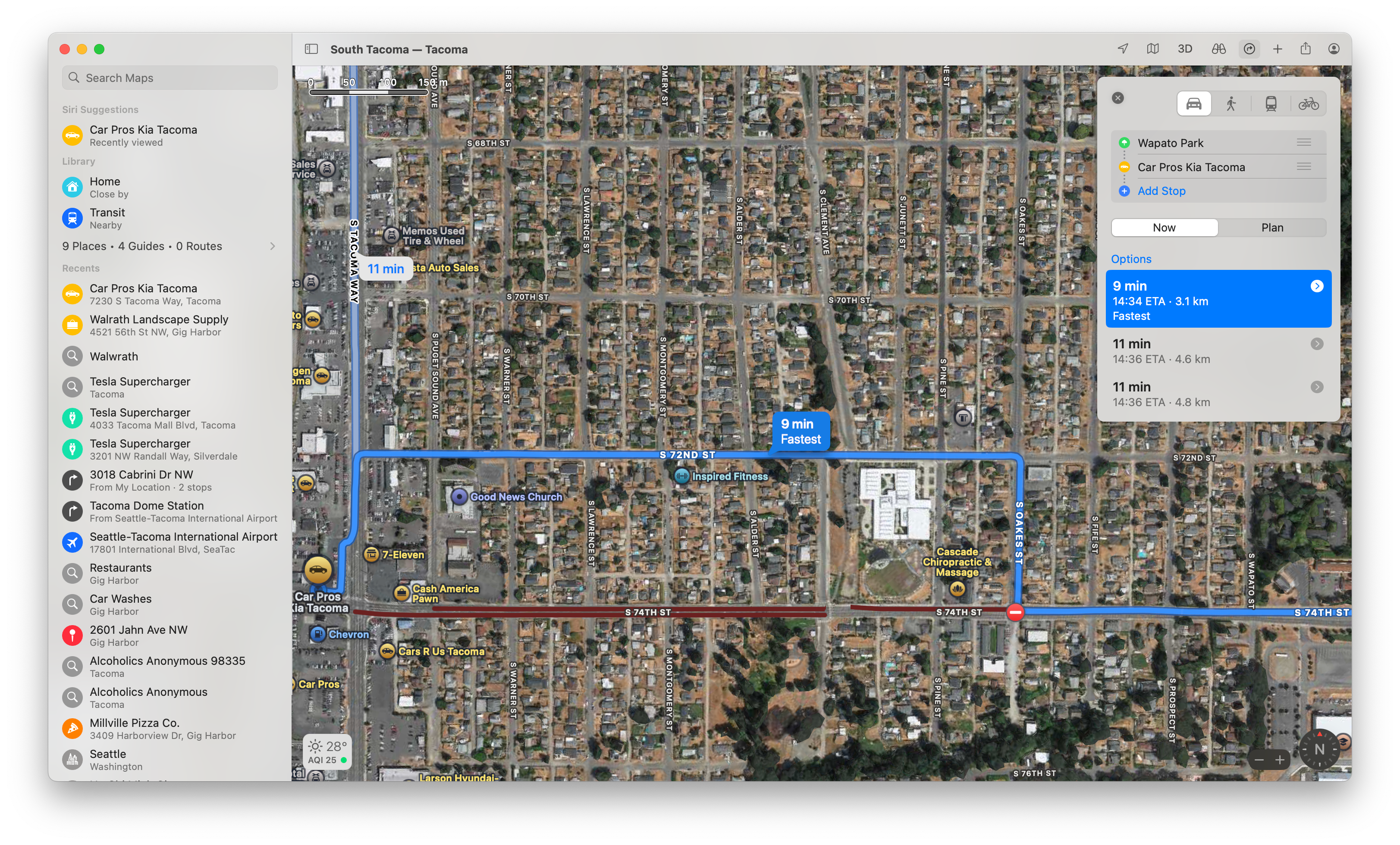
https://abetterrouteplanner.com/?plan_uuid=5a087c56-e276-45ed-9256-9be230cb8440
- Where does this happen?
- ABRP version number (found at bottom of settings menu)
Log in to comment and vote
Comments3
Jul 30, 2025
PinnedHi @Dong Xi,
It looks like the road is not closed anymore and the route should work as expected.
ABRP User #811399
Jul 30, 2025
I’m sorry, I wasn’t clear enough in the initial report. It was a one day closure — and I needed to drive the route that day.
I’m not sure what goes into getting real-time data on road closures & other conditions that would effect routing, but it seems that Apple at least was able to get it. In an urban area like this it is a minor annoyance, since there was a marked detour and lots of options. But I can imagine a similar closure in a rural area — say for a bridge repair or a wildfire — turning into a big problem, especially if the route plan included a charge that was no longer within range.
ABRP User #1777698
Aug 3, 2025
I too would like to better understand how ABRP determines “Real-Time” traffic, road conditions, speed-checks, etc, and just how real-time they are. I love ABRP and prefer it to Apple & Google Maps or Waze. More understanding of this would increase my trust