Restroom Break Display Is Not Confidence Inspiring
Adding a stop using the Restroom Break button seems to do something but it is not clear what it does…
When I used the Restroom Break button on I5 southbound approaching the Gee Creek Rest Area (this plan covers that stretch of the route: https://abetterrouteplanner.com/?plan_uuid=1fd4a731-d250-489a-bfbd-d1fbbab550df) ABRP did not choose that rest area, nor did anything else in the display obviously change. It would be much more confidence inspiring and reassuring if the next stop tile changed to show “Restroom Break” and if the trip estimate tile was displaying next stop information that could show the distance & ETA. Both very nice pieces of information for those desperate to pee :-)
This screen capture shows what I saw on CarPlay after asking for a restroom stop:
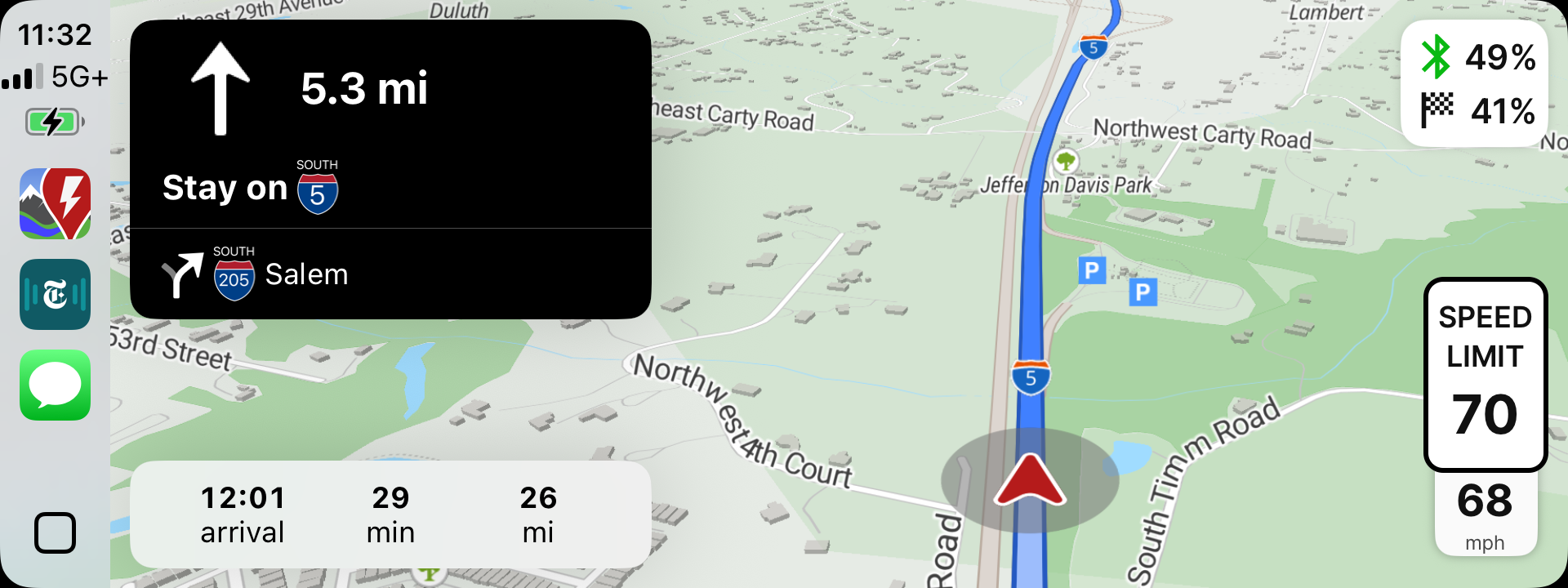
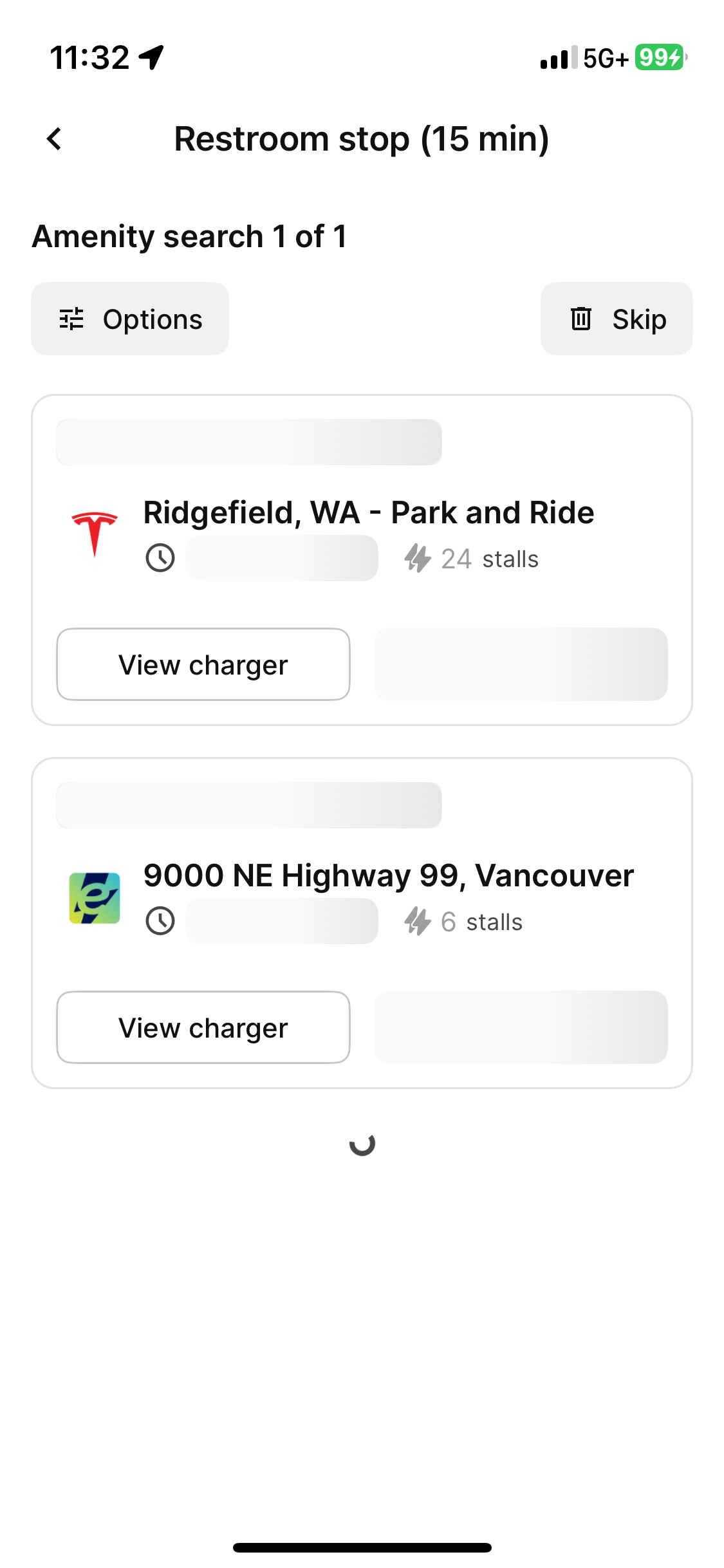
So… Apparently the “action” takes place on the phone display. This is what was on my phone display when I made the screen capture. I, and I’d guess many others, don’t use the phone display as an auxiliary display for ABRP. At the very least, I think, using the phone as an auxiliary display should be an optional setting and if the setting is off everything should happen on the CarPlay screen.
It also seems like a there should be a way to find: 1) the closest restroom (in terms of time), or 2) the next convenient restroom on the route (like a highway rest stop) if that is possible, or 3) the closest charging station with a restroom.
When displaying the information below, it would be very helpful to have the distance & time to the stop clearly displayed with each option. As I read the information below, I can’t tell if the stops are 15 minutes away or if ABRP is planning a 15 minute stop for a restroom / charge break.
- Where does this happen?
- ABRP version number (found at bottom of settings menu)
Log in to comment and vote
Comments2
Bo (ABRP)
Sep 15, 2025
Thanks for reporting! We fully agree this interaction should happen on the CarPlay screen, and we will investigate what went wrong here.
ABRP User #811399
Sep 15, 2025
If the data exists, it would be nice to have the option to add a stop at the closest (in time) restroom as well as close by chargers with restrooms. In the US, at least, highway rest stops are reliable sources of restrooms. It would also be really reassuring to have the restroom hours and location displayed when you know them.