[OBD BLE] ID. Buzz / MEB profile receiving live Power PID in UI, but Calibration engine reports "only reports SoC and no power"
Environment / Vehicle Details:
Vehicle: 2025 Volkswagen ID. Buzz (US-spec LWB)
Connection Method: OBD Bluetooth Low Energy (BLE) adapter
App Version: Latest iOS / Android app
Issue Summary:
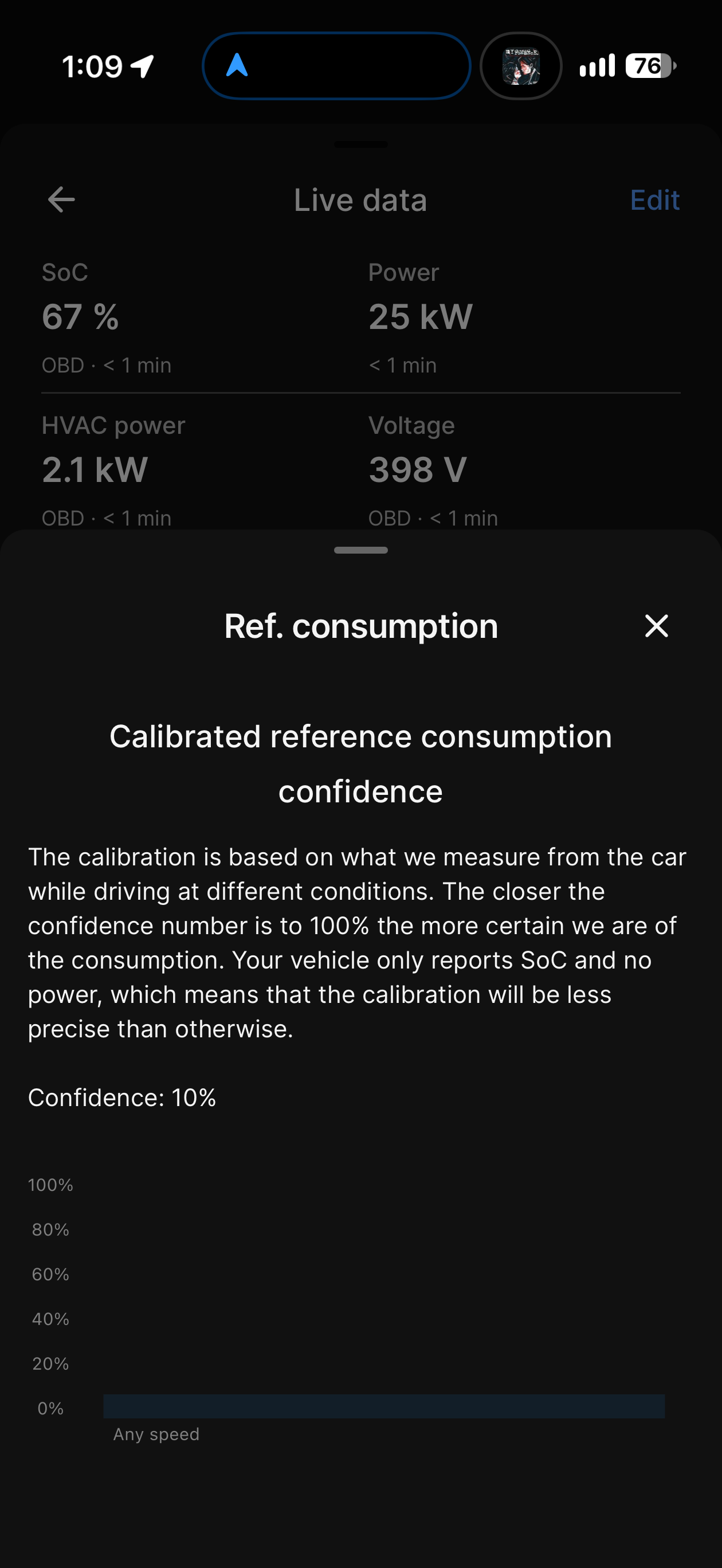
When connected via BLE OBD, the ABRP live data UI successfully receives and displays instantaneous power data in real time (e.g., showing live Power: 25 kW, HVAC power: 2.1 kW, and Voltage: 398 V). However, when checking the Ref. consumption calibration card under Live Data, ABRP states:
"Your vehicle only reports SoC and no power, which means that the calibration will be less precise than otherwise. Confidence: 10%"
Expected Behavior:
Since the app client is actively receiving and displaying valid live power PIDs directly from the OBD connection, the backend auto-calibration engine should ingest this power data to calibrate reference consumption accurately, rather than falling back to the SoC-only restriction notice.
Steps to Reproduce:
1. Connect a BLE OBD adapter to a US-spec VW ID. Buzz.
2. Pair the adapter in ABRP under Settings \rightarrow Car / Connections \rightarrow Live Data Settings.
3. Open the Live Data screen while driving or charging. Note that live kW power metrics are actively updating.
4. Tap on Ref. consumption to view calibration confidence.
5. Observe the error message claiming the vehicle does not report power.
Suggested Fix / Action Request:
Please update the telemetry tag mapping for the VW MEB / ID. Buzz OBD BLE profile on the server side so that the background calibration model accepts the live instantaneous power PID stream that the app is already reading.
- Where does this happen?
- ABRP version number (found at bottom of settings menu)
Log in to comment and vote
Comments3
Mahde - ABRP
Oct 15
Hello @ABRP User #2666,
It seems we do not get any location data from when you are driving but all the other data such as SoC, power and HVAC power are being displayed and updated.
Could you check if you are allowing the location services for ABRP in the iOS settings? Please send a screenshot of what you have currently set for ABRP and change the data to “always allow” for location.
ABRP User #2666
Oct 15
This is what I have in settings
ABRP User #2666
Oct 15
Sorry something I just thought of, do I need to do navigation in ABRP while driving or will it pull it in the background. I know that ABRP is running and recording OBD data, I use it to collect data for HomeAssistant