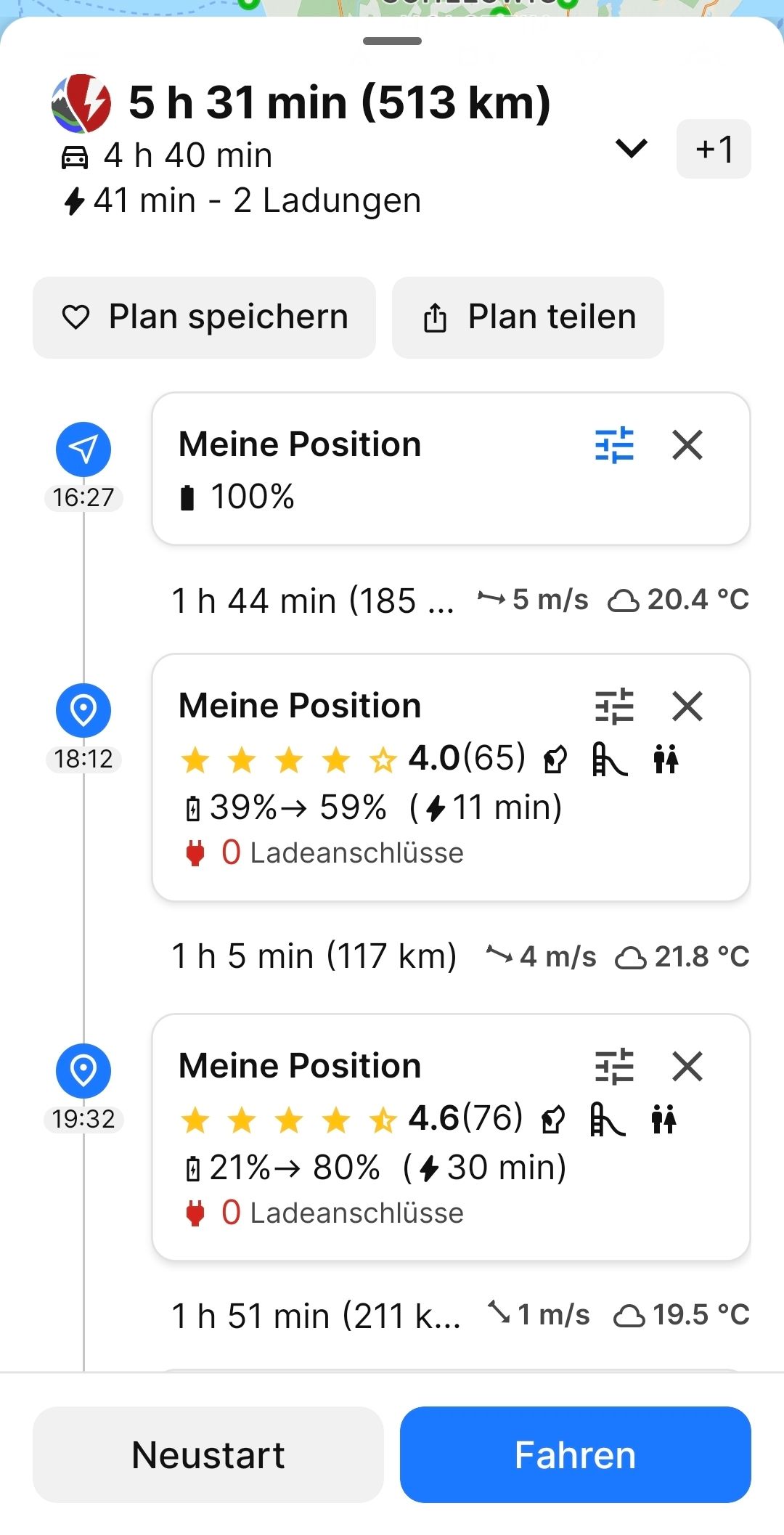
After calling up a saved charging plan, the charging points are only named "My position".
After calling up a saved charging plan, the charging points are only named "My position".
It is no longer possible to see where they are located - even the capacity utilization is no longer displayed.
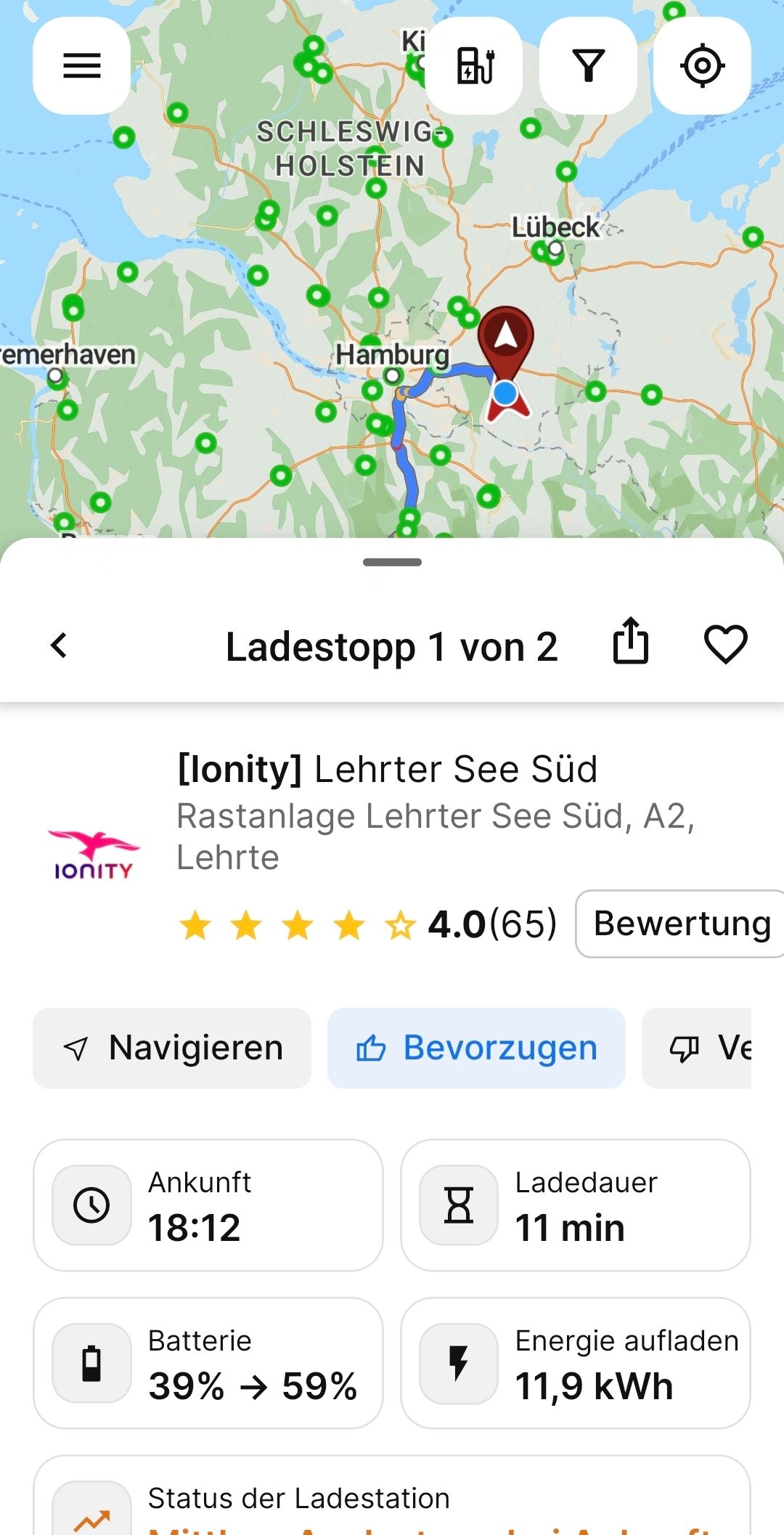
Only after clicking on the "My position" entry (although it is not my position, but the saved charging point) do you get details about the charging point, which you can normally already see in the overview.
Saving shatters the information.
This does not happen if you send the charge planning link by email or WhatsApp and call up the charge planning again from there.
See attachments.
The load planning in photo 1 was first saved and then called up again - the details were gone.
Photo 2 shows when you have clicked on the "My position" charging point in the broken charging plan.
Only then can you see details such as name, utilization, etc., which is normally already in the overview - as it was correctly displayed BEFORE saving.
Please check the app programming.
I have the app 6.1 1.
Thank you.
Greetings, Ronald Wiggert
- Where does this happen?
- ABRP version number (found at bottom of settings menu)
Log in to comment and vote
Comments1
Linda ABRP
Aug 11, 2025
Hi
Can you try and refresh the app so it has the latest version. This should not be a problem anymore.