I am getting a message that my connection to my car needs a data sharing change. I have data sharing enabled with Lucid, but the message will not go away. I don't know where the setting is on my car dashboard.
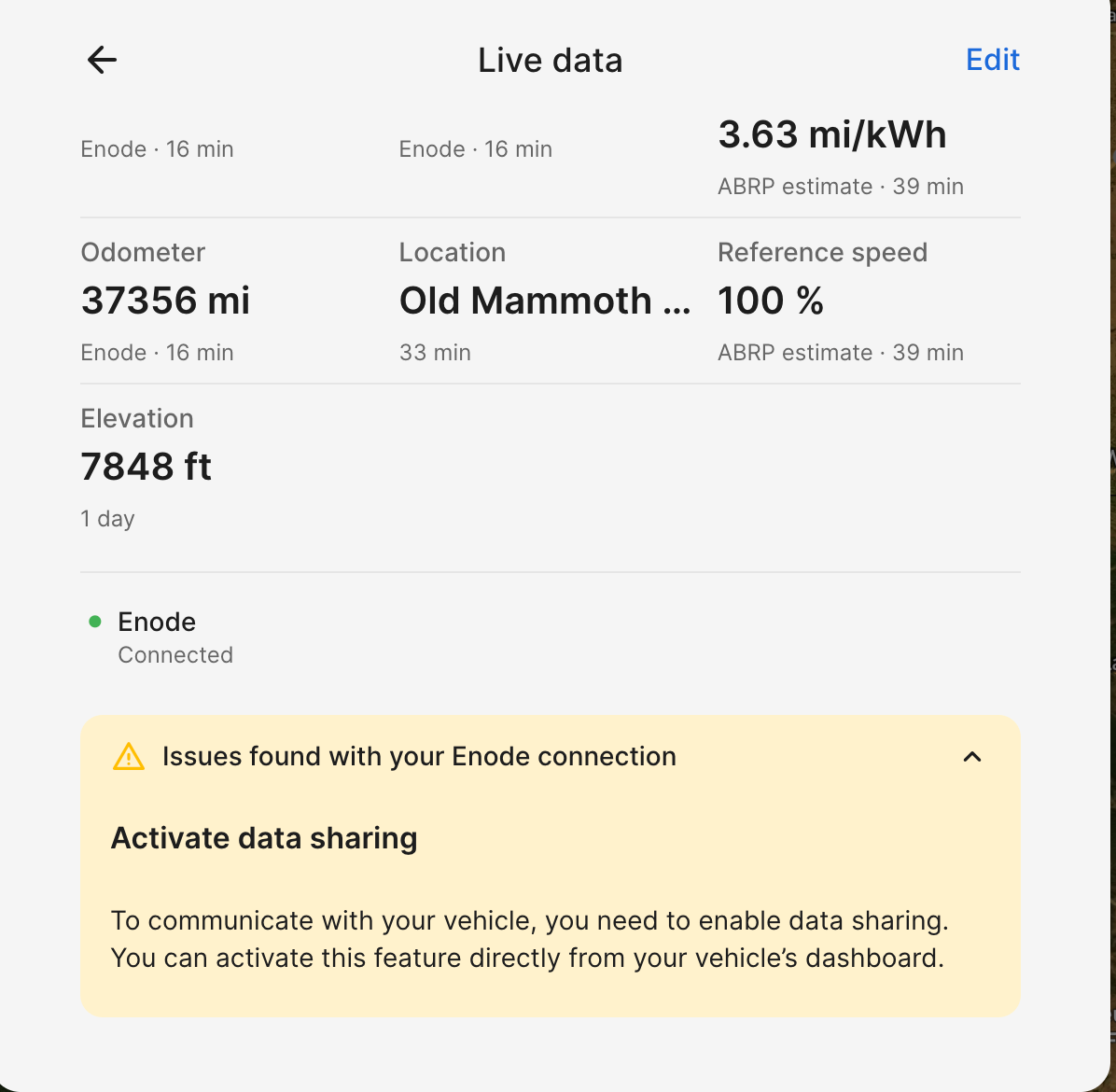
- Where does this happen?
- ABRP version number (found at bottom of settings menu)
Log in to comment and vote
Comments4
Mahde - ABRP
Oct 12
Hello @ABRP User #829985,
Have you found any guide online regarding how you can enable the data sharing? We found this information, could you try it and see if you can find it and activate it?
Go to:
Tap Settings on the Pilot Panel.
Select Connectivity.
Tap Data Sharing Permissions.
Toggle the switch to enable data sharing.
ABRP User #829985
Oct 12
Those two options are enabled, but the message is still showing in ABRP.
Mahde - ABRP
Oct 12
Please try redownloading the app on your phone, reconnecting your Enode to the vehicle and see if you still get the message.
ABRP User #829985
Oct 12
I’m on the latest iOS 7.1.10 and the messaged is there “connection issue” and “Issues found with your Enode connection”. The app seems to be working, so I don’t know why this message is showing. Seems to have started after a recent update with ABRP or my Lucid 2.11 update.