Half / Cut off screen when using AA with Nothingphone
🚧 THIS IS A TICKET MIGRATED FROM UPVOTY. The original ticket and comments will be available for a limited time over at:
https://abrp.upvoty.com/b/report-a-bug/half-screen-when-using-aa/
———————————————————————————
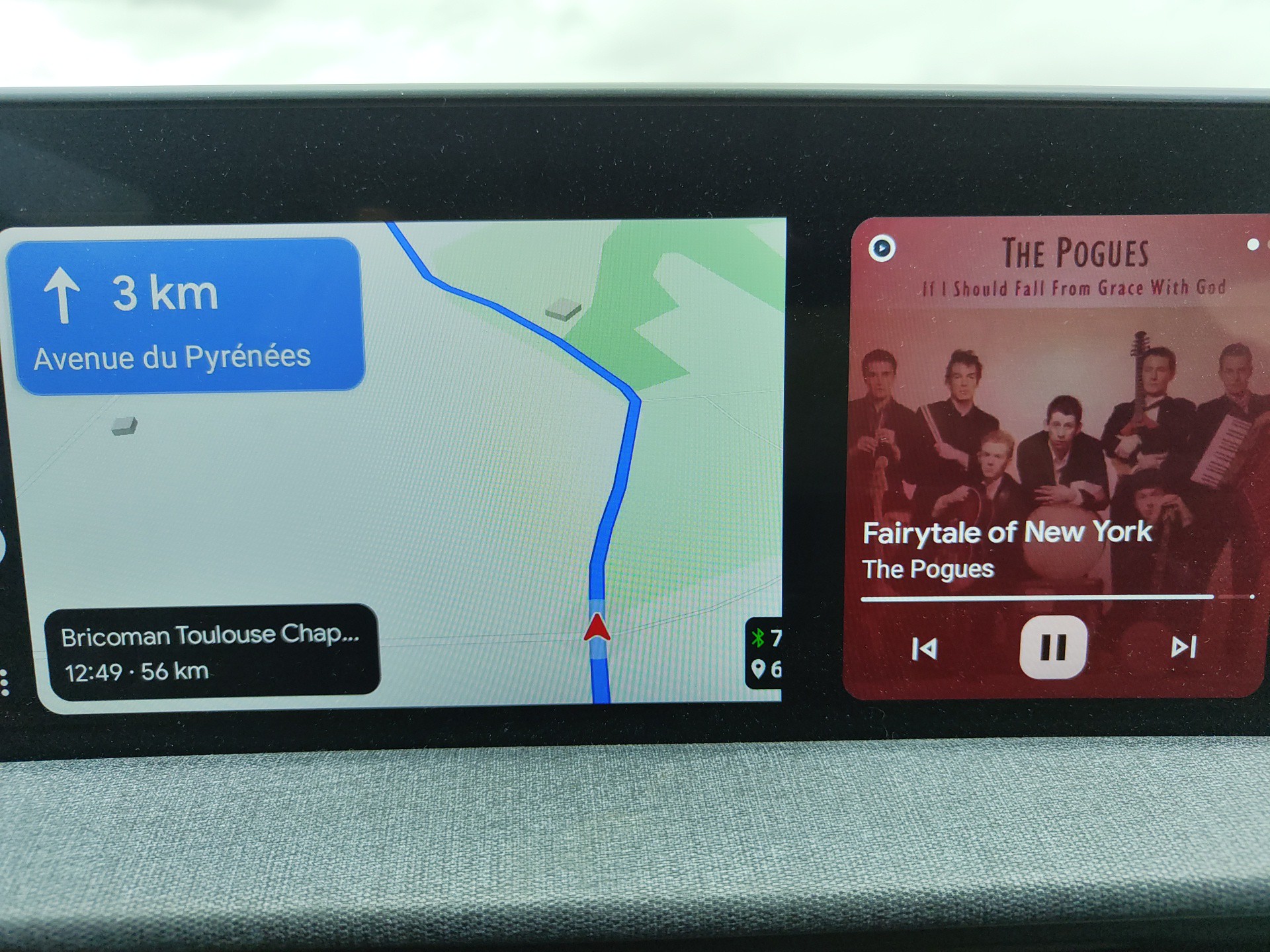
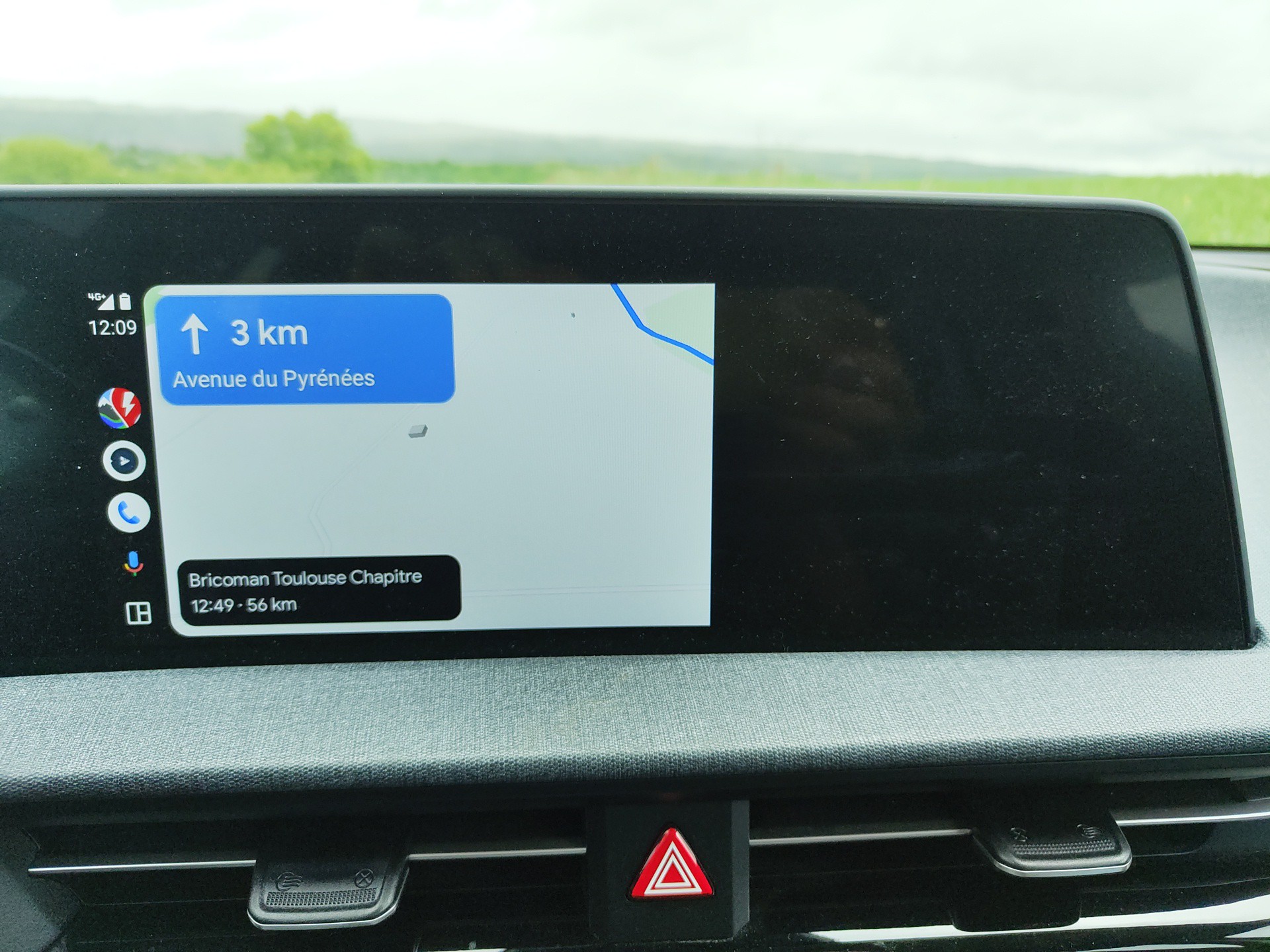
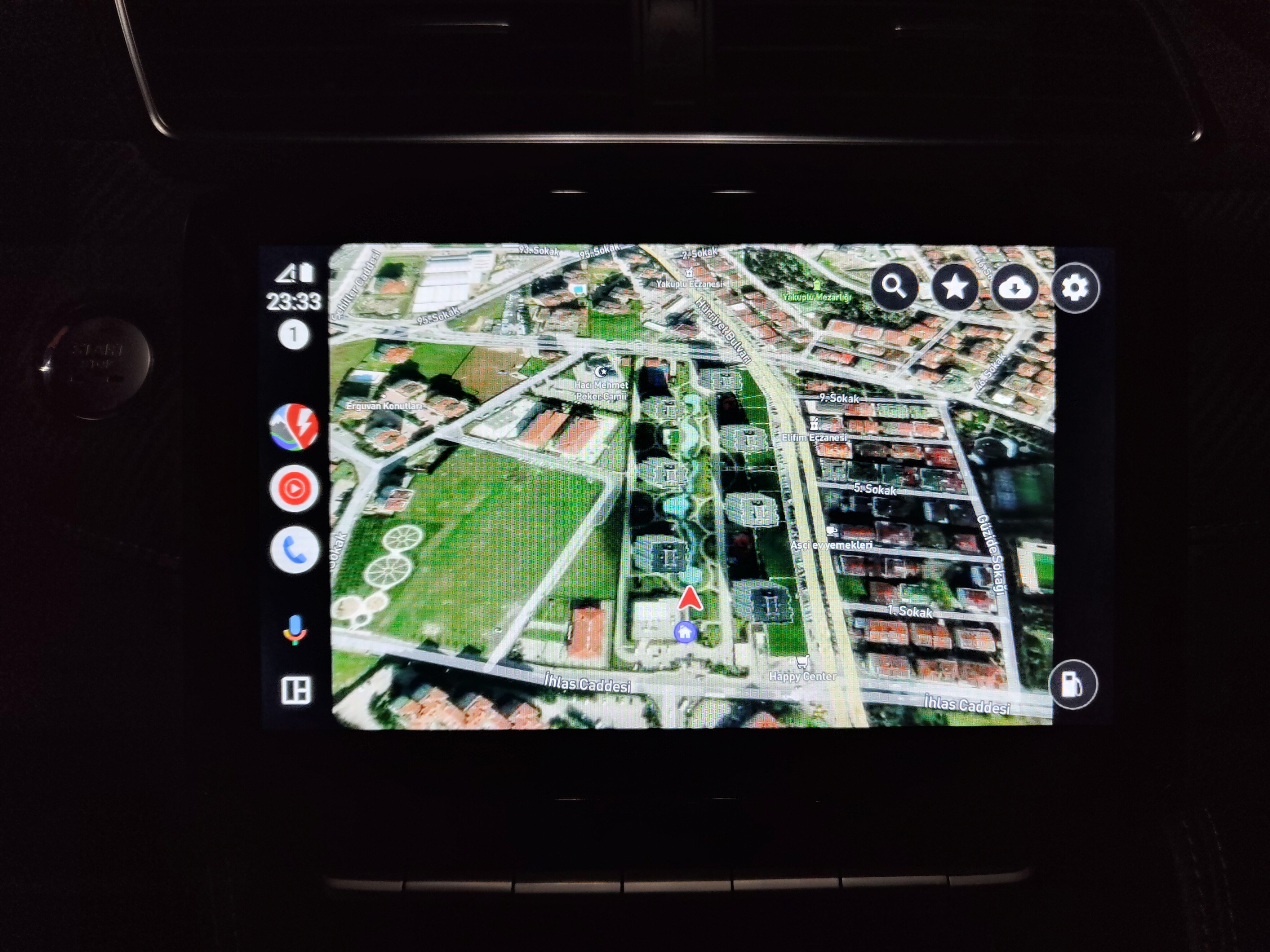
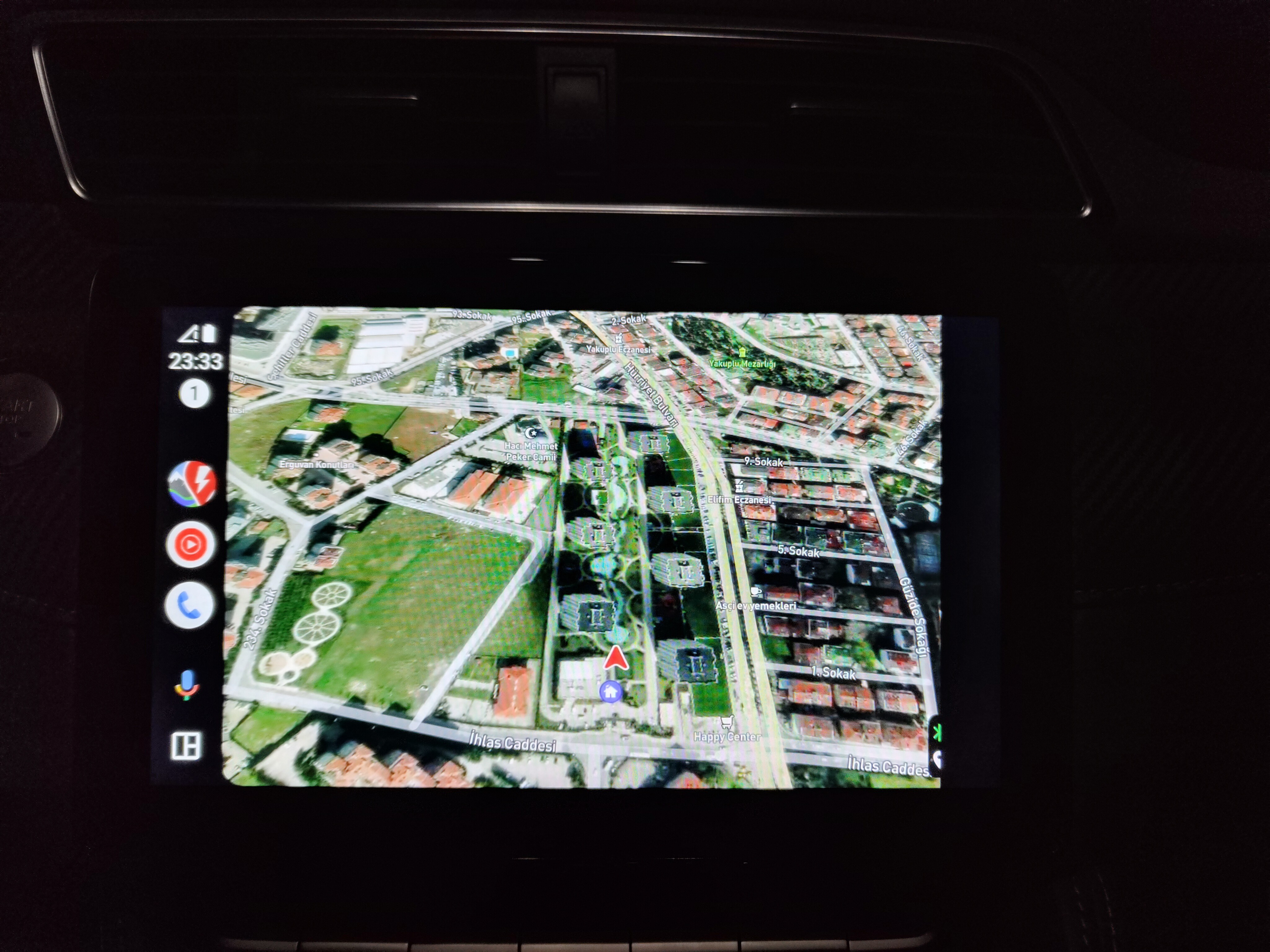
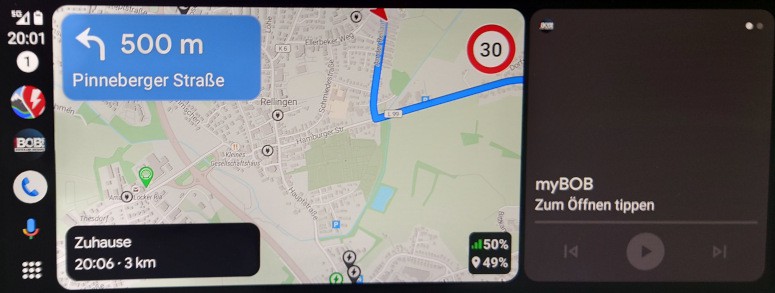
Using ABRP on AA in my EV6 shows only half the map in both split and full screen. It used to work for previous version.
Log in to comment and vote
Comments10
Katya S.
Nov 8, 2024
PinnedGot a response from nothingphone:
Please help us capture a log if the issue persists after the above: (If connected via Bluetooth, please capture a Bluetooth log; If by cable please capture a charging log)
1. Dial ##569#*#*>>Bluetooth
2. Turn on “Screenshot” & “Record screen” &“Bug report”
3. Select “NOT REBOOT”
4. Turn off & on the Bluetooth once
5. Reproduce the issue (keep the log kit running in the background)
6. When the issue appears, please help save a screenshot (press the Volume- & Power buttons)
7. Dial ##569#*#* to go back to the log kit (or tap the one in the notification bar) and tap “Stop capture" and wait for “Log saved”
8. Tap “OK” when the log is generated
9. Turn back to the “Log tool” interface and tap the top right corner>>Log list>>long-press the log file we need>>copy>>ok
10. Open File Manager and find it under internal storage>>NtShareLog>>Choose the log just captured
11. Upload the log file on Google Drive and share the link.
PS: Please set the “General access” to “Anyone with the link”
OR
1. Dial ##569#*#*>>Charging
2. Turn on “Screenshot” & “Record screen”
3. Select “NOT REBOOT”
4. Reproduce the issue (keep the log kit running in the background)
5. When the issue appears, please help save a screenshot (press the Volume- & Power buttons)
6. Dial ##569#*#* to go back to the log kit (or tap the one in the notification bar) and tap “Stop capture" and wait for “Log saved”
7. Tap “OK” when the log is generated
8. Turn back to the “Log tool” interface and tap the top right corner>>Log list>>long-press the log file we need>>copy>>ok
9. Open File Manager and find it under internal storage>>NtShareLog>>Choose the log just captured
10. Upload the log file on Google Drive and share the link.
PS: Please set the “General access” to “Anyone with the link”
Thanks for your cooperation!
You can send the link to samuel@iternio.com or get in contact with Nothingphone support yourself.
Florian Hieske (IYN_Florian)
Dec 26, 2024
The bug is still there.
ABRP - 5.5.2
Nothing OS - 3.0
Android Auto - 13.3.644654
jouke hijlkema
Jan 12, 2025
I confirm and I have to admit that I’m not impressed by the reactivity of both ABRP an Nothing.
Samuel_ABRP
Feb 4, 2025
Hi everyone,
sorry for not responding much here lately. We just had a look at this again, to see if we can find a workaround to get this to work, but unfortunately we failed again.
We tried several things and also tried to enforce certain orientation modes, but it didn’t work out really well.
We then also tried again with some other apps, and could confirm, that some other apps behave the same, here as an example TomTom Amigo:
We will try to get in contact again with Nothingphone, but so far we had no luck.
Matthias Baldi
Feb 12, 2025
Thank you for the explanation and to try to get in contact with Nothing phone again (I have a Nothing phone (2)).
Just to be clear. i.e. (to compare maps software) in Google Maps everything works fine, also for example in Spotify.
In my case, our car also have maybe a bit a special screen ratio (Toyota bZ4x), seems to be similar to the EV6 in the top comment.
Samuel_ABRP
May 12, 2025
Hey, do you have a Nothingphone? We experienced some issues with Nothingphone only, where the screen is cut off:
Half / Cut off screen when using AA with Nothingphone
Unfortunately there is nothing we can do about it, as that is a bug on their side.
Chris Rasmussen
May 12, 2025
Yearh, sad… Then I will stop using your app then…
Samuel_ABRP
May 12, 2025
Sorry for nothaving a solution to this. I hope you will still use the website or app for planning at least. We’ll let you know, if we hear about a fix.
Chris Rasmussen
May 22, 2025
It worked for a few days but now it's crazy again… And I read on Reddit that I’m not the only one. Also Poco have that issue.
And maybe it's sad that I bought it for a year, because that was a waste of money.
Samuel_ABRP
May 22, 2025
Hey, what do you mean it worked for a few days? We did not change anything on our side, that could have fixed it, as we did not find any solution to workaround this issue. Did you recently get an OS software update?
Samuel_ABRP
May 22, 2025
That reminds me, there actually is a workaround (which also shows how buggy the implementation of the Nothingphone OS is). If you rotate the phone, while the Screen is on, it will also rotate the screen of Android Auto, which should not be rotatable at all. However in that situation it then fills the full screen again and looks like it should. Maybe this is a temporary solution you could live with? Maybe this was also the reason for it to temporarily work again.
Chris Rasmussen
May 22, 2025
I don’t know about that. This is the only app I tried that don’t work with Android Auto.
That solution only works when the screen on the phone is turned on so…
Samuel_ABRP
May 22, 2025
You can turn off the screen afterwards. We know of other apps, that behave the same on Nothingphone.
Chris Rasmussen
May 22, 2025
No I can’t it will fail after I take a turn in my car 😊
Chris Rasmussen
May 22, 2025
But anyways.
Did you contact NOTHING. Because if I’m going to do it I can't say anything else than all other apps I use works except from ABRP. And that you told me that fail is at NOTHING.
Samuel_ABRP
May 22, 2025
Yes we did, but there was no helpful response. You can try TomTom Amigo too, we saw the same issue with that app previously.
Chris Rasmussen
Jun 24, 2025
I gave up with NOTHING. It’s like talking to a stupid machine…