Full map on instrument cluster Android auto
After last update map that on car's instrument cluster (not main screen) can't fill all cluster screen, while Google maps still fill it as before normally on full cluster. See attachment with both examples.
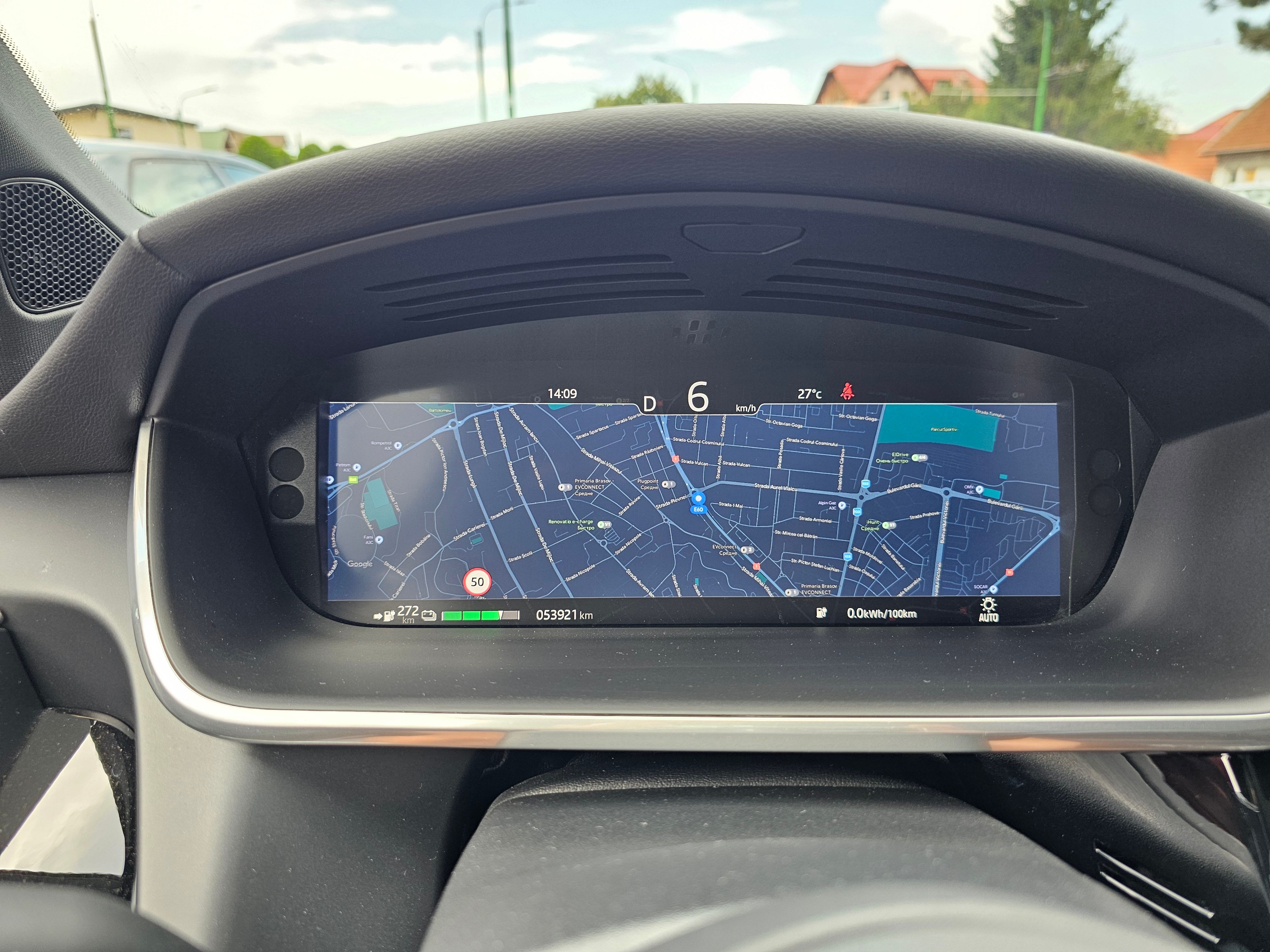
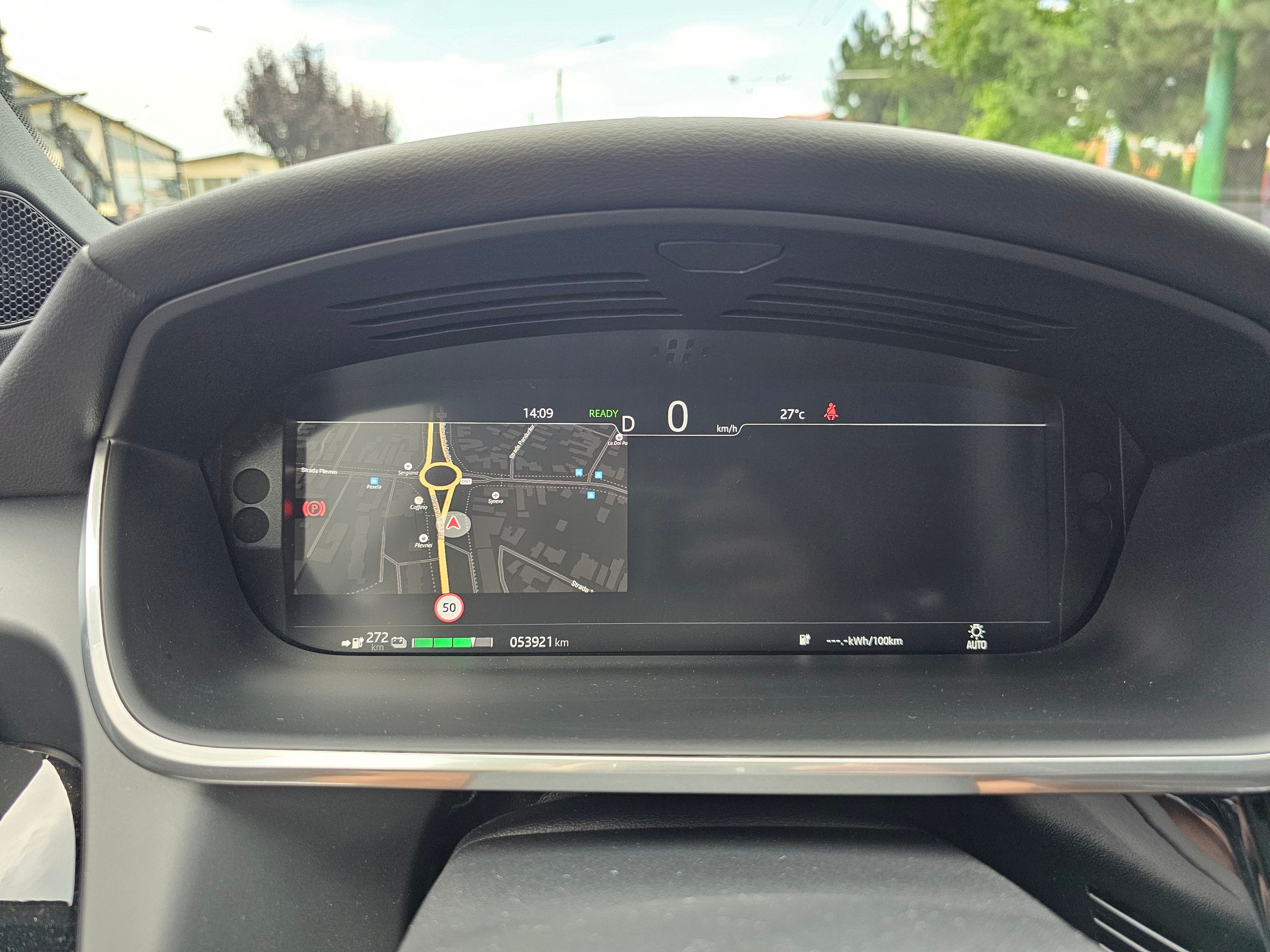
- Where does this happen?
- ABRP version number (found at bottom of settings menu)
Log in to comment and vote
Comments16
ABRP User #811399
Aug 8, 2025
Might be helpful to add the make/model of the car.
Kyrylo
Aug 8, 2025
Car is Jaguar i-pace 2021.
Bo (ABRP)
Aug 11, 2025
Thank you for the feedback, this is indeed an odd layout. We will check if there is something we can do to get back to the proper width in your iPace.
Samuel_ABRP
Oct 21, 2025
Hey, sorry for the late feedback. Can you still reproduce this on the latest version 6.1.6 in your car? I tried a few things with cluster display with different pixel densities and resolutions, but can not reproduce this issue. So it is either fixed already or a combination of resolution and pixel density, that i did not find yet. In that case we could add some logging, so you could send us the details.
Kyrylo
Nov 5, 2025
At this moment I'm away from country, traveling. In 3 weeks can give update on this.
Kyrylo
Nov 26, 2025
Same, only half.
Kyrylo
Nov 26, 2025
Yes, issue is still there.
Kyrylo
Nov 26, 2025
Same, only half, before was able to fill all cluster.
Kyrylo
Dec 18, 2025
6.2.0 new beta, still same issue.
Kyrylo
Dec 18, 2025
Update: in some cases it can go on fullap, fo example, I put Waze on full, stopped car, than start again with ABRP, than it goes to fill, but without pointer…
Kyrylo
Dec 18, 2025
Other updates on new 6.2.0 beta:
On instrument cluster it can't change if I change cluster configuration, from full to just small in middle and from small in middle to full. This is normally work with Google maps, Waze. And it loose pointer.Please,check video.
Kyrylo
Dec 24, 2025
Version 6.2.0 (5689) - situation same.