Confusing new info by charging station …. ???!!
In the new app I see now .. times and distances by charging stations which did not exist so far. I don’t know those stations so I don’t relate to that info. Please refer to the attached screenshot. C
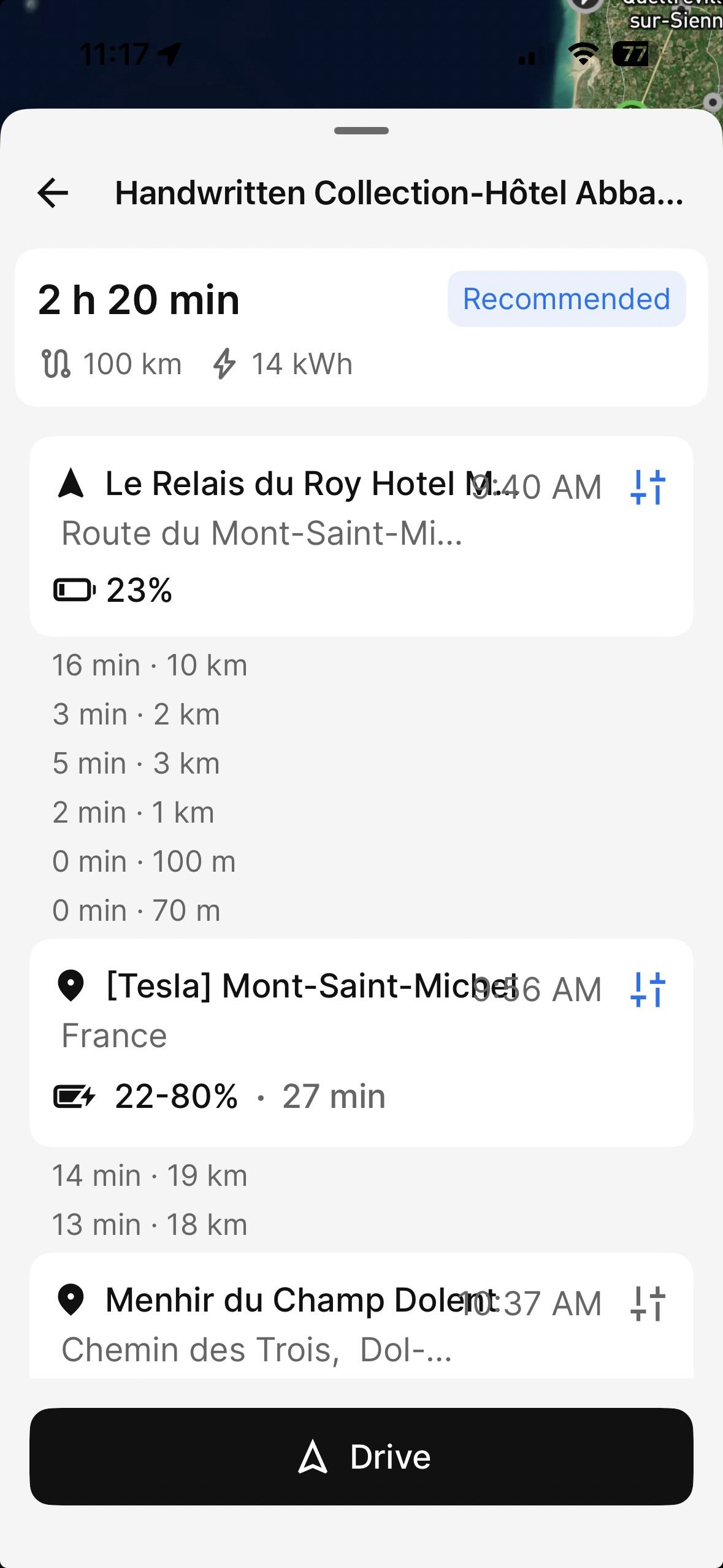
an you please explain them? Thank you!
- Where does this happen?
- ABRP version number (found at bottom of settings menu)
Log in to comment and vote
Comments12
Linda ABRP
Jan 27
Hi
I have not seen this before. Have you been able to reproduce this again and if so how did you get this view?
Ruedi
Jan 27
Yes, I can reproduce it.
The same info appears on every single charging point of the routes I have created and saved.
Ruedi
Jan 27
this is as of the app update 7.0.0
Linda ABRP
Jan 27
Can you add a link to that plan. Click at Share plan and Share ABRP link.
Ruedi
Jan 27
here is one of those planned routes
https://abetterrouteplanner.com/?plan_uuid=2-6978f7f8-b76677838907eec03b0c8fd3
Linda ABRP
Jan 28
Does it look like the image above right away or do you click at something? I’m not able to reproduce this.
Ruedi
Jan 28
I did ‘share plan’, copied and inserted that link ….. here once more
https://abetterrouteplanner.com/?plan_uuid=2-6979d5d2-f2f50b72ec0485c28e9fbc0f
Ruedi
Jan 28
by the way, if I click here on the first link I sent it reproduces that issue…..
Linda ABRP
Jan 28
This is a bug when you add guide points. It’s fixed and will be out next week.
Ruedi
Jan 28
Sorry Linda, I don’t understand your comment, please clarify.
Linda ABRP
Jan 28
You can add a guide point to your plan instead of a waypoint. We don’t show guide points in the plan but now there is a bug adding them under the waypoint.
Ruedi
Jan 31
You have updated the app —»> all GUIDEDPOINTS in my saved plans are gone .. they transferred into WAYPOINTS…. so I have to redo my plans ….