CarPlay Map Issue
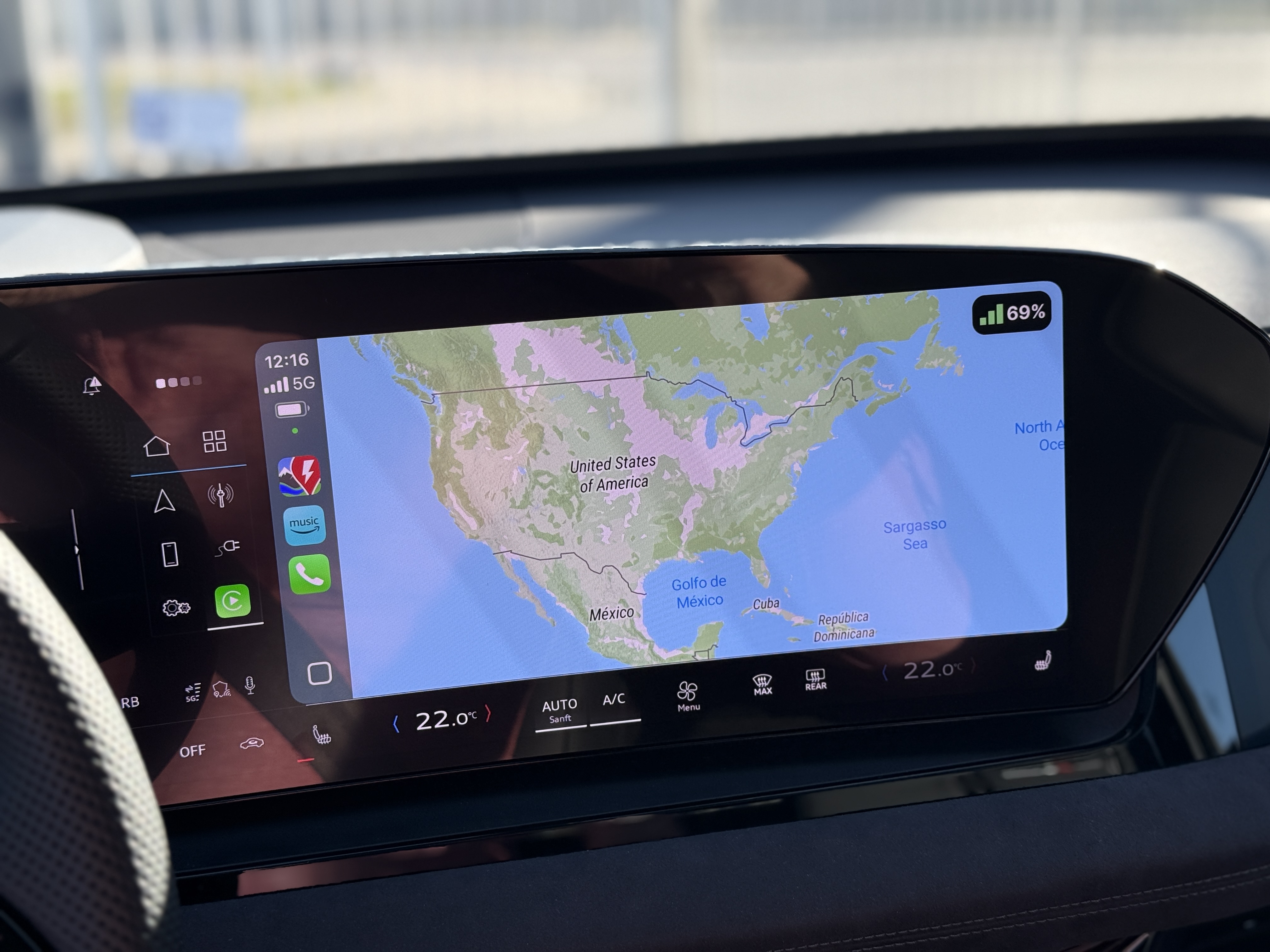
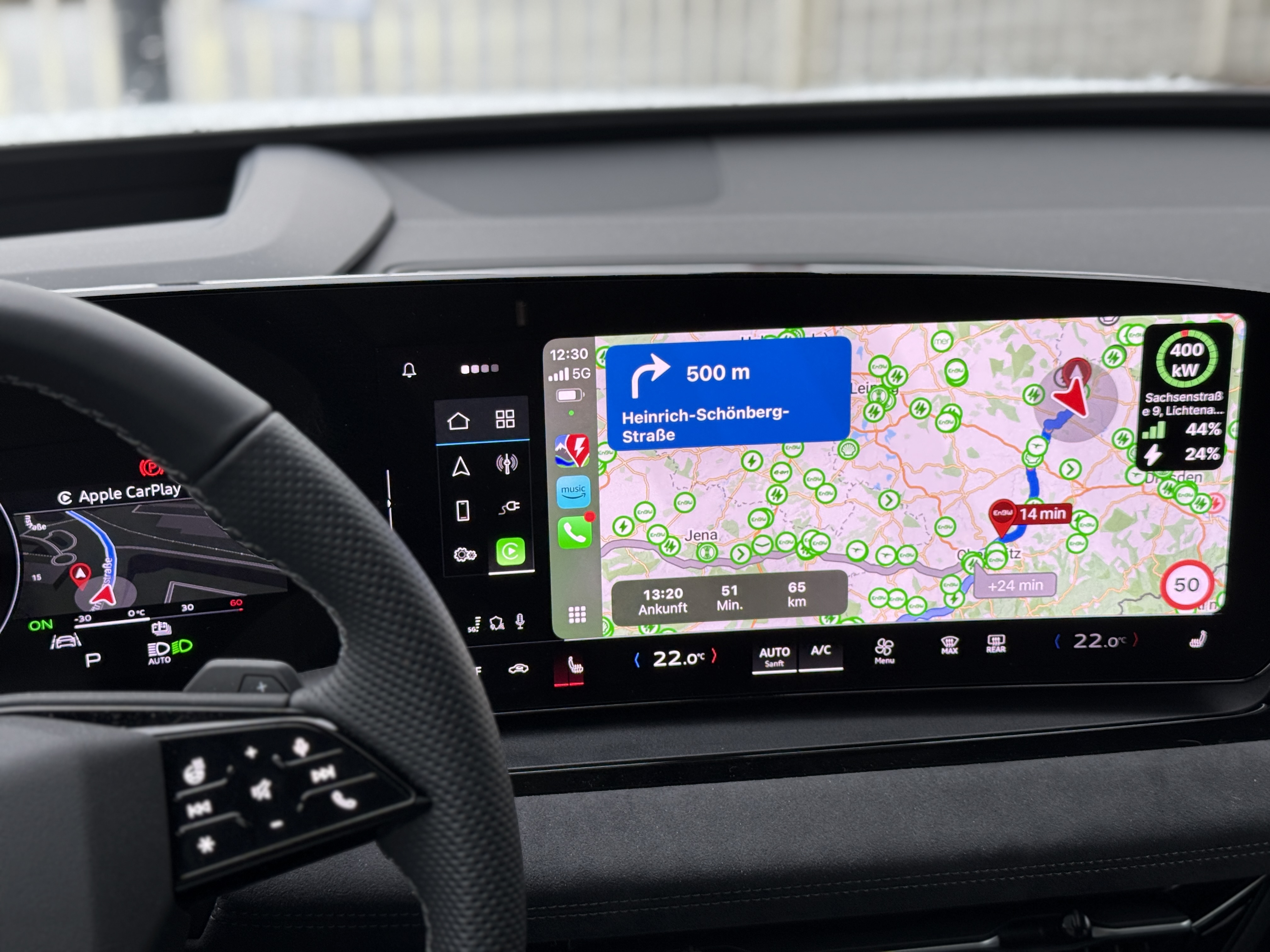
Since driving my new Audi SQ6 e-tron the ABRP map behaves weird over CarPlay. That means, the “big map” when opening ABRP in CarPlay is zoomed out to extreme extents and I just see the arrow rotating as I drive. Sometimes it displays a view of north america when I’m located in Germany. When I plan a route and start navigating, it zooms in to show the entire route, but it is stuck in that view for the whole journey. That is, no animated 3D view that follows the route, just a 2D birdview of the entire route.
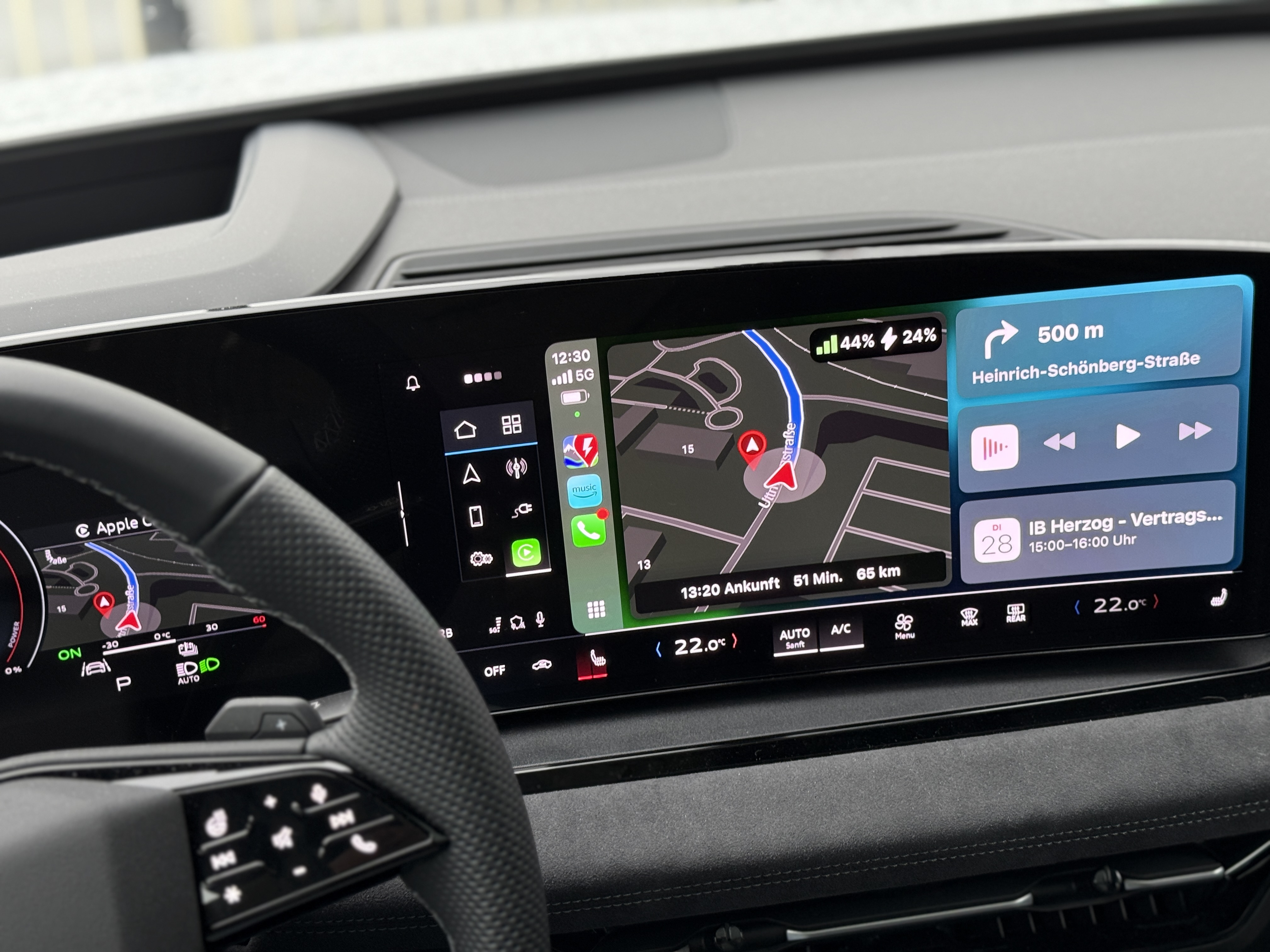
The only way I get that view is when I switch to the CarPlay home screen, then I see the 3D view in the left area.
Also, for some time, I used to get that 3D view in the cars main instrument cluster when I toggled to “navigation view” in that area, but now I don’t see it there anymore….
That was not an issue in the previous car Audi e-tron GE. The big map always was in 3D view and followed the car even without a route planned.


- Where does this happen?
- ABRP version number (found at bottom of settings menu)
Log in to comment and vote
Comments16
Bo (ABRP)
Feb 24, 2025
PinnedThanks for the good description - we agree that this is confusing and we will work to make it more clear how to switch map display modes, and also only force overview mode the first time you use a car with a cluster display.
We will also fix the map zoom handling in free drive.
Bo (ABRP)
Mar 3, 2025
An update on this one: The free driving zoom is fixed in 5.7.0 (to be released this week) and the overview mode switch is coming soon.
Twincharger
Mar 3, 2025
Thanks for taking care of this!
Jonathan Guy Trembath
Mar 4, 2025
Great , will report back once downloaded to confirm .
Katya S.
Dec 18, 2024
Hi @Jonathan Guy Trembath,
Do I understand you correctly that this did not occur prior to version 5.5?
Could you provide a photo that demonstrates;
“The ABRP map migrates over to the drivers dashboard and displays where the normal navigation screen would be” ?
Jonathan Guy Trembath
Dec 18, 2024
Hi
Here are 4 photos. Two of the drivers console, and two of the infotainment system.
The first is the drivers console ( in map display mode ) showing the ABRP map when the app isnt active and no route is planned.
The 2nd is the drivers console showing the map with a route planned.
The 3rd is the car main infotainment system ( touchscreen) with ABRP loaded but no route planned. This is a error…it doesnt show the current loacation but freezes on somewhere in Germany .
The 4th is the infotainment system with a route planned.
cheers
Katya S.
Dec 20, 2024
Thank you for the images.
A colleague of mine detected an issue when map mode was set to ‘overview’ that seemed to cause this behavior.
If you go into driving mode on your iOS device, and on the iOS device tap ‘mode’ - does it look more correct for you if you have ‘3D perspective’ selected?
Jonathan Guy Trembath
Dec 21, 2024
Hi Katya,
not sure what you mean by driving mode on the ios device. If you mean to setup a route and activate it…then the system already works ( as show in the photos ) . Its only when there is no route activated ( and the infotainment screen is purely showing current location on a map ) that it doesnt work .
How do I get to the driving mode setting you mention ?
Katya S.
Dec 23, 2024
Once you’ve created a plan by clicking the blue ‘plan’ button, it’ll change to a blue ‘drive’ button that starts navigation. Once clicked you enter what we refer to as ‘driving mode’.
Twincharger
Feb 24, 2025
I have a similar problem, the post is still awaiting approval from the mods. Note that when CarPlay is active, the “Mode” button is not there in the mobile app on the phone. The way I solved it for me is as follows:
Just start any route so that the main ABRP screen in your car switches to navigation mode. Then tap on the screeen to bring up the menu, you get a little “waypoints” icon in the lower right area. If you tap on that it changes to the desired 3D view. It then also keeps that view once and for all even without an active route until you change it back as described.
So it is only possible to toggle the view with navigation active. I think this is counterintuitive and should be changed so that the view mode option is accessible at any time.
Twincharger
Feb 24, 2025
Hello, I think we can close this issue, although there is an usability task here.
Turns out that while navigating when you tap on the map in the cars display, you get a little “waypoints” icon in the lower right area. If you tap on that it changes to the desired 3D view. It then also keeps that view once and for all even without a route planned until you change it back as described.
So it is only possible to toggle the view with navigation active. I think this is counterintuitive and should be changed so that the view mode option is accessible at any time. Note: the “Mode” button in the mobile app on the phone is not there when CarPlay is active.
Twincharger
Feb 26, 2025
Update: the map view is reset to the “great bird view” as soon as you plan a route with cars built-in navigation system.