Ford F-150 Lightning does not show correct data on dashboard via Android Auto
Hardware:
F150 Lightning
OBDLink CX dongle
Google Pixel 8 Pro, Android 15
Android Auto
Dongle connects to ABRP appropriately. Data seems correct. ABRP seems to function normally with Android Auto display and phone app.
BUG: When using ABRP, “distance to destination'“ DOES NOT populate Ford dashboard display correctly.
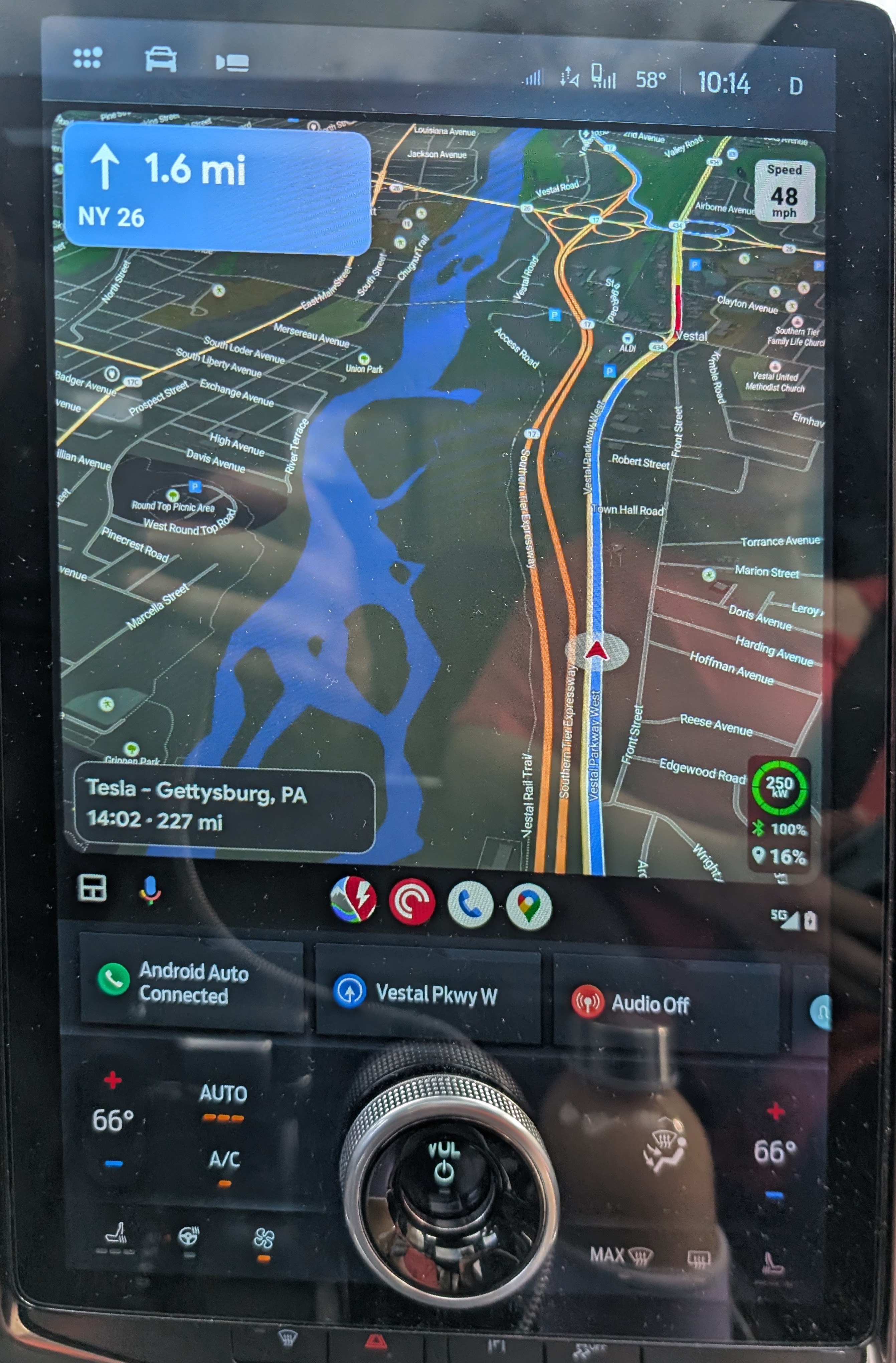
ABRP shows distance to destination (lower right) 227 miles.
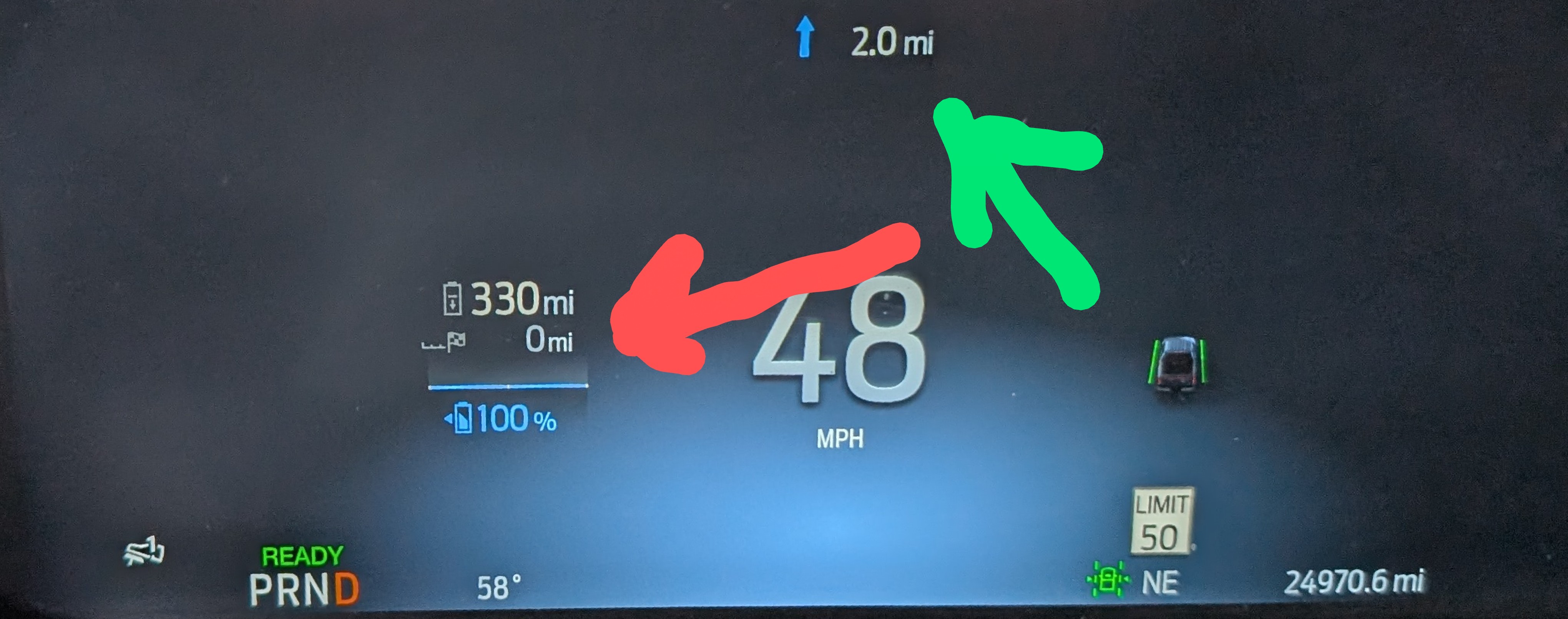
Note that driving instructions show correctly at top of Ford dashboard but “distance to destination” DOES NOT populate under vehicle range (Guess-o-meter). This is “calm display’ but data did not show regardless of display choice).
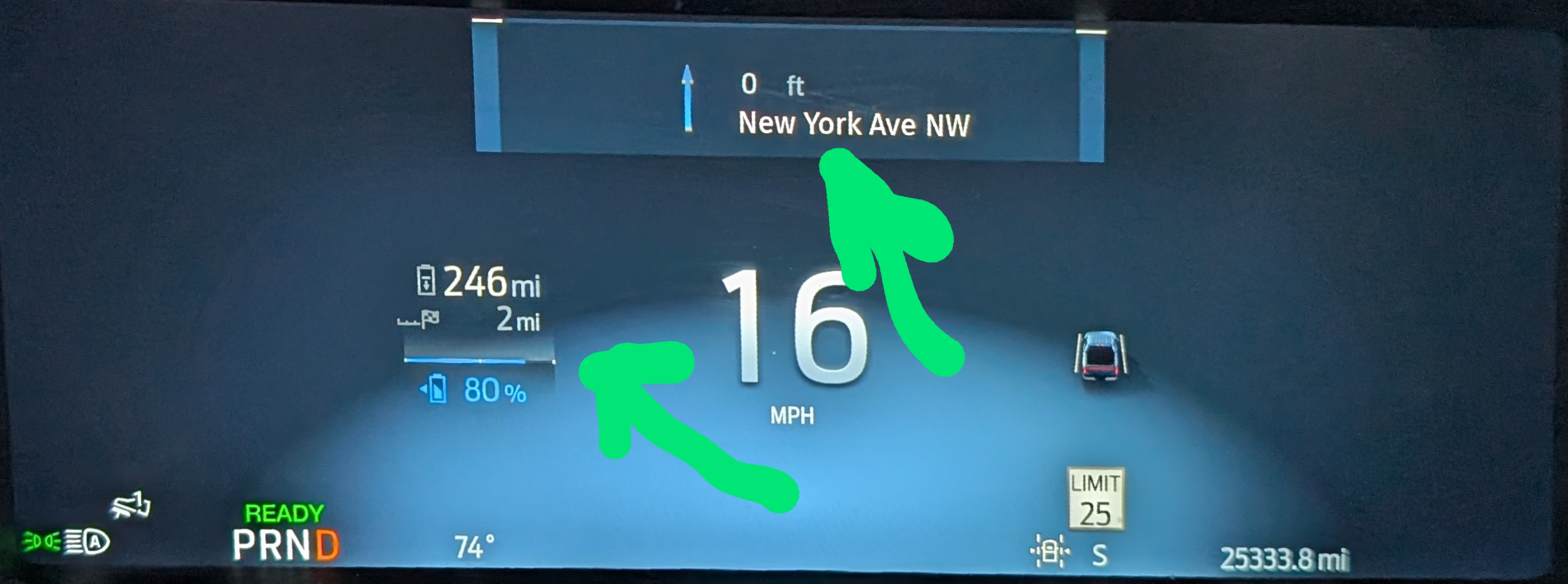
The “distance to destination” DOES populate correctly with both Ford Nav (of course) and Google Maps (via Android Auto?), for example this Google maps display:
- Where does this happen?
Log in to comment and vote
Comments4
Samuel_ABRP
Jan 15, 2025
Hey, I just fixed something here, where we missed sending a destination to the instrument cluster. That should hopefully fix this issue. Should be available with 5.6.2. Please let us know once you updated to that specific version, if it worked.
Bill Miano
Jan 27, 2025
Still no mileage showing in the instrument cluster with ABRP 5.6.2
Katya S.
Nov 14, 2024
Hi @Dave Channin,
Which version of the ABRP app and Android are you currently running?
Dave Channin
Nov 14, 2024
Ford Software 6.14.0
ABRP 5.0.11 (3101)