Big Font make plan details invisible
Hello,
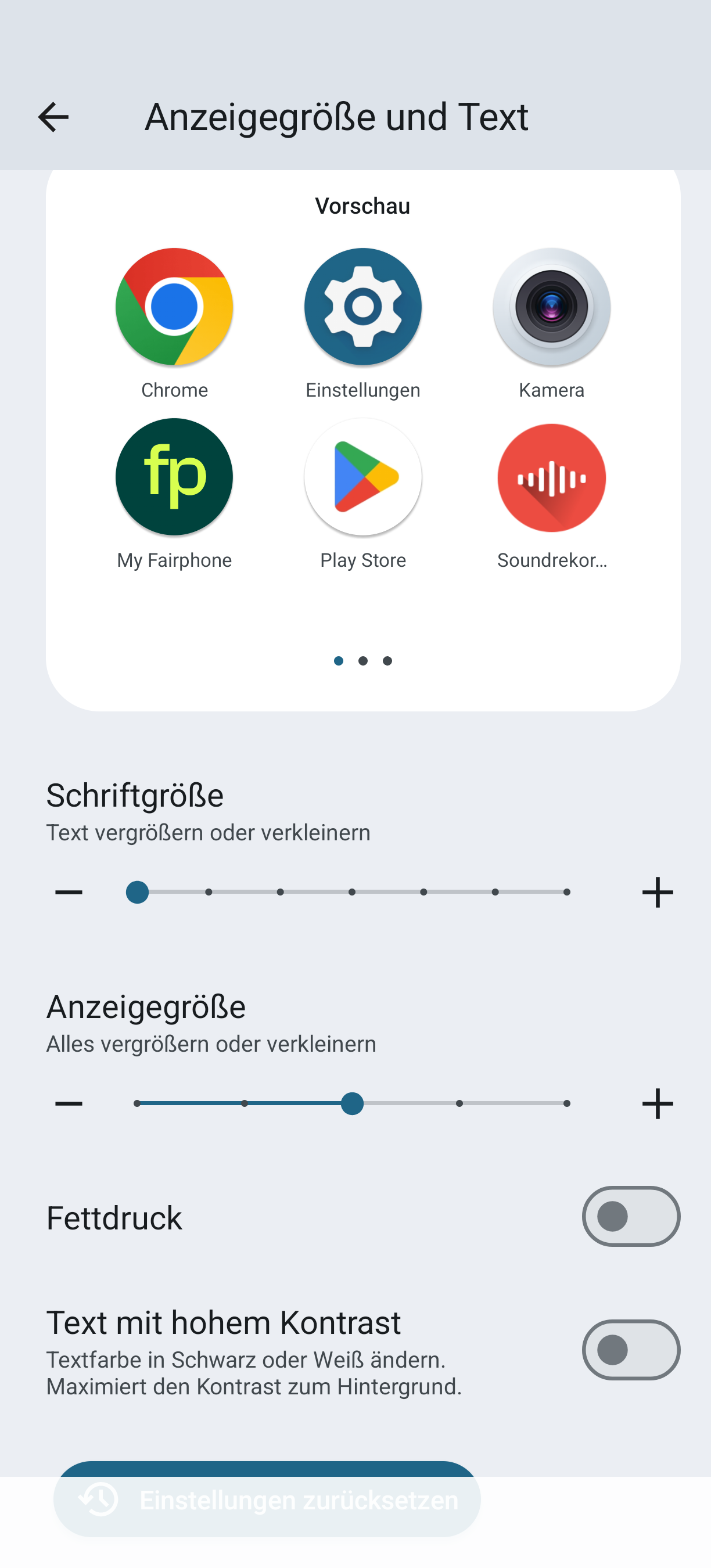
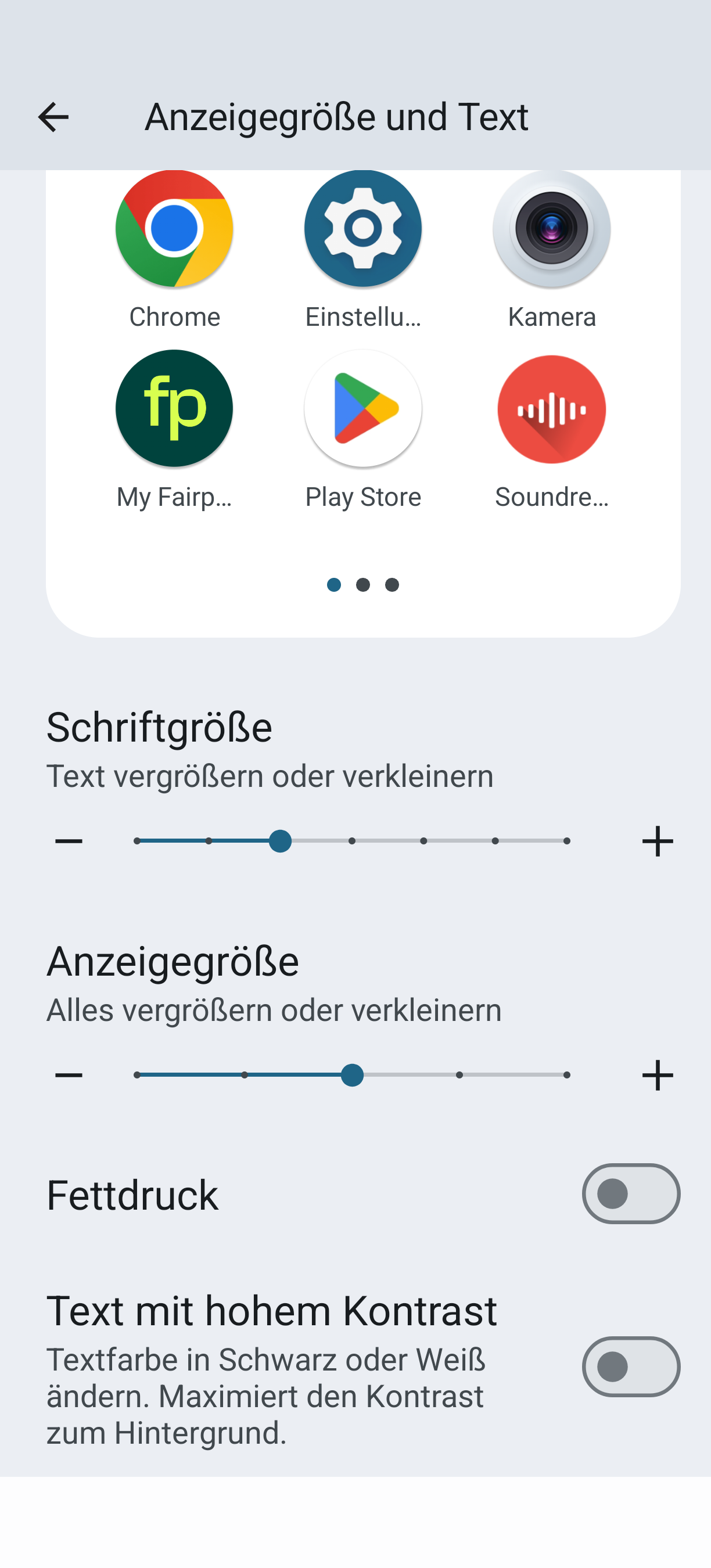
I Set the font size to a bigger one one Android.
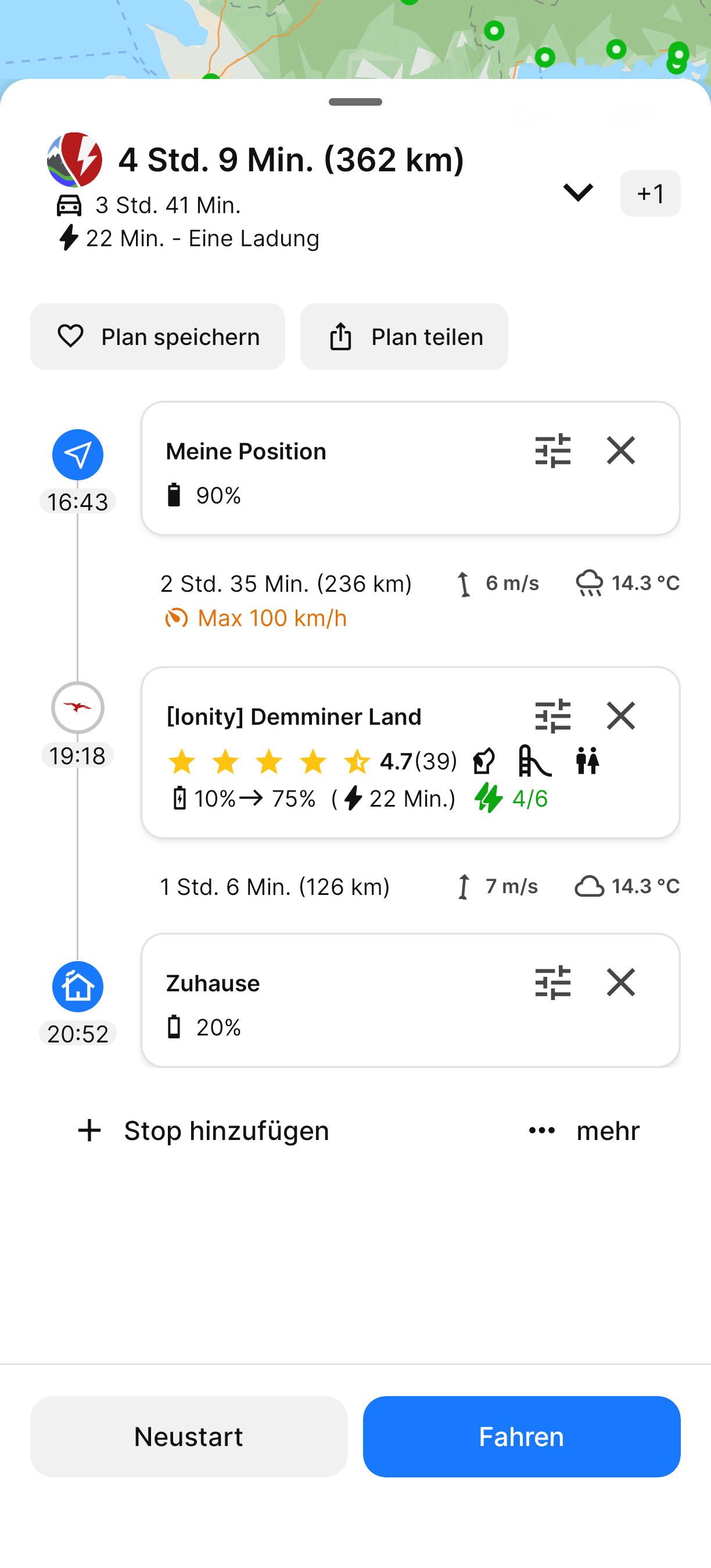
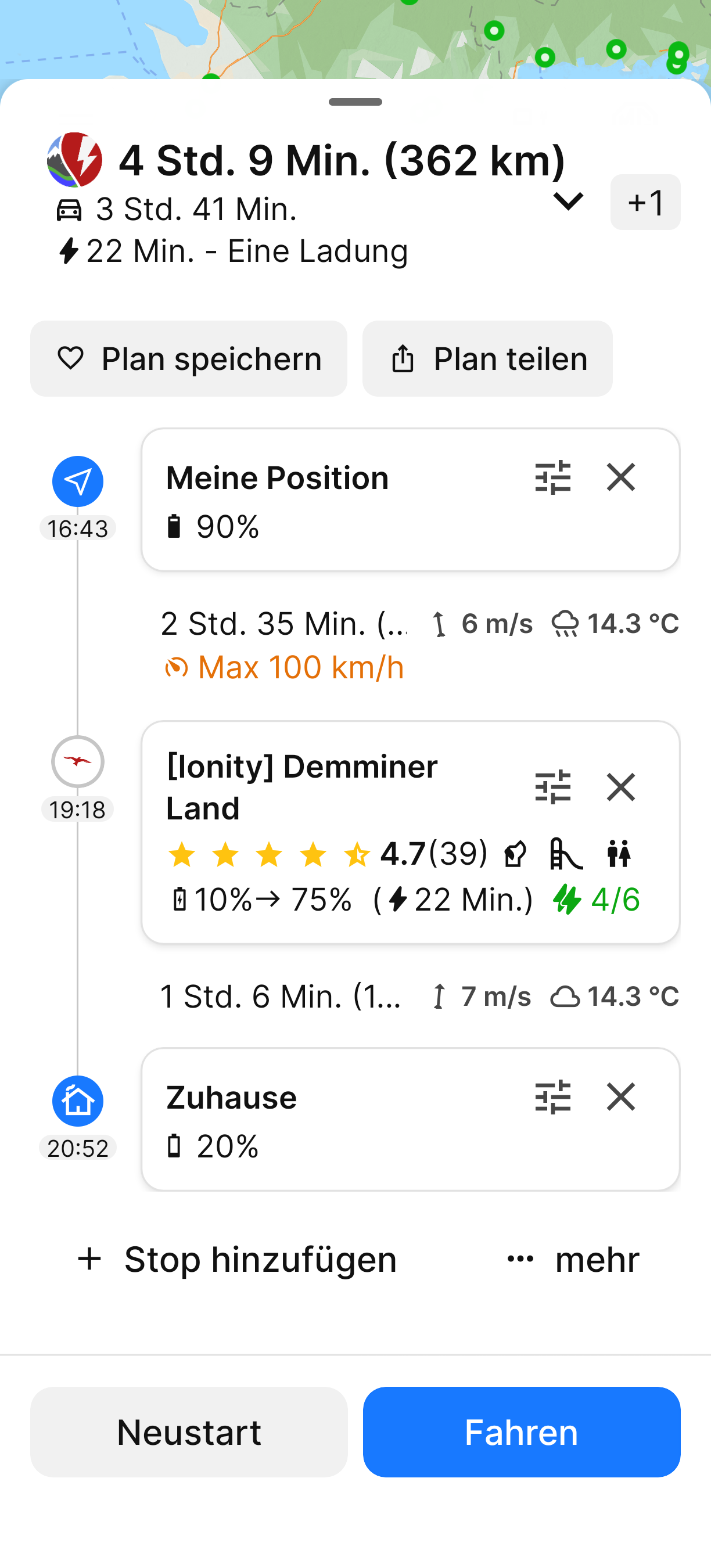
If I want to See the plan details, I cant See Not all Details of The plan Like the distance in kilometers.
I add some Screenshots with my Font size settings and the results in ABRP.
I would suggest two Options to solve this issue.
First the boxes could expand in vertikal size.
This makes them uneven in height, but all Details visible.
Second Option is to make the boxes clickable with an overlay with the Details.
Whatever you prefer, I would Like to See the Details.
Best regards
Matthias
- Where does this happen?
- ABRP version number (found at bottom of settings menu)
Log in to comment and vote
Comments9
Luca Michieli
Oct 28, 2025
•Merged request
•1 vote
Sometimes you can't read all the content of a button even when zooming and font size are at their lowest settings.
David FULLER
Oct 28, 2025
•Merged request
•2 votes
Android 4.7.10 App Missing Text Size Support
🚧 THIS IS A TICKET MIGRATED FROM UPVOTY. The original ticket and comments will be available for a limited time over at:
https://abrp.upvoty.com/b/report-a-bug/android-4710-app-missing-text-size-support/
———————————————————————————
In some text boxes. See attached.
VAL MERTENS
Oct 28, 2025
•Merged request
•2 votes
Fonts to big for app on iPhone and numbers in route signs on car infotainment center on vw id4
Fonts to big for app on iPhone and numbers in route signs on car infotainment center on vw id4. I can’t see all the information on most pages in the app because the font is too large. The cancel button appears only as a grey line under “processing “.
The route numbers run over the sign icons on the VW ID4 infotainment display.
I changed to icon for my car on the map and it reverts back to the arrow on the next start up.
Jun 23, 2025
PinnedHi @VAL MERTENS,
Could you please provide some screenshots/photos of how this looks for you?
VAL MERTENS
Jun 23, 2025
Plus my car is not listed. I have 2023 ID4 with 87kwh battery. I also named my car ID4 and the map still calls it unnamed vehicle.
Katya S.
Jun 23, 2025
Thank you.
If you’re missing a vehicle model see: I am missing a vehicle, how can I request it be added?
Regarding the generally large font in the app - please check your devices settings for font size.
For the road signs in CarPlay see this ticket: Road signs misaligned graphics
Jan Tillung
Jun 23, 2025
Font size is not handled very well by the app. People with vision impairment may use larger than standard font on their phone and this breaks ABRP visually. This is not unique to iPhone as I got the same problem on my Android phone.
Francisco Javier Sánchez Muñoz
Oct 28, 2025
•Merged request
•8 votes
Font size
🚧 THIS IS A TICKET MIGRATED FROM UPVOTY. The original ticket and comments will be available for a limited time over at:
https://abrp.upvoty.com/b/request-a-feature/font-size/
———————————————————————————
Sometimes I can't read texts on the map (like incremental time on alternate route, streets names, other labels) because its font is too small.
Can you make the font bigger or configurable?
Thanks
Sté Dh
Oct 28, 2025
•Merged request
•1 vote
Font size problem
🚧 THIS IS A TICKET MIGRATED FROM UPVOTY. The original ticket and comments will be available for a limited time over at:
https://abrp.upvoty.com/b/report-a-bug/font-size-problem/
———————————————————————————
Hello, there is a problem with the font size concerning the speed limit indication as well as the instantaneous speed indication of the GPS. Screenshot attached. My font size is set to minimum in the settings.