ABRP map type not showing road names
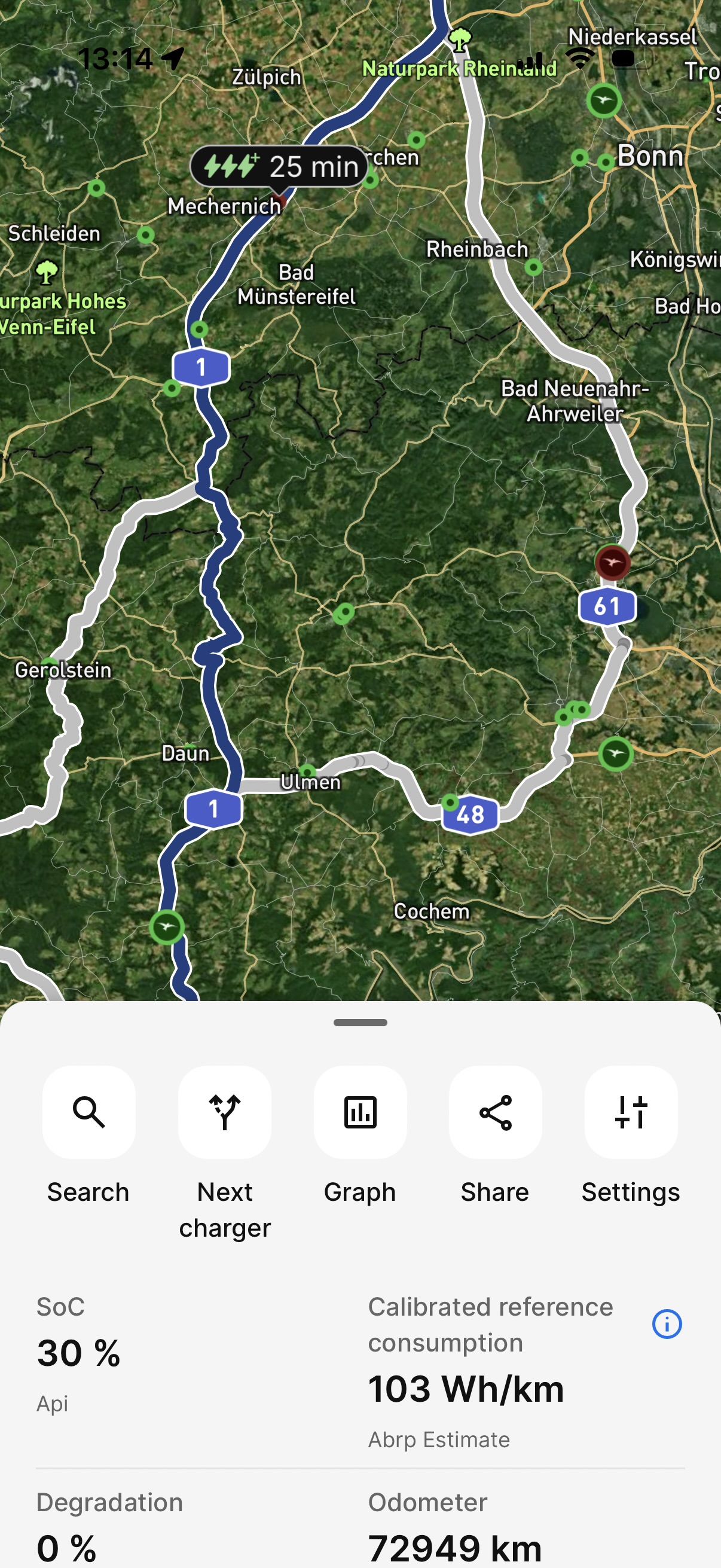
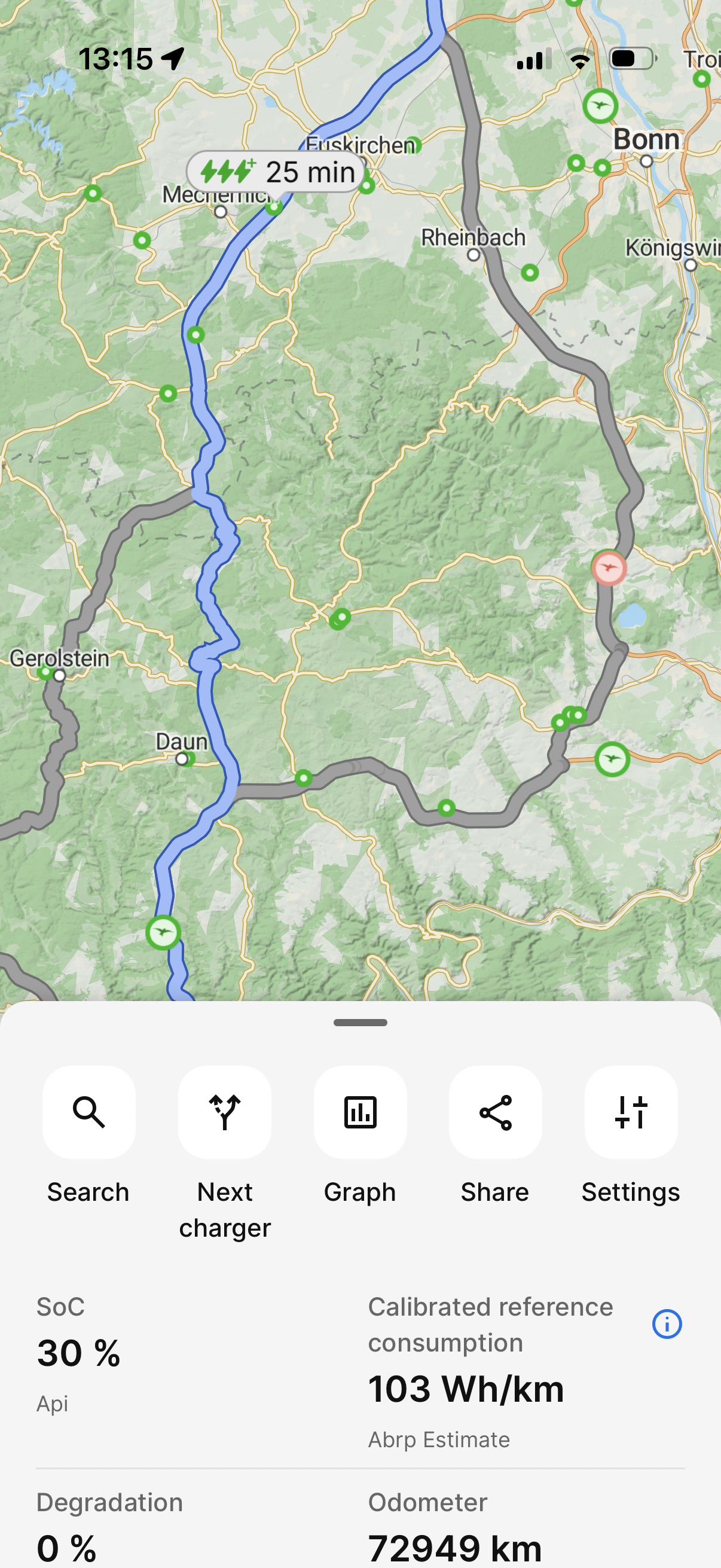
First screenshot: satellite map, second screenshot the ABRP map. Notice how the road names (1), (48) and (61) are only shown on the satellite map.
I prefer using the ABRP map because of its lower data usage, so feature parity would be very useful!
- Where does this happen?
- ABRP version number (found at bottom of settings menu)
Log in to comment and vote
Comments6
Linda ABRP
Jul 22
Hi
I’m not able to reproduce this. Do you still have this issue?
Philip Kocanda
Jul 25
yes still very much happening, have you checked on iPhone?
Linda ABRP
Jul 27
Can you sen me the link to the plan. Click at Share plan and Share ABRP link.
Philip Kocanda
Aug 5
Sorry for the delay, here you go:
https://abetterrouteplanner.com/?plan_uuid=2-6a72fd5a-895fca9d8481cf44c0bc092f
Philip Kocanda
Aug 5
Also I do not think it is related to the plan. It happens on the map no matter if I have an active plan or not.
Linda ABRP
Aug 5
Do you see them if you zoom in more?
We are releasing 7.1.5 this week so please see if you get them back with that version.