ABRP blocks IONITY station to be included
When composing a route and selection a particular IONITY station (showing in APRP) outside of CAEN, France, ABRP doesn’t let me safe that route unless I deselect the IONITY station.
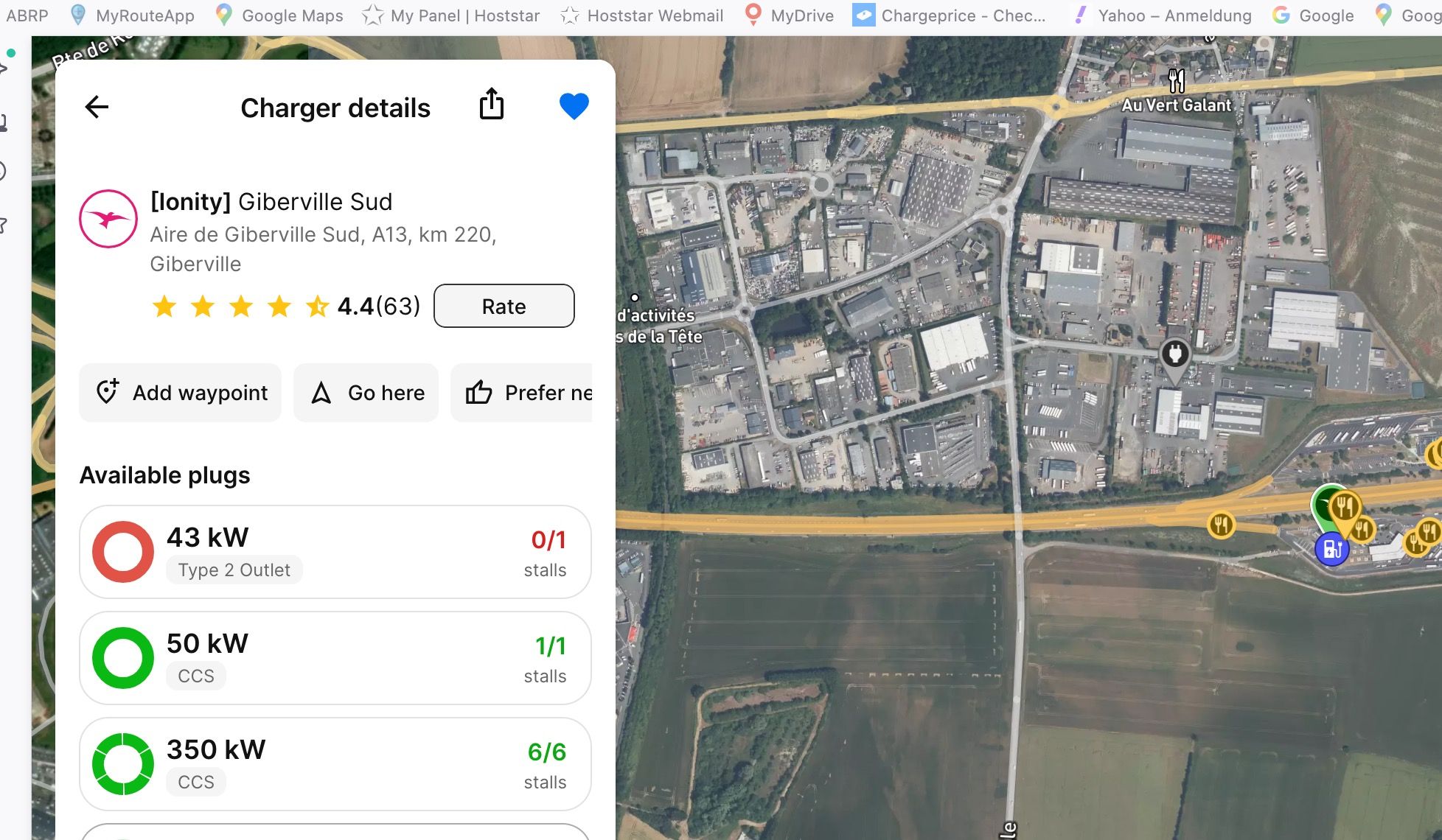
- Where does this happen?
- ABRP version number (found at bottom of settings menu)
Log in to comment and vote
Comments9
Linda ABRP
Feb 25
Hi
Do i have understood you correctly? You make a plan, you make one of the chargers in the plan a favourite and then we don’t let you save the plan?
Ruedi
Feb 25
Hi Linda, yes, that is … correct but I don’t want to make it a favorite (you might call it so ) I just select it to be able to charge there.
Linda ABRP
Feb 26
Then you need to remove it. Click in the search field at the start page and then at Edit. Then click at the charger you want to delete. Also refresh the page so you get 7.0.3.
Ruedi
Feb 26
Linda, I have done what you are suggesting a couple of times in the past and just now (Feb 26)… I am on 7.0.3. Doesn’t matter if I mark that I Ionity as a WAY or GUIDED point, when I want to plan the route, a pop window tells me to “Contact Support” See attachment.
Ruedi
Feb 26
add: I closed browser, changed browser and shut down iBook … nothing helped
Linda ABRP
Feb 26
Can you save the plan and then I can check it at your account. Is it only this plan that does not work?
Ruedi
Feb 26
Well, it is the only one I had a problem with so far.
Yes, you can check it in my account. it’s called
FR 2C Ausflug Beauvron - Bayeux - Caen - RTN
and the location of the IONITY station outside of CAEN I did send it already.
Linda ABRP
Feb 26
You have set Avoid highways and the charger is on the highway. We let you route on a part off the highway since you put waypoints/guidepoints there but it does not work to add the charger.
Ruedi
Feb 26
thank you for the tip but that means that in ABRP one still cannot plan a “mix routing” - highway + no highway - route plan… an issue that since 2020-2021 exists. This means that, if one plans a “on - off highway” route has really place a LOT of markers to be guided correctly. - A reason more for ABRP programmer to get the function GUIDED MARK working again!!! - Any update yet?