ABRP 7.0.5 Vehicle in the iPhone is not synced with the Watch
I have three vehicles registered in my ABRP account. Two of them are currently in use and each has a live connection.
The order of the vehicles in the iPhone app is as follows: First is my own vehicle, the “#1 Pulse”; the second vehicle with live data is the Opel Corsa-e; and the third is the former Opel Ampera-e.
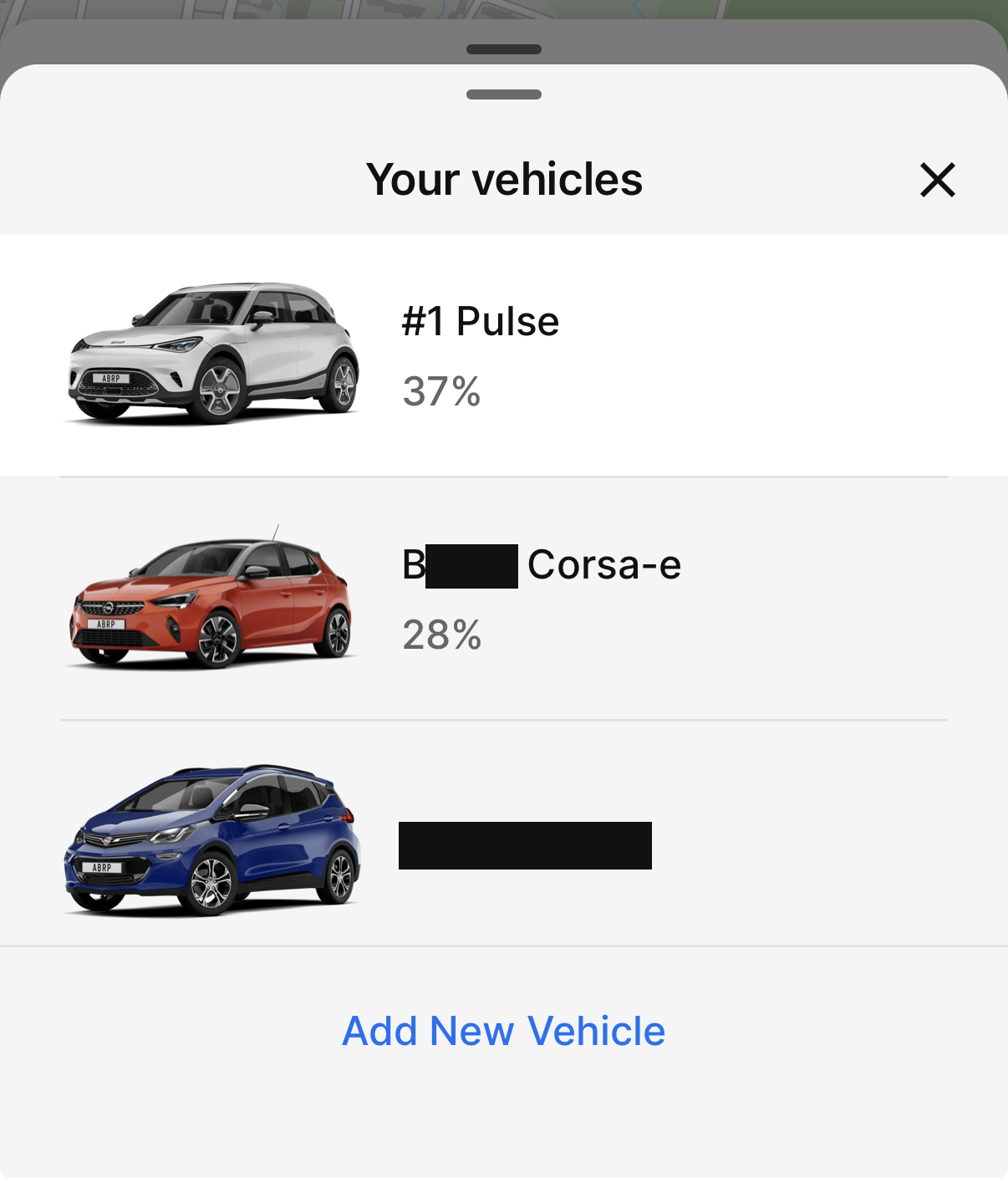
When I look at my Watch at home to check the SOC of my own vehicle—with the iPhone lying unused in the apartment—the Watch app always shows me the SOC of our second vehicle first, even though the iPhone app would display my own vehicle as the current one at that exact moment.
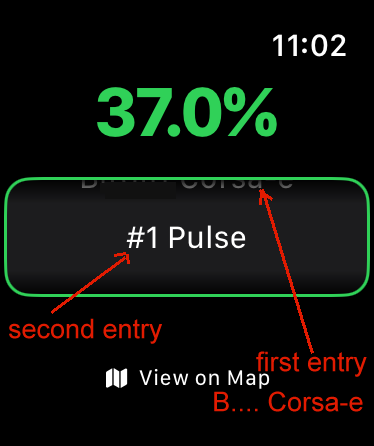
When the display is activated, the Watch app should always show the same vehicle that was last displayed on the Watch until you select a different vehicle on the Watch.
What could be causing this issue? It’s possible that, unlike the iPhone app, the Watch app displays vehicles in alphabetical order (in my case, the Corsa-e’s name starts with “B,” while the Smart’s starts with “#”). Perhaps the Watch forgets which vehicle was last displayed and then selects the first one in alphabetical order.
- Where does this happen?
- ABRP version number (found at bottom of settings menu)
Log in to comment and vote
Comments1
Manuel (ABRP)
Apr 7
Thank you for reporting this, 7.0.6 should bring a fix for this.