ABRP V5.7.5 Aufbau der OBD BLE-Verbindung auf Smart #1 gelingt fast nie, Fehler "could not find SOC in the car data response" und andere
iPhone 12 Pro iOS 18.4.1
Smart #1 SmartOS 1.5.2
Veepeak OBDCheck BLE+ / Vgate vLinker MC+ (BLE)
ABRP V5.7.5 (3343)
Ich verwende Smart #1 mit CarPlay. Der Dongle ist nur mit ABRP verbunden.
Die BLE-Verbindung für Smart #1 funktionierte monatelang nicht. Zufällig habe ich am 19. April 2025 die BLE-Verbindung für den Smart erneut ausprobiert, und siehe da, sie funktionierte einwandfrei mit ABRP V5.7.4 (3338). Am 20. und 21. April bin ich dann mit zwei verschiedenen OBD-BLE-Dongles mehrere längere Strecken über mehrere Stunden gefahren. Beide funktionierten einwandfrei, auch die Übertragung der SoC-, Strom- und Spannungswerte, und ich war begeistert:
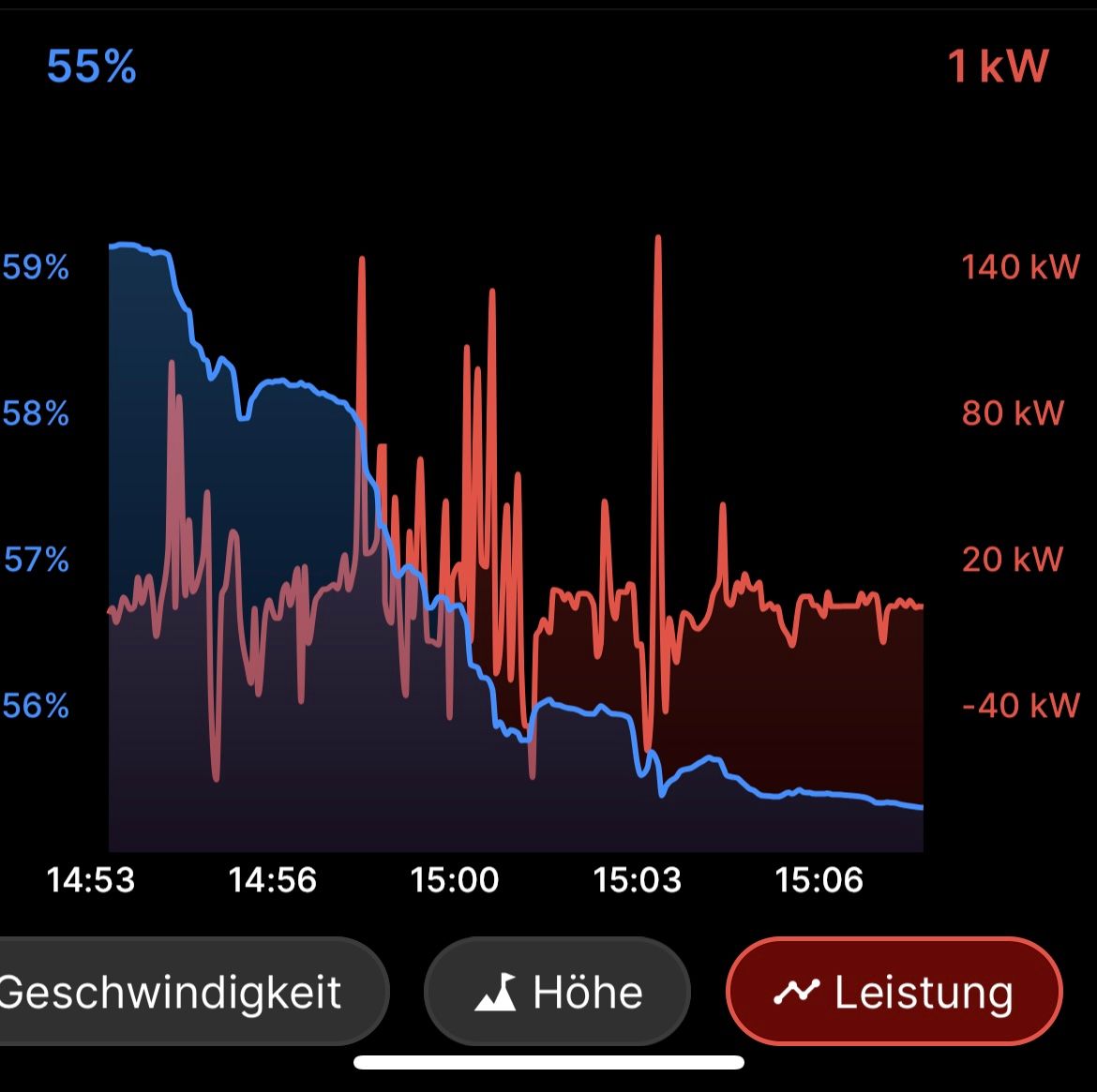
Ich habe dann nachgefragt, wer bei der Fehlerbehebung geholfen hat, ein User aus dem deutschen Smart-1-Forum hatte in den letzten Wochen Logfiles für Sie erstellt, so dass Ihr Team die BLE-Verbindung für den Smart #1 deutlich verbessern konnte, um nicht zu sagen fehlerfrei machen konnte. Vielen Dank dafür.
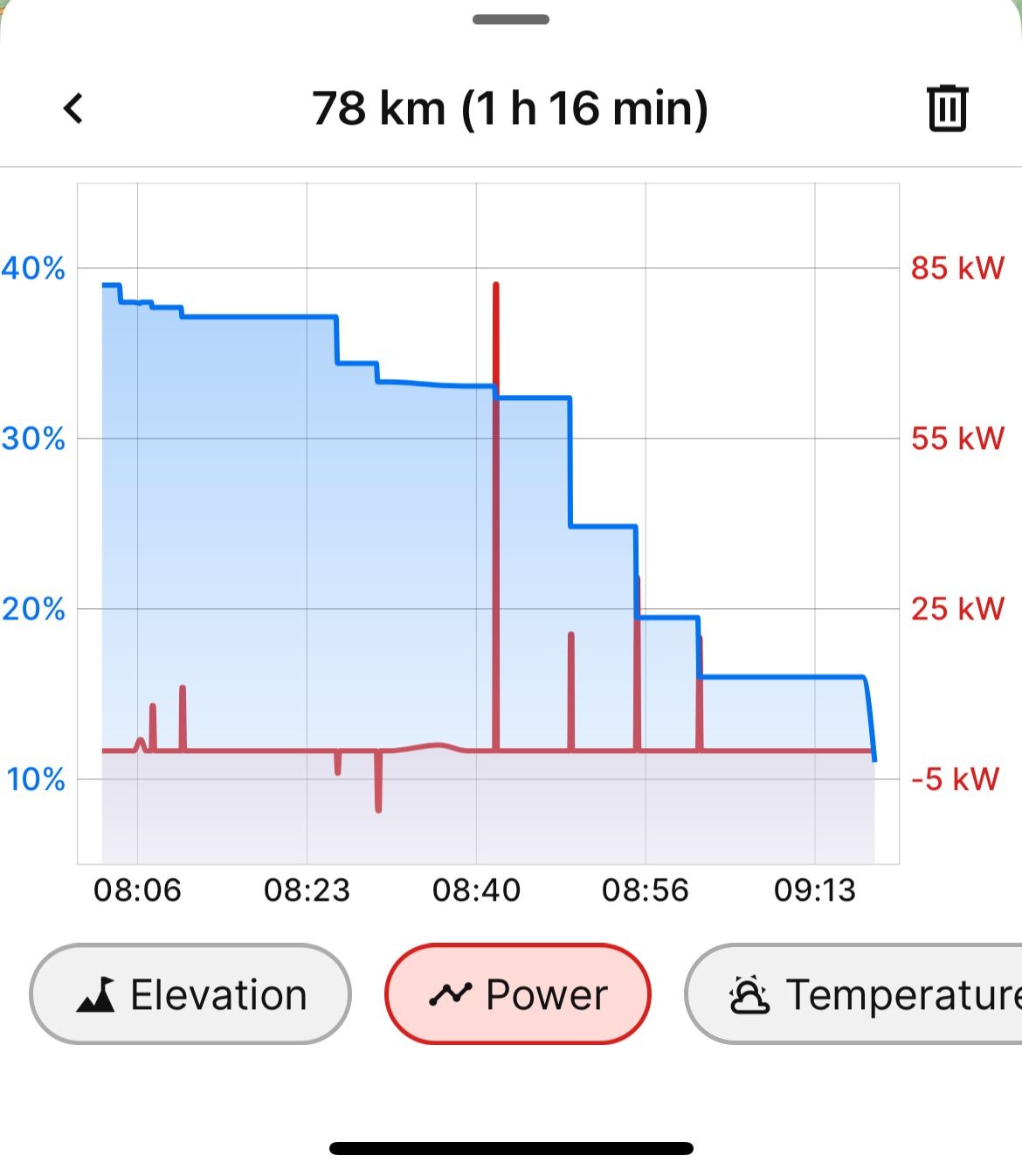
Aber schon am 22. April wird die BLE-Verbindung nur kurz aufgebaut und funktioniert dann minutenlang nicht, bis sie sich wieder ganz kurz aufbaut und dann wieder nicht funktioniert usw.
Das myDrive-Diagramm sieht so aus: Nur sporadische Leistungs- und SoC-Werte:
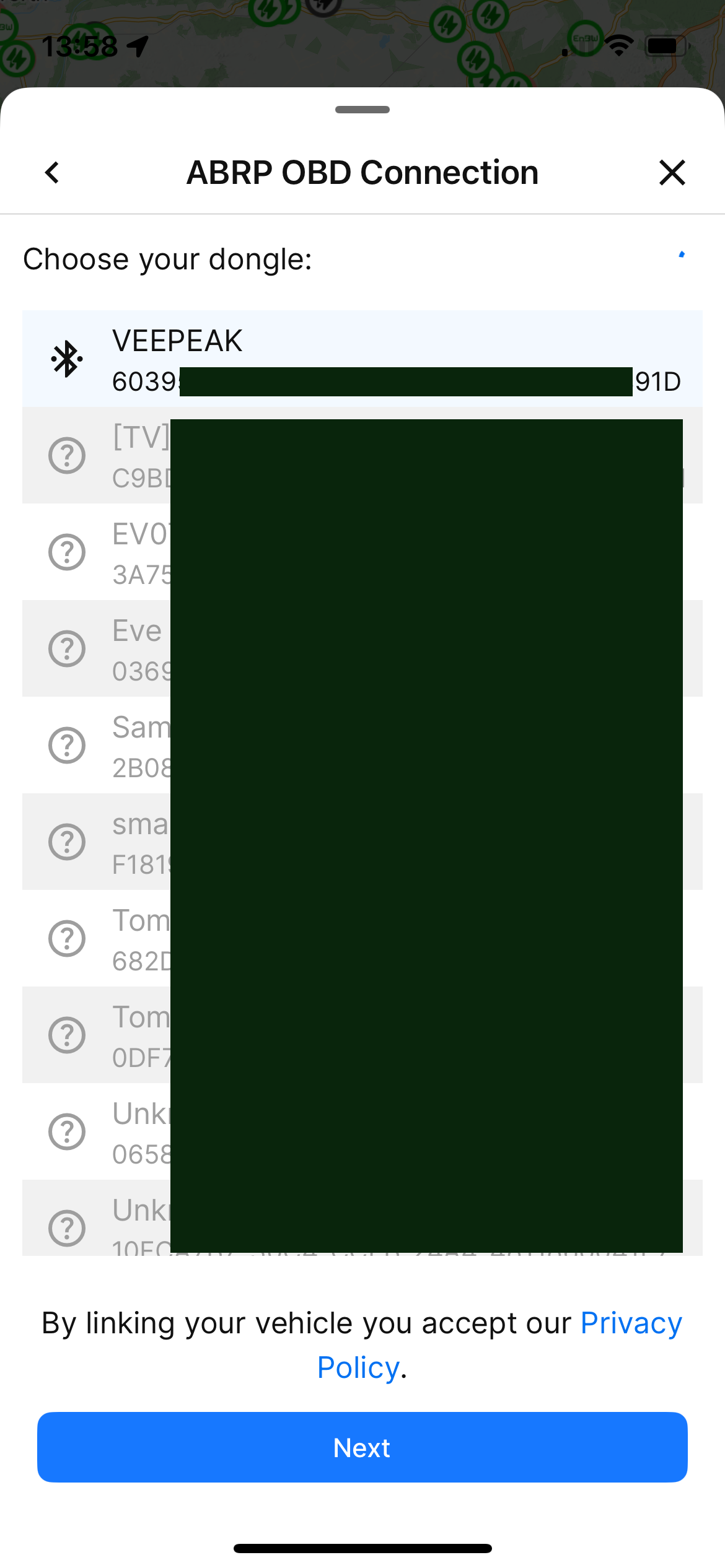
Beim Einrichten der BLE-Verbindung wähle ich z.B. meinen Veepeak-Dongle:
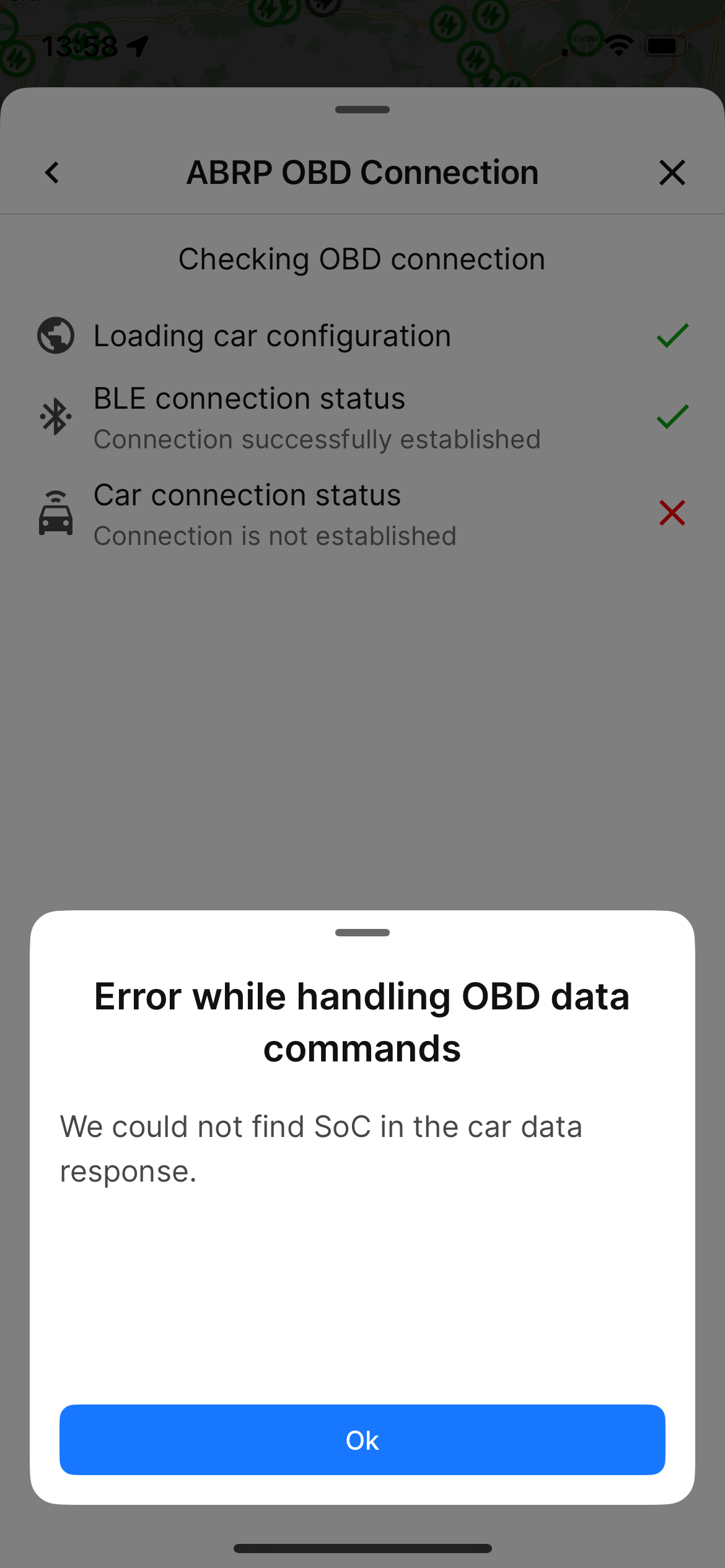
Dann erscheint diese Fehlermeldung:
Nachdem ich Retry gedrückt habe, erscheint diese Fehlermeldung:
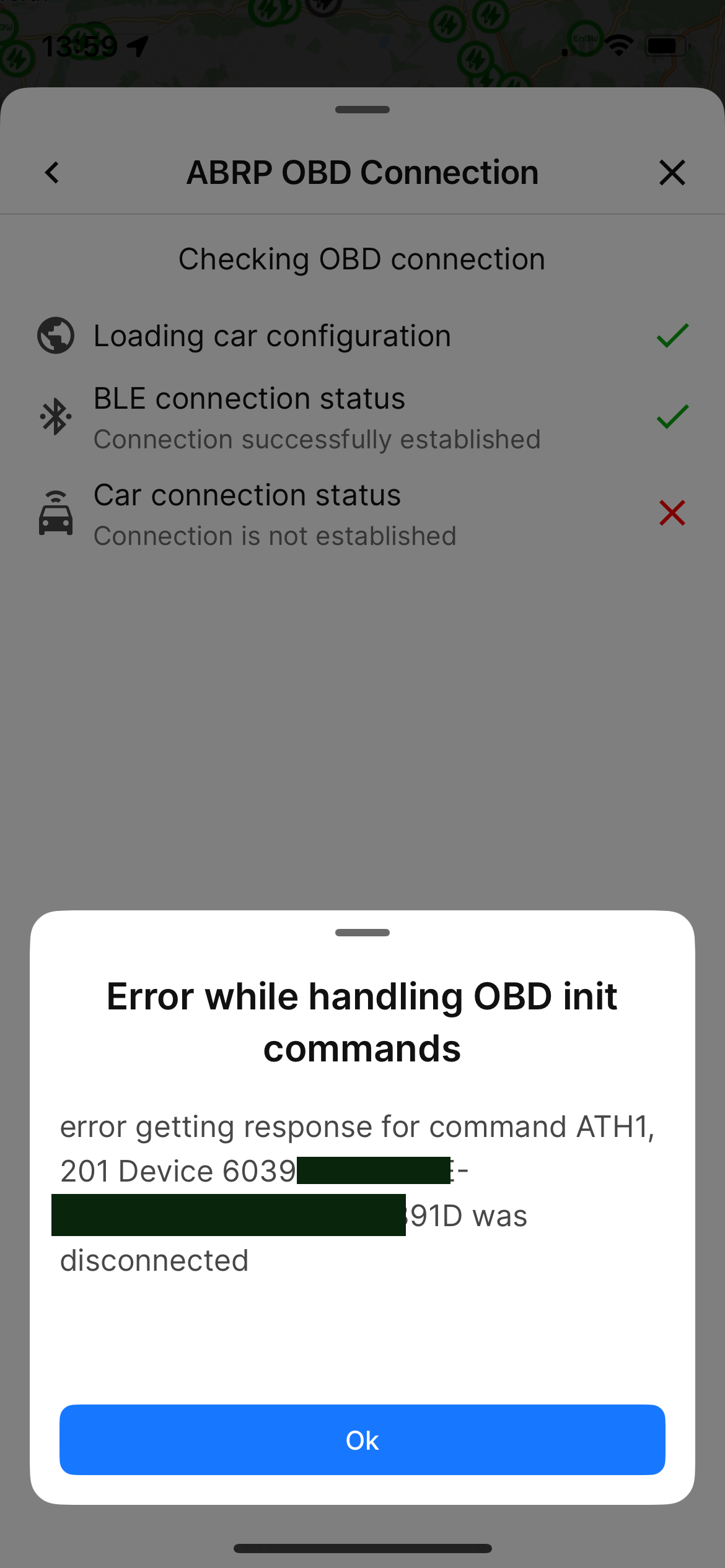
Nachdem ich erneut auf Wiederholen drücke, werden alle Werte...
- Where does this happen?
- ABRP version number (found at bottom of settings menu)
Melden Sie sich an, um zu kommentieren und abzustimmen
Kommentare19
Bo (ABRP)
5. Mai 2025
Hello Thomas, thank you for the very detailed report. We have released an update of the OBD PIDs for Smart on April 29th, so it seems very intermittent. Could you please send us an email to contact@iternio.com and we can try to work together to fix this issue?
Andreas Klein
5. Mai 2025
I'm experiencing exactly the same problem with ABRP on Android and oblink dongle.
ABRP User #6560
30. Apr. 2025
Today April 31, I made a new attempt to connect ABRP V5.7.5 (3343) with the Veepeak OBDCheck BLE+ with the Smart #1. Yesterday the error “We could not find SoC in the car data response“ occures after two seconds, today the same error is occuring after 5 seconds.
b62b987b-8a1a-47d7-8610-cc4ee43c46ef
ABRP User #6560
29. Apr. 2025
It seems that you already made some internal changes, because today I get no connection at all setting up my dongles.
The car connection status counts down starting with 30 and today already stops after two seconds at 28, showing the error „We could not find SoC in the car data response“:
With Veepeak OBDCheck BLE+:
01f85309-ccd4-4167-b612-25c6bb54a617
With Vgate vLinker MC+ (BLE):
823c07ee-b707-46f2-980e-9a7a19d0a5aa
ABRP User #6560
6. Mai 2025
Many thanks @Bo (ABRP)for the opportunity to support you also with my vehicle in debugging the OBD and getting it to run stably together.
Linda ABRP
11. Juni 2025
Hi
I can see that we get data from your car through Android auto but nothing from OBD.
To help us figure out why we don’t get data from your OBD we need you to send a bug report. First you need to enable the bug button in the settings. Go to the settings and scroll all the way down.
The bug button will show on your screen. When the OBD is connected to your car and the car is in drive mode click at the button. Then let me know when you have done this.
ABRP User #6560
12. Juni 2025
Hi @Dieter Kehren
The non-functioning initialization of the OBD adapter on Smart#1 and #3 is already being investigated here:
https://abrp.featurebase.app/de/p/abrp-v575-establishing-the-obd-ble-connection-on-smart-1
Please vote up there.
ABRP User #6560
22. Juni 2025
Hi all
I have now succeeded in configuring the OBD initialization in such a way that the OBD connection is established immediately and reliably on the one hand, and on the other hand also remains permanently connected without any interruptions in the meantime.
In addition, I was able to determine another OBD value that is extremely informative for the driver, as this is not displayed by the vehicle itself: The temperature value of the HV battery.
The recorded temperature corresponds to the average temperature of all cells in the HV battery. This information, which is highly sought after by Smart drivers, is extremely useful for estimating the expected fast-charging performance depending on the HV battery SOC and, above all, the temperature.
I have now successfully tested this OBD configuration for several weeks with my Smart #1 Pulse and the following OBD dongles under iOS:
- Vgate vLinker MC+ (BLE)
- Veepeak OBDCheck BLE+
The OBD configuration is for all the following OBD-identical vehicles:
Smart #1: Pro, Pro+, #1 Brabus, #1 Pulse and also #1 Premium, if ABRP had created it
Smart #3: Pro, Pro+, Brabus, Premium
I have just been able to send ABRP my OBD configuration. After approval by ABRP, I hope that after deleting your existing OBD connection and setting up your new one, your OBD data will now work as well as mine.
ABRP User #6560
25. Juni 2025
ABRP has just adopted the PID list initially only for Smart #1. Thanks to @Samuel_ABRP
To all Smart #1 users: Please try out the new OBD configuration.
If you have made manual changes to the PIDs in the OBD Editor in the past, which is normally not the case, you must first reset the OBD PIDs to default.
In any case, remove any existing OBD link and then reconnect your OBD dongle to the app.
Feedback on the functionality is welcome.
I hope that the Smart #3 will also receive the new PID list shortly.
ABRP User #6560
26. Sept. 2025
Together with ABRP, I was able to optimize the existing OBD connection to the Smart #1 in June and ensure a stable connection. As a bonus, you can now also read the temperature of the HV battery.
I tested this with my Smart #1 and the two OBD Bluetooth dongles Veepeak OBDCheck BLE+ and Vgate vLinker MC+ (BLE).
Since July 2, the Smart #3 models available from ABRP now also have the same OBD Bluetooth connection.
Many thanks to everyone who helped, and enjoy driving your Smart!