Next waypoint not displayed
This problem has still not been solved.
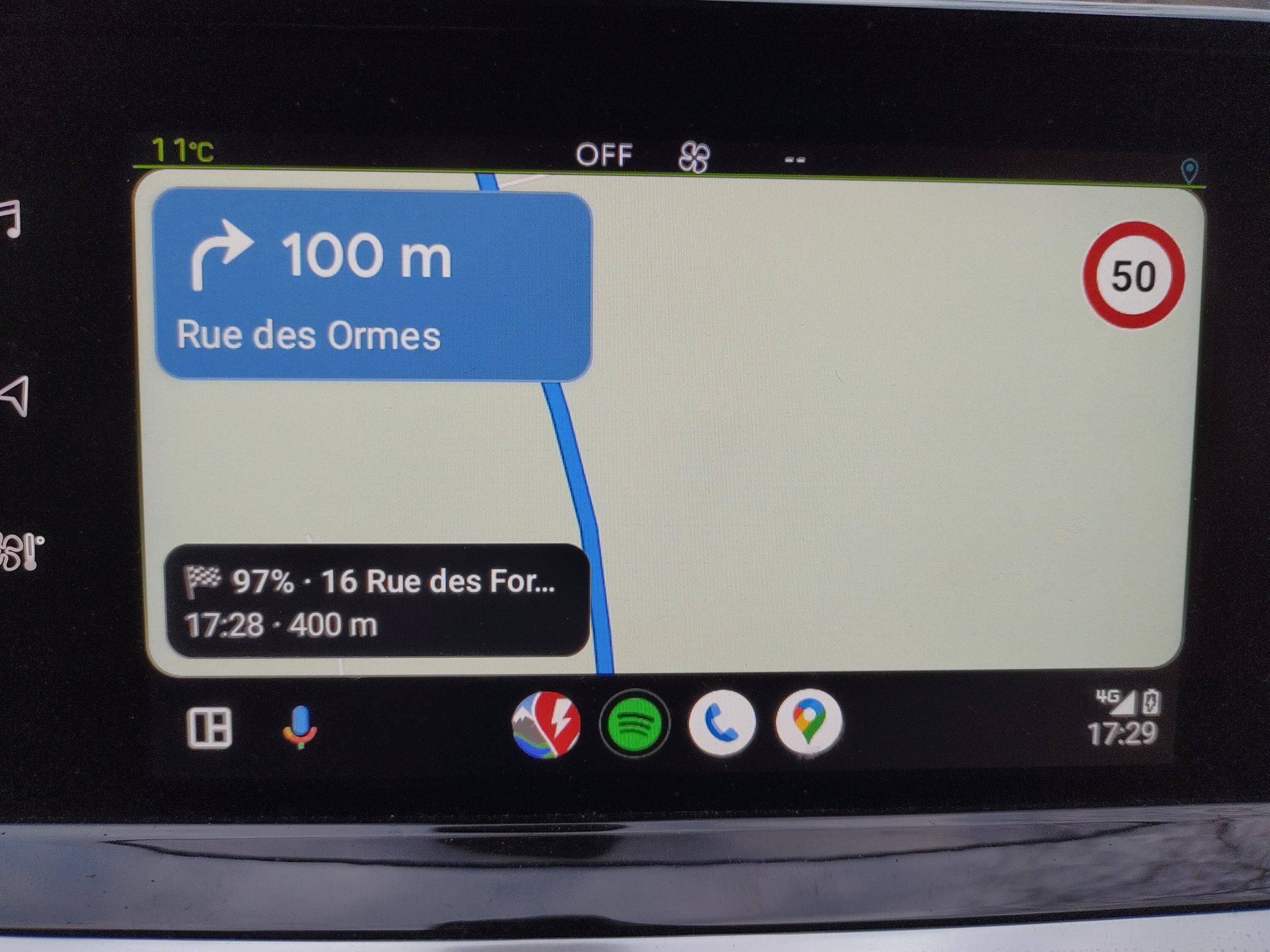
The car's display shows the next stop (waypoint), but with the distance and time of the next waypoint (guidepoint).
Smartphone with Android Auto.
Here's an example:
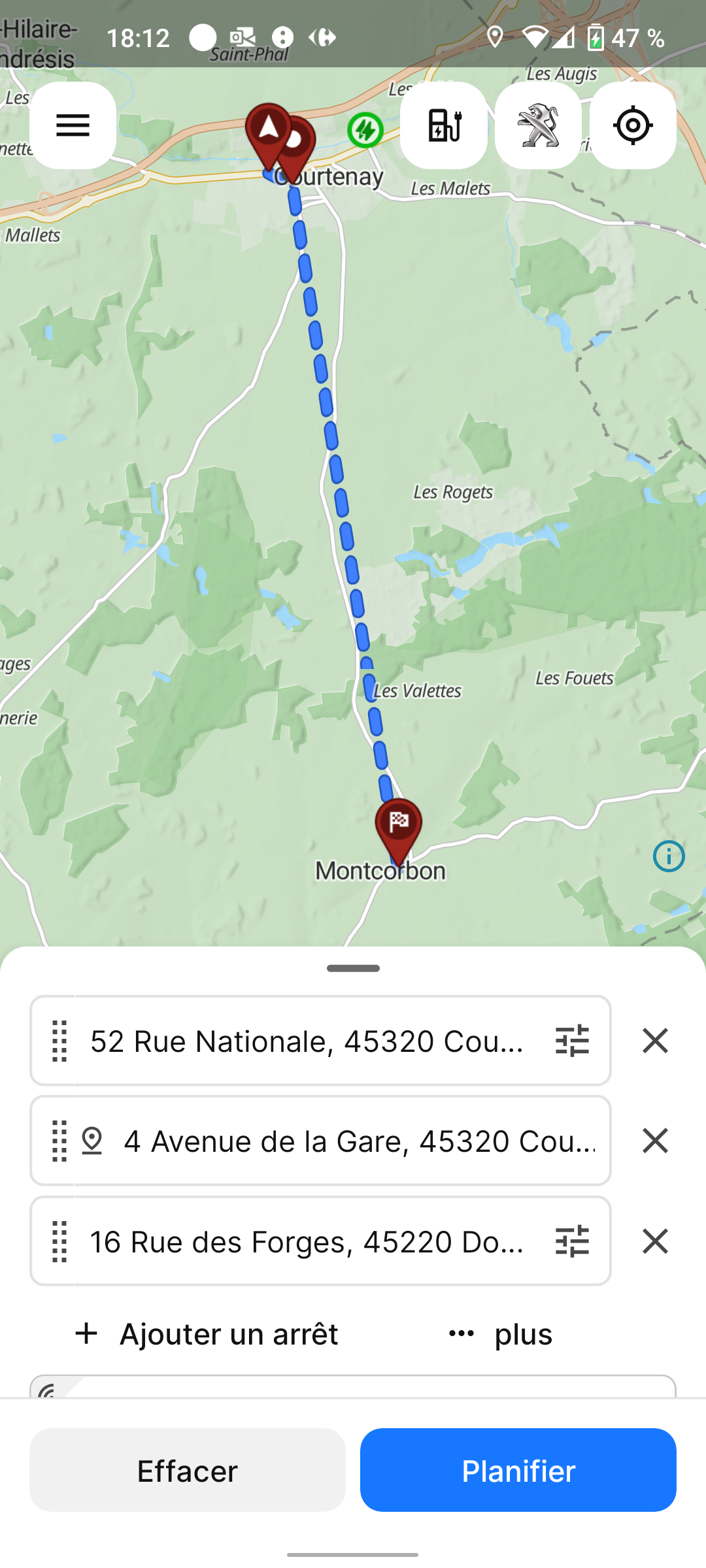
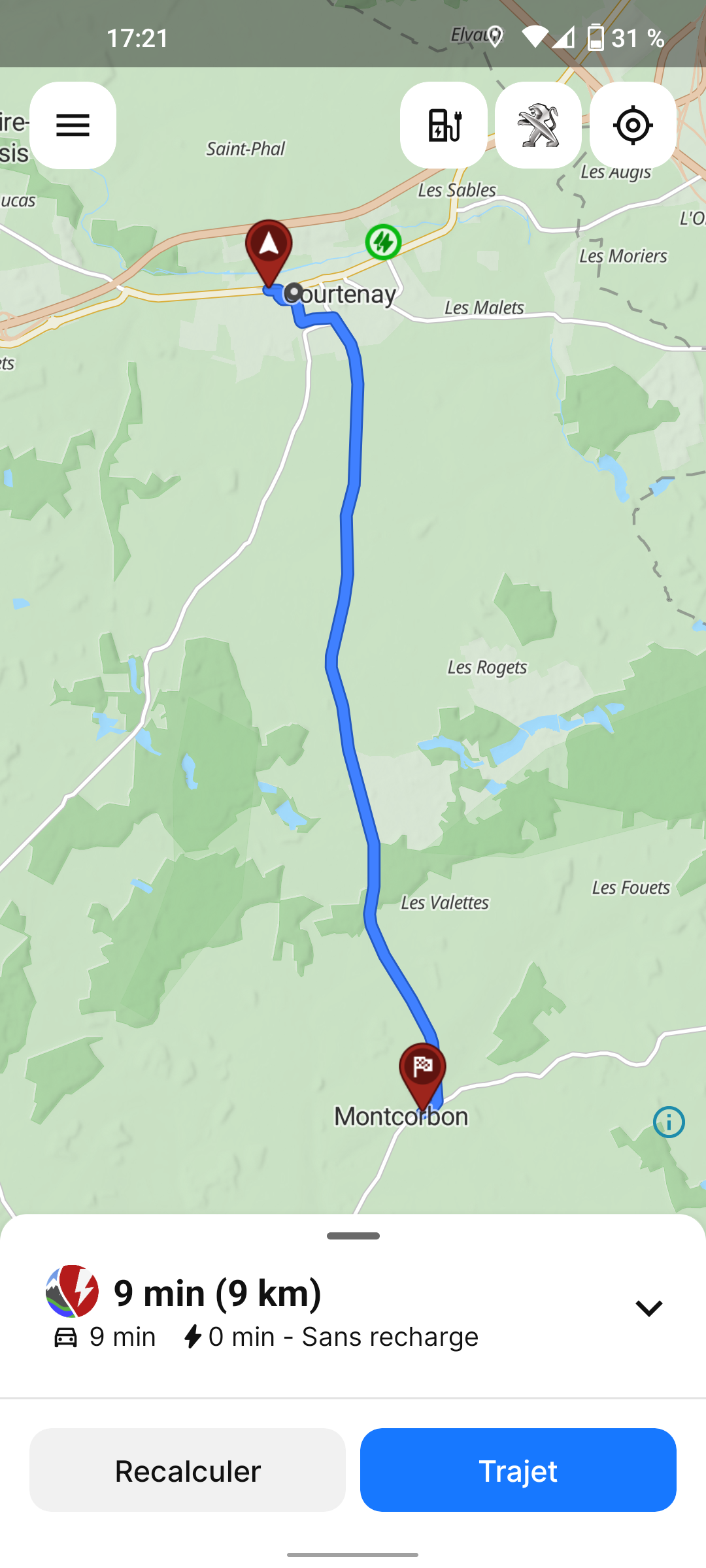
-Courtenay (rue Nationale) to Montcorbon (rue des Forges) 9 km 10 mn
-Departure at 17h27
-Crossing point 400m from start 1 mn (crossing at 5:28 p.m.)
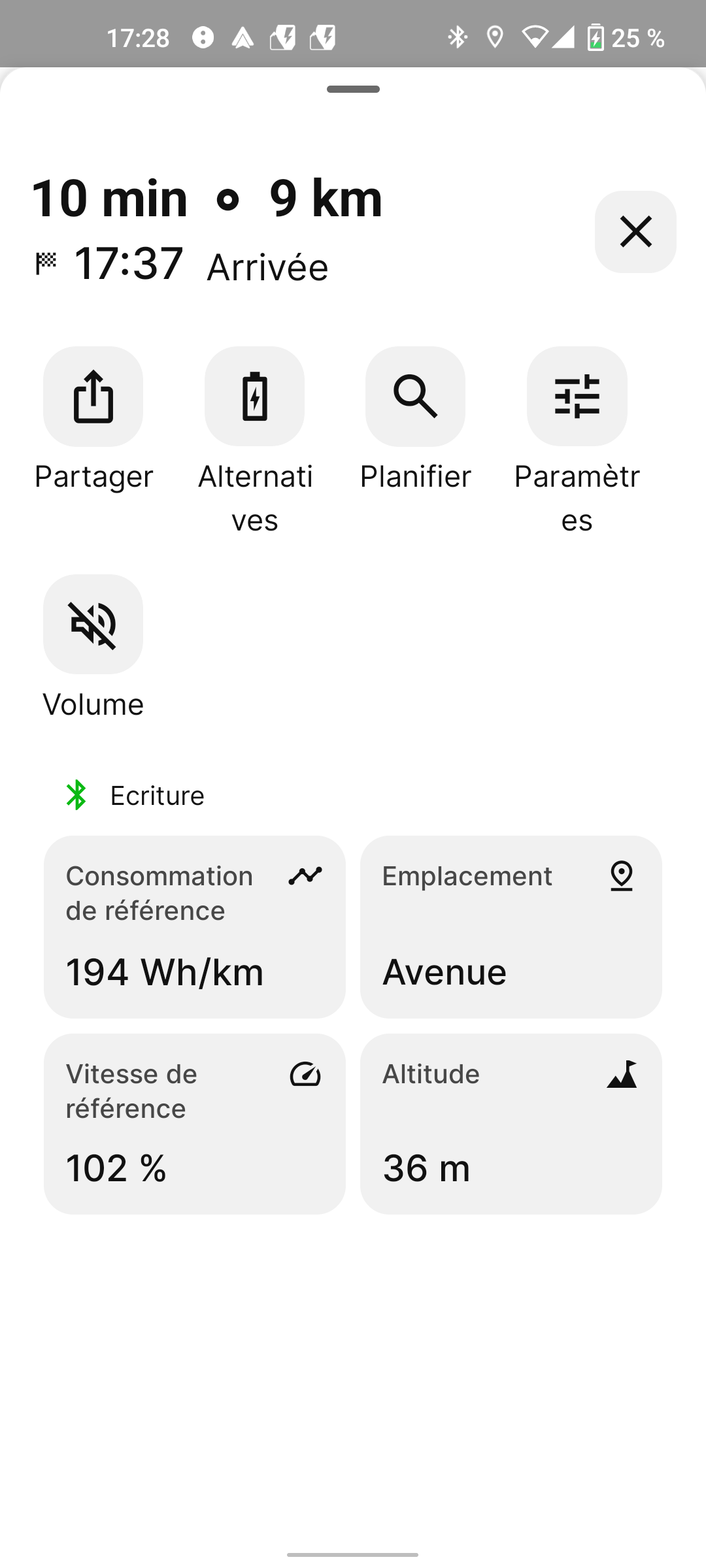
-The smartphone connected to the car correctly indicates arrival 10mn later at 17h37
-The car's screen shows the finish (rue des Forges) but with the data from the crossing point.
Log in to comment and vote
Comments7
Mar 12, 2025
PinnedHi @papymomo,
You say “This problem has still not been solved.” Did you report this previously? If so, could you link me the previous ticket?
papymomo
Mar 13, 2025
https://abrp.upvoty.com/b/report-a-bug/indications-fausses-sur-lecran-de-la-voiture/
(10-2024)
Katya S.
Mar 13, 2025
Ok, upvoty is no longer active so this link it not viewable. The ticket has been transferred here to featurebase and can be found at: Indications fausses sur l'écran de la voiture. I’ll merge it in with this more recent ticket so that we avoid duplicates.
Katya S.
Mar 13, 2025
Looking at your screenshots, you have not added the points as waypoints but instead ‘guidepoints’. As guidepoints are only intended for, for instance forcing ABRP to use a certain road, but not stopping at the point - we do not mean to display them in navigation.
If you want to add a stop that is announced in navigation, add a regular waypoint instead.
papymomo
Mar 14, 2025
Je répète : l'écran de la voiture indique bien le prochain waypoint, mais avec les données (distance et temps) du prochain guidepoint.
papymomo
Mar 13, 2025
Edit :
L’écran de la voiture affiche bien le prochain arrêt (waypoint), mais avec les données de distance et de temps du prochain point de passage (guidepoint).
papymomo
Nov 28, 2024
Rien n’a changé dans la version 5.5.0.
Suis-je le seul à voir ce bug ?
Remarque : les données d’arrivée à la prochaine étape sur le smartphone sont exactes. Elles ne sont fausses que sur l’écran de la voiture via Android Auto.